
Participating Frequently
September 1, 2023
Answered

Using one field to calculate other fields

  • September 1, 2023
  • 1 reply
  • 3266 views

I have a form that if the user supplies the date, I want to add 5 days and populate other fields.
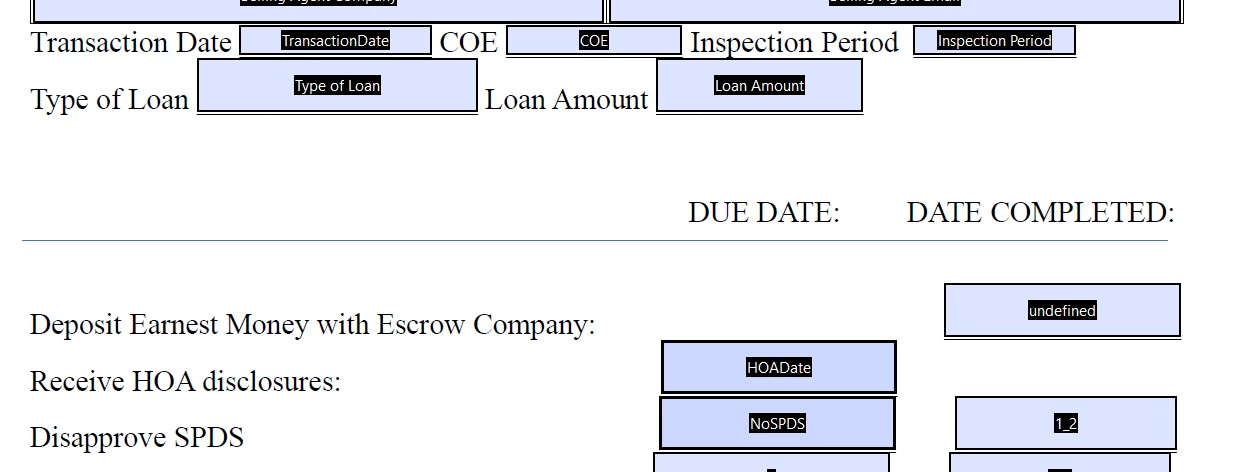
So, when the user puts an address in the Transaction date, it needs to add 5 day and autofill in the due date of HOADate and NoSPDS.  The code I have is giving me a syntax error 6 on Line 7.

This topic has been closed for replies.
Correct answer Thom Parker

So, if I just want to use the original 5 days, I can change the +5 on the NoSPDS to +0?


No, remove the second line of code altogether.  The "date" was changed once, it doesn't need to be changed again. 


Like this:


date.setDate(date.getDate() +5);
this.getField("HOADate").value = util.printd("mm/dd/yyyy",date);
this.getField("NoSPDS").value = util.printd("mm/dd/yyyy",date);


1 reply

Thom Parker
Community Expert
Community Expert
September 1, 2023

Please post the code you are using. 


Thom Parker - Software Developer at PDFScriptingUse the Acrobat JavaScript Reference early and often
Participating Frequently
September 1, 2023

var date = util.scand("mm/dd/yyyy",event.value);

if(event.value ==""){

this.getField("HOADate").value = "";

this.getField(”NoSPDS”).value = "";}


else {

date.setDate(date.getDate() +5);

this.getField("HOADate").value = util.printd("mm/dd/yyyy",date);

date.setDate(date.getDate() +5);

this.getField("NoSPDS").value = util.printd("mm/dd/yyyy",date);

}


This is the code I am using, it does not give me the error I was getting, but now does not return anything in the HOADate or the NoSPDS fields. 

Thom Parker
Community Expert
Community Expert
September 1, 2023

And where is this script placed? 


Thom Parker - Software Developer at PDFScriptingUse the Acrobat JavaScript Reference early and often