
Participant
September 4, 2022
Question

Weird artifacts when converting from docx to PDF

  • September 4, 2022
  • 2 replies
  • 1843 views
Hi
I am writing my thesis and i ran into a strange problem when I export the surface .svg files from MATLAB and convert to pdf with Acrobat PDF Maker. The figures show weird artifacts as can be seen in the picture below. I tried to export another chart using different function and the problem is still here, so I think is something related to the PDF converter. All the 2D vector images in the document are fine even all the other generated in MATLAB.
If I export only the surface with Microsoft printer it's okay (so I deduced that the .svg file is fine), but this solution is inapplicable because it messes up al the line thickness of the other images, I prefer using Acrobat PDF Maker.
I tried to change print options without positive result.
Let me know what I can do to fix it because is very important.
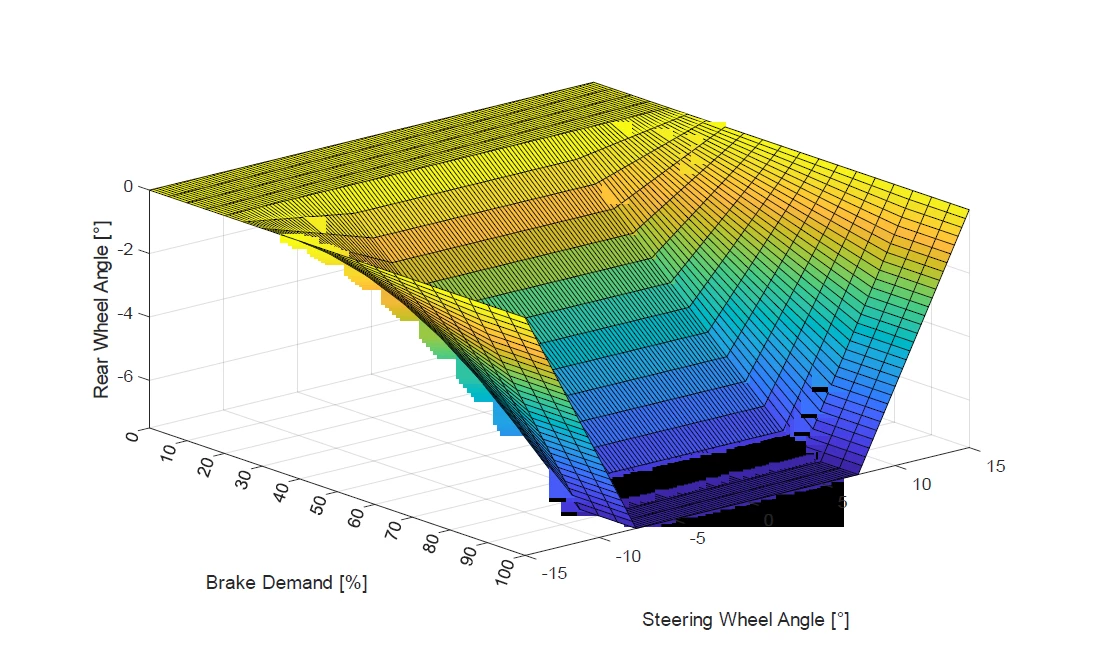
 
 
I attach my .svg file so if it's necessary someone can try to replicate the error.
 
 
Best Regards
 
Andrea
 
 
This topic has been closed for replies.

2 replies

Dave__M
Community Expert
Community Expert
September 7, 2022

Andrea,

I'm not sure what tools and applications you have at hand, but I opened your SVG in Adobe Illustrator and saved it as a PDF.  The result did not have the glitches you showed.

Are you able to take a similar route and incorporate the results into your thesis?

My best,

Dave


Dave__M
Community Expert
Community Expert
September 7, 2022

I do get a similar glitch using the SVG in Word and PDF Maker, but converting the SVG to PNG in illustrator results shown below on the right.  If you're willing to convert the file format, the result seems to do the trick.

My best,

Dave

Participant
September 8, 2022

I'm not able to incorporate the pdf into my thesis because I need to add captions and comment to it, so I need to insert it in the .docx file.
If I convert the document directly with the export option in word there are no artifacts, the problem is that some other vector images I inserted have the problem that the lines are much more thick than what I used in Illustrator.

Participant
September 5, 2022

UP

Participant
September 6, 2022

UP