I think that what you're concerned about has to do the certificate revocation and trust status after it expires. And possibly getting signature validation errors if that document is opened at a later time that is past the end of life for the certificate that was used to sign that document, correct?
I don't think that is a problem since the Adobe Acrobat's default signing method ("Adobe Default Security") will validate that digital signature against the timestamp that was created with at signing time.
If this is what you're inquiring about here's a very good technical explanation that I found:
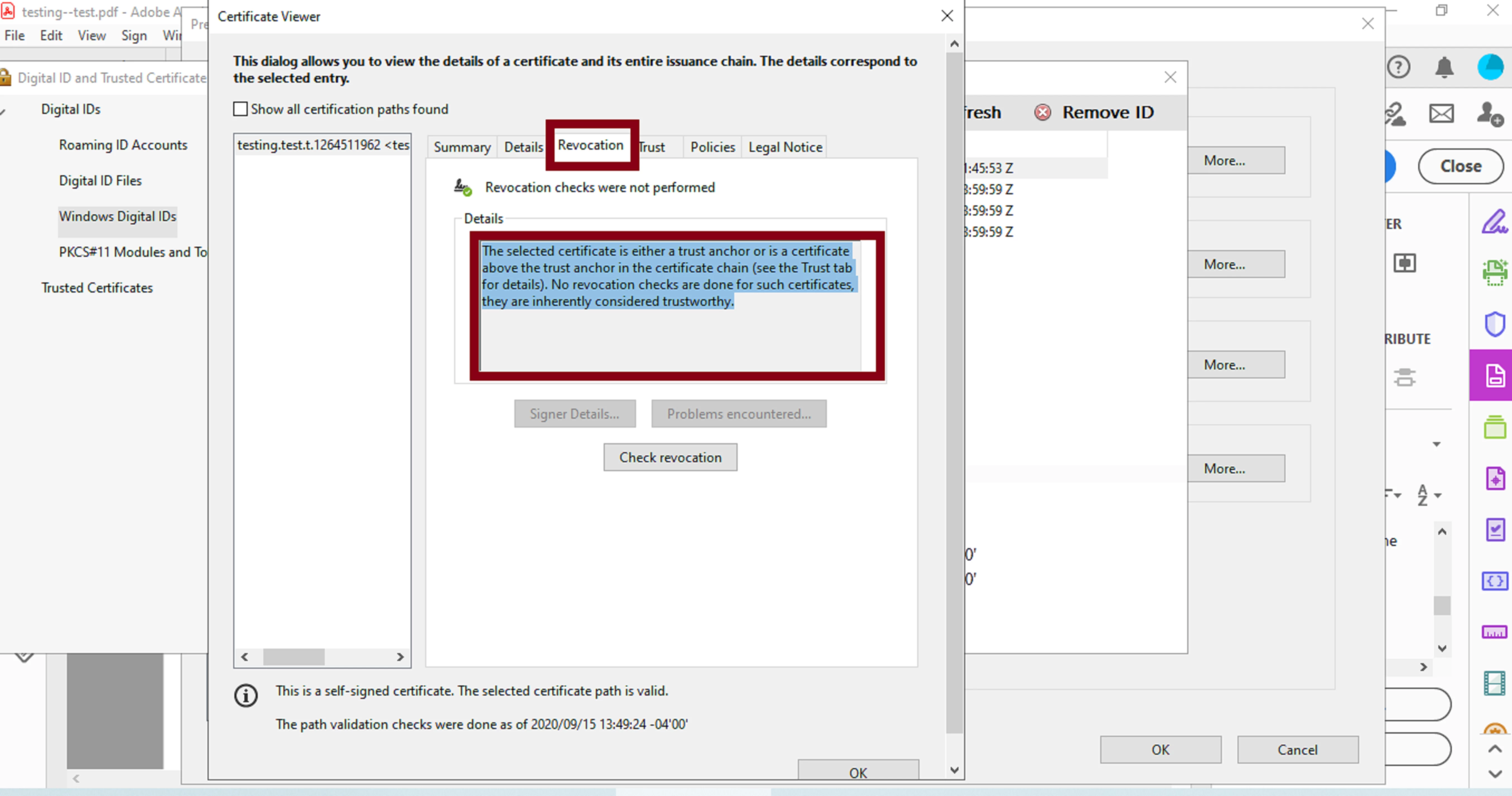
In fact, if you go to Edit--->>>Preference--->>> Signatures --->>>"Identities & Trusted Certificates" --->> you can check the details of such self-signed certificate through "Windows Digital IDs" or even in the "Trusted Certificates" section(s).
To backup what I'm saying , in the "Digital ID and Trusted Certificate Settings" dialogue box, left-click once with your mouse pointer on your self-signed certificate provided in the list, then above that, click on the "Certificate Details" tab.
In the next dialogue box that will open ("Certificate Viewer"), click on the "Revocation" tab and see below the notice that is displayed in the "Details" section. See slide below:


 AdChoices