Question
What IS This??
When you zoom in/out and modify pages with acrobat, that always appears in the upper right corner.
I don't know what that is and it drives me crazy.
Is there a way to turn it off completely?
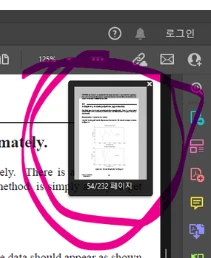

When you zoom in/out and modify pages with acrobat, that always appears in the upper right corner.
I don't know what that is and it drives me crazy.
Is there a way to turn it off completely?
Already have an account? Login
Enter your E-mail address. We'll send you an e-mail with instructions to reset your password.
 AdChoices