

L Gryfe
Inspiring
July 16, 2023
Answered

Where did the Clear Form button go in the latest version of Acrobat DC

  • July 16, 2023
  • 1 reply
  • 2285 views

I just “upgraded” to the latest version of Arobat DC and I can't find the option to clear my form after I've tested it. Please help. (Not loving this version. Things have been moved for no reason –again – and it's flakey as anything.)
This topic has been closed for replies.
Correct answer Thom Parker

It's located pretty much where it was before. When in "Prepare Form" mode, look on the right side of the Acrobat Window in the Field Listing pane.  At the top right of the pane you'll see a "...". Click on it to display a popup menu with the "Clear Form" option. 


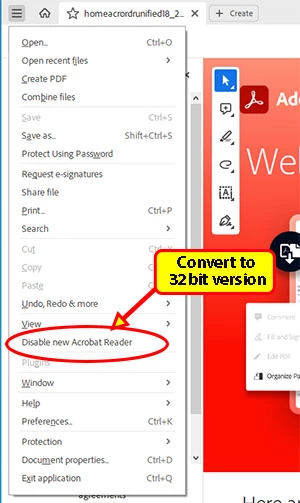
Alternatively, you can revert to the old UI.

1 reply

Thom Parker
Community Expert
Thom ParkerCommunity ExpertCorrect answer
Community Expert
July 16, 2023

It's located pretty much where it was before. When in "Prepare Form" mode, look on the right side of the Acrobat Window in the Field Listing pane.  At the top right of the pane you'll see a "...". Click on it to display a popup menu with the "Clear Form" option. 


Alternatively, you can revert to the old UI.

Thom Parker - Software Developer at PDFScriptingUse the Acrobat JavaScript Reference early and often
L Gryfe
L GryfeAuthor
Inspiring
July 16, 2023

Ugh, of course! I was looking on the wrong side of the window. Thank you!