
Participant
May 22, 2024
Answered

Where do I find the Output Tab in Adobe Acobat Pro?

  • May 22, 2024
  • 3 replies
  • 1384 views

Where do I find the Output Tab in Adobe Acobat Pro?
I am trying to create a PDF template and the instructions downloaded from Adobe Support (last updated on 30th April 2024) start with:

1. Select the Output tab.
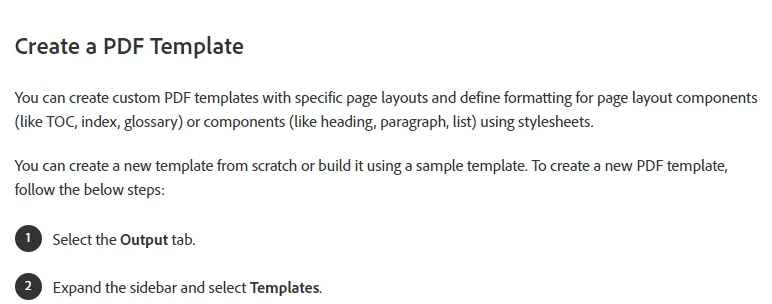
 

The instructions seem pretty straightforward if you can find the tabs they refer to, so any help would be greatly appreciated.
    Correct answer try67

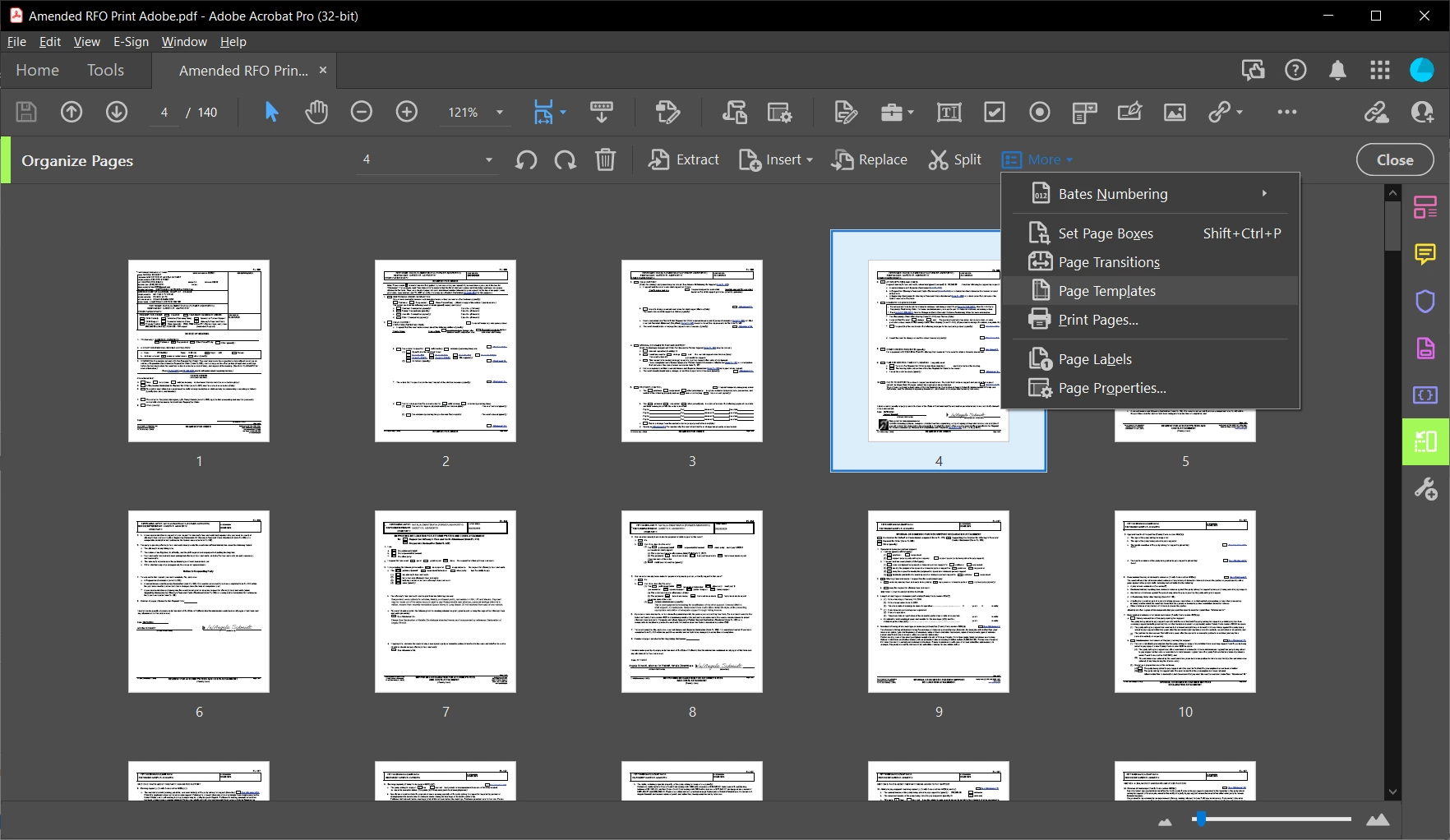
    These instructions are not for Acrobat. To create a Template in Acrobat you need to find the Page Templates tool, under Tools - Organize Pages - More:


    3 replies

    try67
    Community Expert
    try67Community ExpertCorrect answer
    Community Expert
    May 22, 2024

    These instructions are not for Acrobat. To create a Template in Acrobat you need to find the Page Templates tool, under Tools - Organize Pages - More:


    Bernd Alheit
    Community Expert
    Community Expert
    May 22, 2024

    Try the forum for Adobe Acrobat Sign.

    kglad
    Community Expert
    Community Expert
    May 22, 2024

    in the future, to find the best place to post your message, use the list here, https://community.adobe.com/

    p.s. i don't think the adobe website, and forums in particular, are easy to navigate, so don't spend a lot of time searching that forum list. do your best and we'll move the post (like this one has already been moved) if it helps you get responses.


    <"moved from using the community">
    Participant
    May 22, 2024
    Thank you.
    kglad
    Community Expert
    Community Expert
    May 22, 2024

    sure. (and i'm wondering the thing-where is that tab?)