


Participant
Sep 17, 2026 11:22 AM UTC
Question

Why can't I turn off generative AI features in Adobe Acrobat?

I can not turn off generative AI features in Acrobat and it's absolutely infuriating me. Every time I hover over a picture it just hallucinates some random prompt which has nothing to do with the content and blocks half of the image.

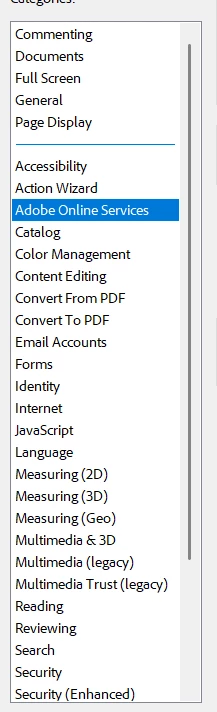
Every solution I have found online mentions the preferences tab where there should be generative AI options.

There is no tab under preferences where anything about AI is mentioned. Acrobat is updated to the newest version. Even turning back to the old UI does not get rid of these stupid popups.
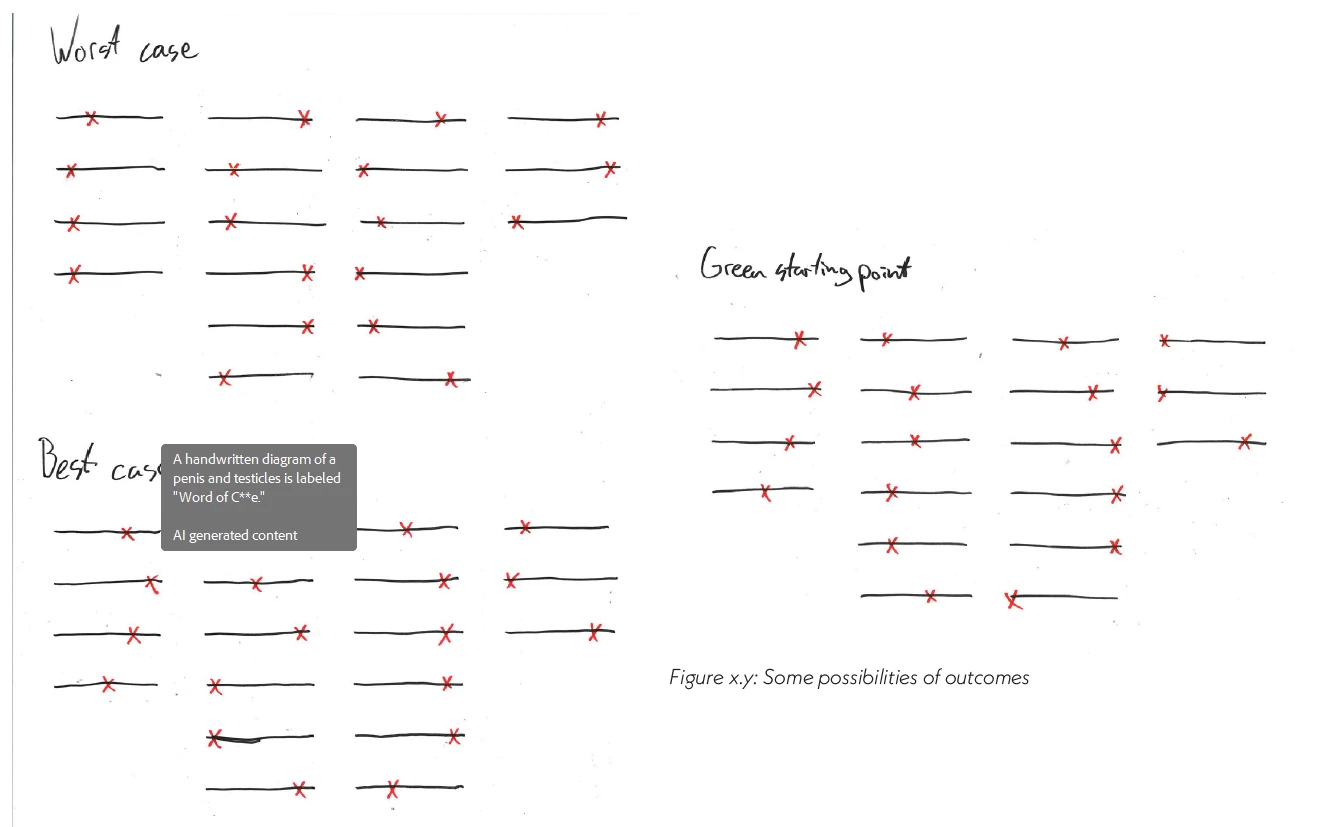
I mean what is this????

Please Adobe I won't use your stupid AI functions, just get rid of them or at least allow me to get rid of them.

    5 replies

    justlearn
    Community Expert
    Community Expert
    Oct 21, 2026 9:50 AM UTC

    ​@jessed96131941 There are a few places to turn this off. But, looking at my prefernces and yours, your may be on an older version. I would upload to the latest version which may help and then turn some things off. 


    The first is to ‘Disable new Acrobat’ under View (Currently turned on to show what yours may look like’ 


    Turn off page actions on hover under Preferences - General:

    In the Preferences - Generative AI, turn off everything:


    Translate
    m
    Known Participant
    Oct 20, 2026 4:21 PM UTC

    This sounds really frustrating, especially when the AI tooltips cover part of the image you're trying to view. There should be a simple option to disable these features completely, regardless of whether someone is using the new or old interface. Hopefully, Adobe will provide a proper setting for this in a future update, instead of making users search through preferences for an option that isn't available.

    Translate
    Meenakshi Negi
    Community Manager
    Community Manager
    Oct 21, 2026 8:44 AM UTC

    Hi Mick Judo,


    Thank you for reaching out, and I'm sorry to hear that you are experiencing this issue. We understand how frustrating it can be when it disrupts your workflow.

    In Acrobat, you can turn off the Generative AI feature in the preferences: Turn off Generative AI features.

    However, if you still receive tooltips after doing this, please share a short video demonstrating your workflow when these tooltips appear. Additionally, provide a sample PDF so we can replicate the issue and investigate further.

    Lastly, please mention the versions of Acrobat and your operating system that you are currently using.


    We look forward to your response.


    Thanks,

    Meenakshi

    Translate
    Known Participant
    Oct 19, 2026 2:54 PM UTC

    Anyone? I’m facing this same nonsense. I’m using the old UI and I still get these AI generated tooltip descriptors.

    Translate
    Meenakshi Negi
    Community Manager
    Community Manager
    Oct 20, 2026 3:41 PM UTC

    Hi tshill,


    Thank you for reaching out, and sorry for the trouble caused.

    Could you please confirm whether you still receive the tooltips when the Generative AI tool is disabled in your preferences? Additionally, please provide the version number of Acrobat and your operating system. It would also be helpful if you could share screenshots of some examples.

    We look forward to hearing from you.


    Thanks,

    Meenakshi

    Translate