
Participant
December 3, 2022
Question

Why does my GUI look different in two different computers?

  • December 3, 2022
  • 3 replies
  • 6197 views

I've recently bought a new computer, and when I installed Adobe Acrobat on it, I realized that it looks much more different than the old one. Both PCs run on Windows 11 64-bit, and both installations are very recent.


First one looks like this:
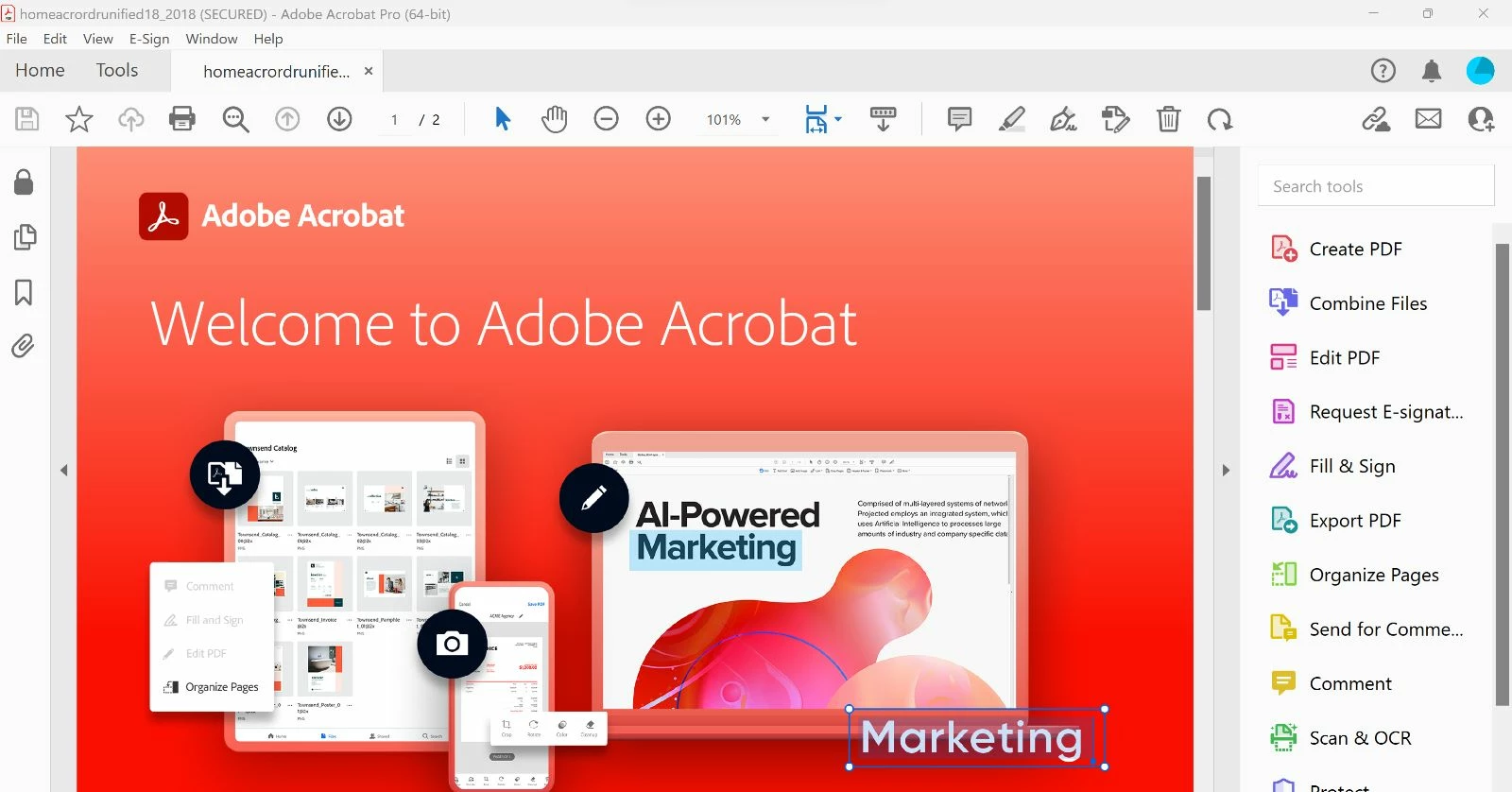
And the second one(which is unfamiliar to me, I want it to be like the first one) looks like this:
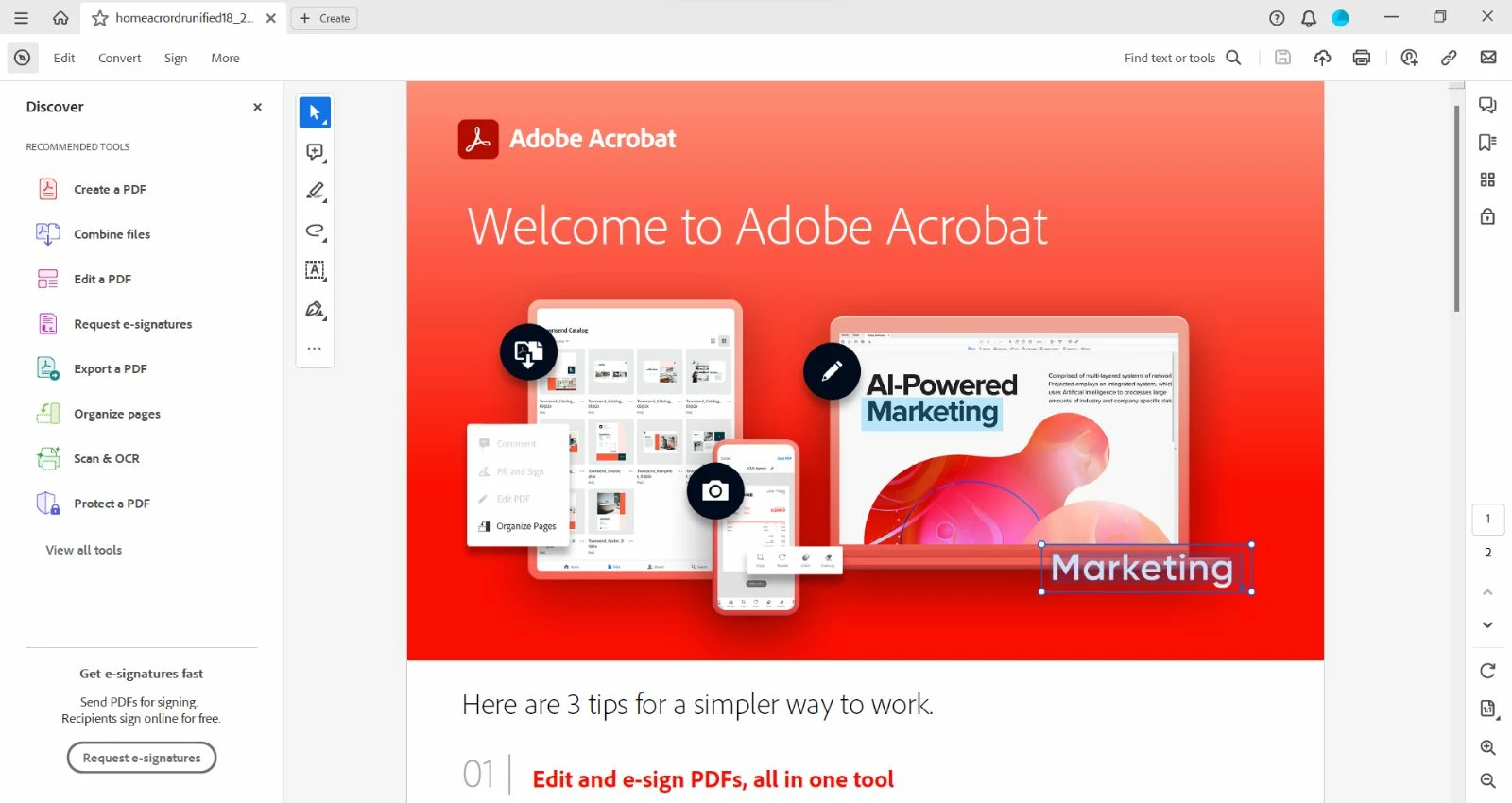
 

How do I fix this?

3 replies

Participant
February 13, 2024

So simple with ability to turn back on.  Thank you.

Participant
February 24, 2024

Thank you!  I couldn't even use 'highlight' with one hand anymore!  Before, I could double click and it would highlight a selection.  The new one makes me use one finger to hold down the touch pad, and the other to actually move the cursor to highlight.  I do everything on laptop with no mouse, and this is ridiculously inconvenient for what I use it for!

Participant
December 29, 2023

Thank You.

This has been driving me nuts!

Bernd Alheit
Community Expert
Community Expert
December 3, 2022

try67
Community Expert
Community Expert
December 4, 2022

What a terrible name for a menu item... It should at the very least mention "layout" or "design" or even "UI".