
KoKomil
Participant
October 1, 2018
Question

Why I can one click delete digital signature from a protected document?

  • October 1, 2018
  • 2 replies
  • 1736 views

Good day!

I have signed some test pdf document with a digital signature.

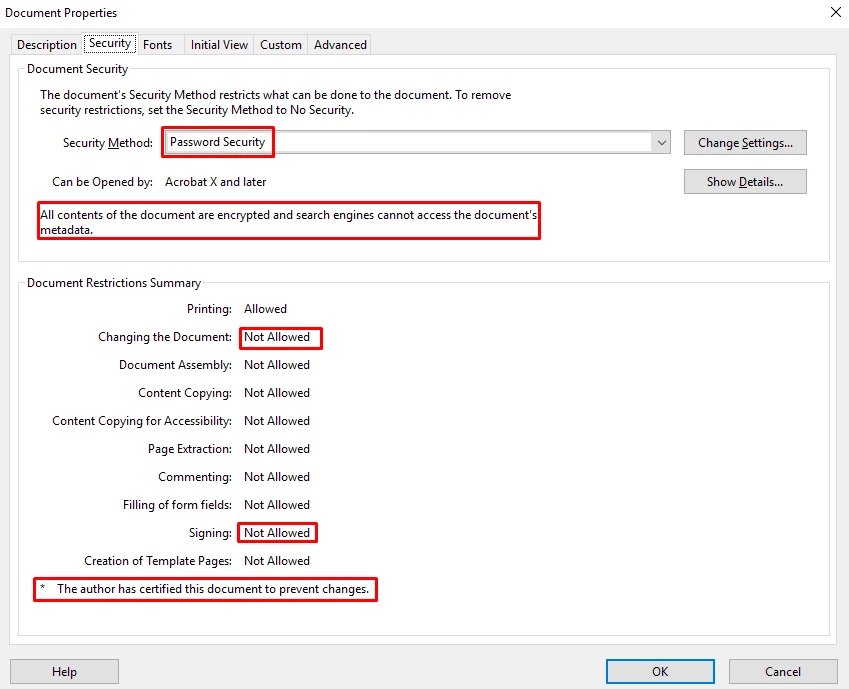
As you can see on a picture the document is totally protected from any modification.
Now I go to a signature panel and rightclick  my signature.
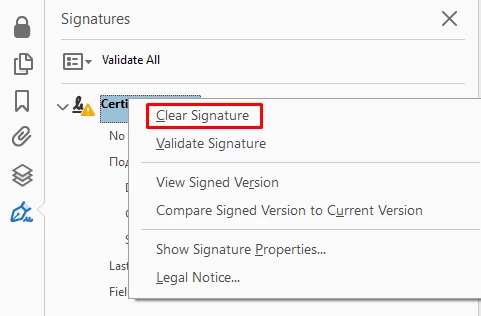
There is  a Clear Signature option, which do what it says - deletes my signature and make document editable again.
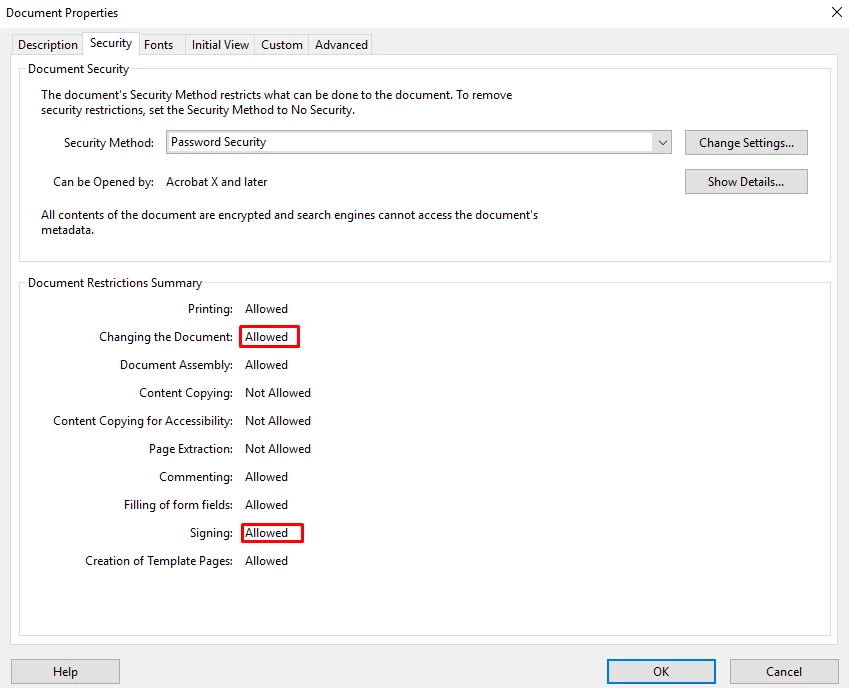
So the question is, why the locked down and certified document is 2 clicks away from editing right in your software?

I know, there is plenty shady apps that breaks pdf security in seconds, its a disaster but we live in it.

But how come that your own software is capable of such things?

Best regard, Denis

This topic has been closed for replies.

2 replies

Legend
October 2, 2018

I agree Adobe should fix their documentation or software so they agree.

KoKomil
KoKomilAuthor
Participant
October 1, 2018

As stated here Validating digital signatures, Adobe Acrobat

"You cannot remove a digital signature unless you are the one who placed it and you have the digital ID for signing it installed."

I could clear the signature on PC with no certificates installed, just with Adobe Acrobat Pro.

And when I clear certificate on a same PC i have signed it, Acrobat do not ask me to insert token (my private key is not imported).

try67
Community Expert
Community Expert
October 1, 2018

Did you save and close the file after signing it?

KoKomil
KoKomilAuthor
Participant
October 2, 2018

Yes. Definitely.