


Why is Acrobat Pro DC messing up my Windows shadows (and can you please make it not do so)
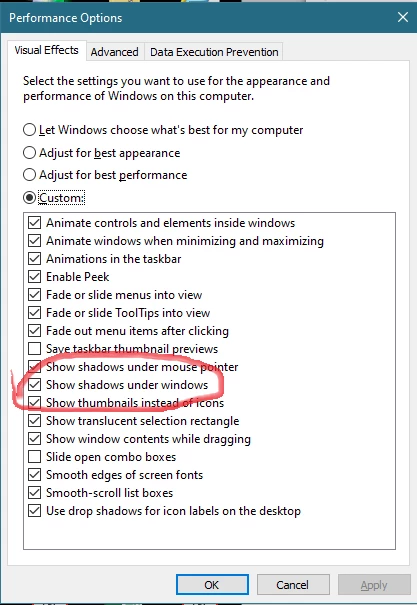
Some functions of Acrobat Pro DC switch off the global Windows setting "Show shadows under windows". Since I prefer my Windows' windows background white, those shadows are important to delineate where one folder starts and the other ends. The same preference also draws shadows under various InDesign popups, palettes, and dialogs.
This is my strongly preferred screen settings:
Now whenever I have Acrobat Pro DC (2020.006.20034) open and I click the Comment tool to open the sidebar ...
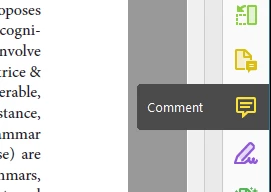
I see the shadows under all windows disappear. Calling up the Performance dialog again confirms the setting got switched off:
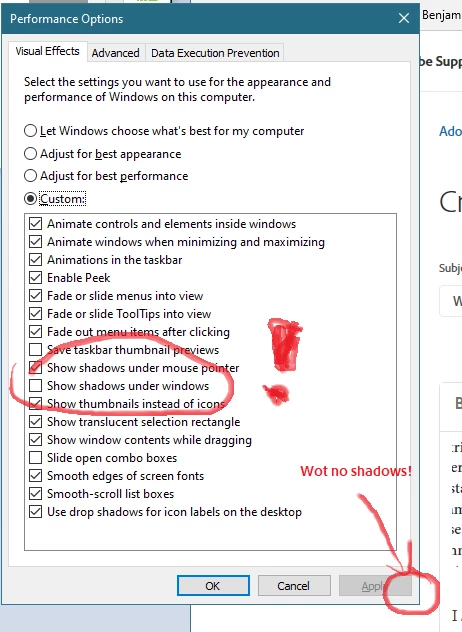
Latest Acrobat DC, latest Windows update per 20-Feb (1903 Build 18362.657) -- but this has happened on and off for some time now so (probably) unrelated to Windows updates.
It is only Acrobat Pro DC which does this, and in it only the Comments button. Please make it not do this. It messes with User's Preferences settings with which it has nothing to do.
 AdChoices