
Participant
February 12, 2025
Question

why my adobe acrobat can't split a text box into many small text boxes

  • February 12, 2025
  • 1 reply
  • 333 views

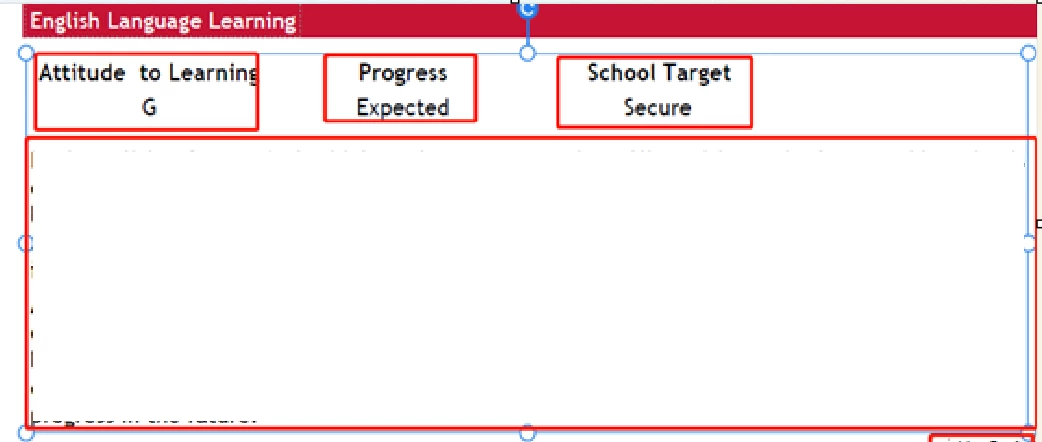
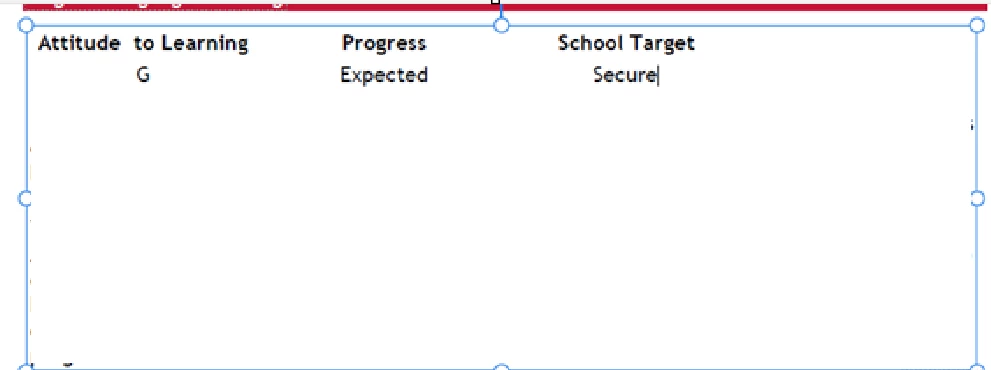
why my adobe acrobat can't split a text box into many small text boxes, please see the screenshot below, my colleage's acrobat can split  a text box into many small text boxes, but mine can't do that. I check the acrobat version is same, I try to reinstall it, still doesn't work. any idea can help to fix this problem?


my colleage's acrobat can split a text box into many small text boxes.
 

mine can't do that
1 reply

Thom Parker
Community Expert
Community Expert
February 12, 2025

This is something Acrobat does automatically when parsing the page content for editing. The why and how are mysteries.

Why do you care?


Thom Parker - Software Developer at PDFScriptingUse the Acrobat JavaScript Reference early and often
sara_9359Author
Participant
February 13, 2025

Thank you so much for your reply! Because I need it to be in mutiple text boxes so I can edit the texts with some paragraph function. I need it to be shown like what on my colleague's PDF(mutiple text boxes), which I don't have. Is it possible to find some way to fix it please? 

Thom Parker
Community Expert
Community Expert
February 13, 2025

There is nothing to fix because there is nothing wrong, i.e., things being different than you would like does not mean they are wrong.  However, if you edit the text, or change the box size/position, it is highly possible that the next time you open the PDF, or even the next time you switch to PDF Edit mode, the division in text boxes will change. 


I shouldn't be suggesting this, but there is another way to edit PDF content that will get you where you want to go.

1. Delete the "text box" that has the content you want to modify. 

2. Add the new text in the proper format. There are a few ways to do this. Here are the two simplest

      a)  Use the "Add text" tool. This is fast and easy but has the same problem you're posting about if you need to make changes. 

      b) Use a text markup annotation. You get the same fornt and formatting options, but the text is in its own separate box that can be easily modified.   You'll need to flatten the PDF after you're finished.  


All that said, performing major edits in the PDF is a really bad practice. You run the risk of corrupting the PDF beyond repair.  Acrobat is not a document content editing tool. It is a document finishing, organizing, and analysis tool.  Major changes should be made in the original document and then re-converted to PDF.  


Thom Parker - Software Developer at PDFScriptingUse the Acrobat JavaScript Reference early and often