
_MGadAllah_
Known Participant
July 7, 2023
Question

Why word letters being cut off and deleted when I import to Excel

  • July 7, 2023
  • 2 replies
  • 1869 views

Hi,

Sorry that the letters are not in English.

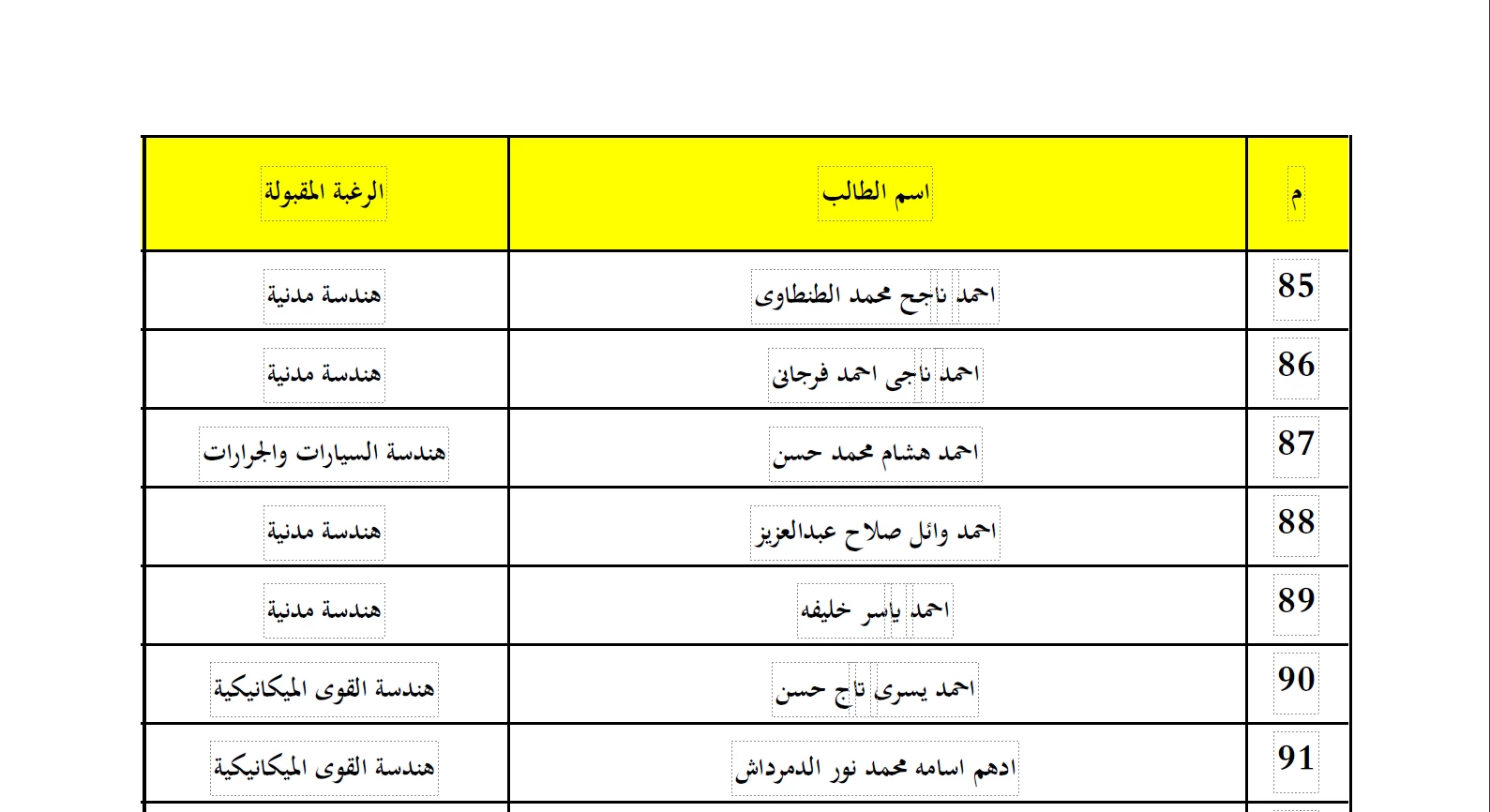
What to do to fix words that are being cut when Adobe separated the word with boxes?

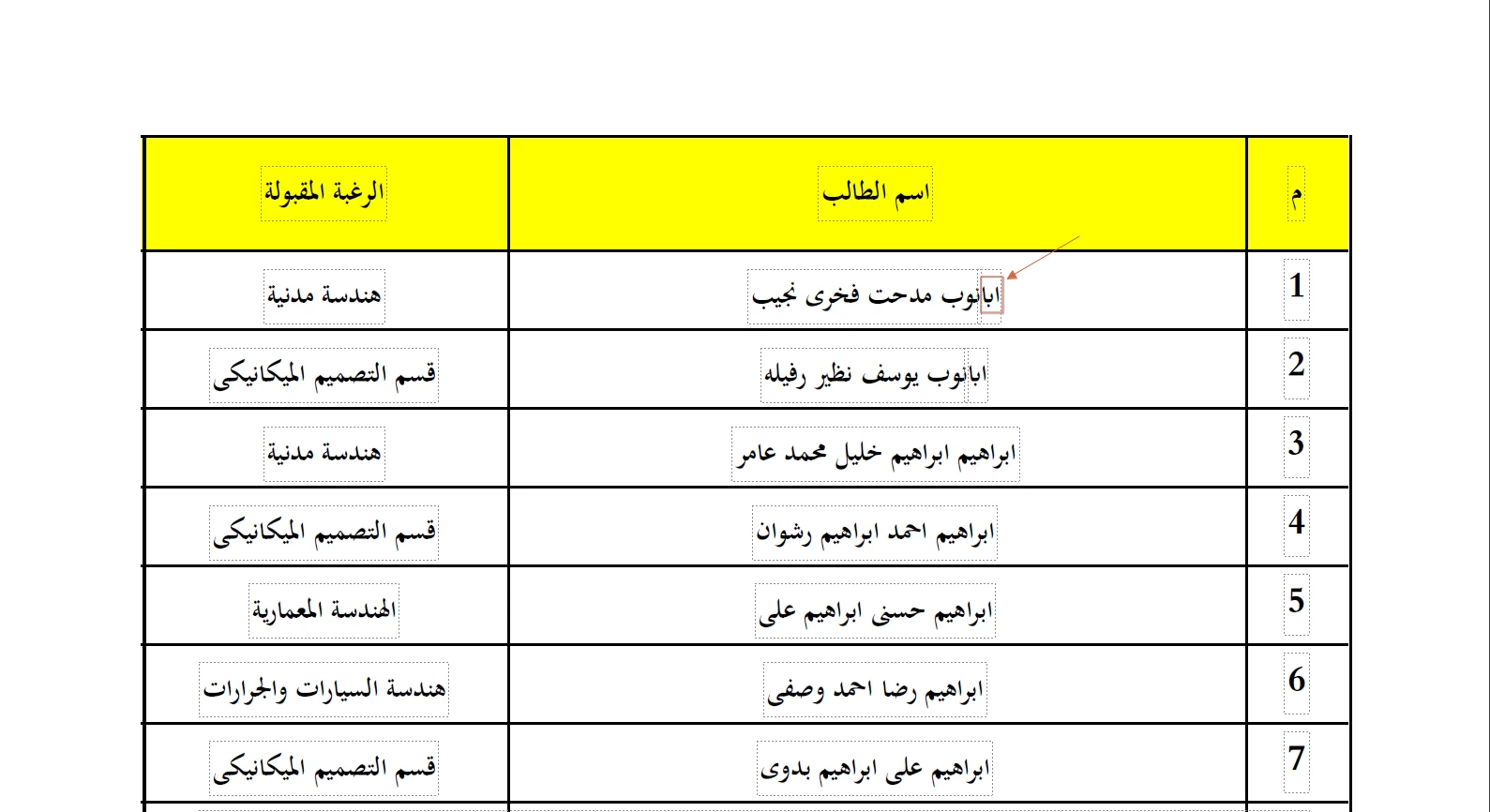
When I import it to Excel, it deletes the parts that are separated by boxes
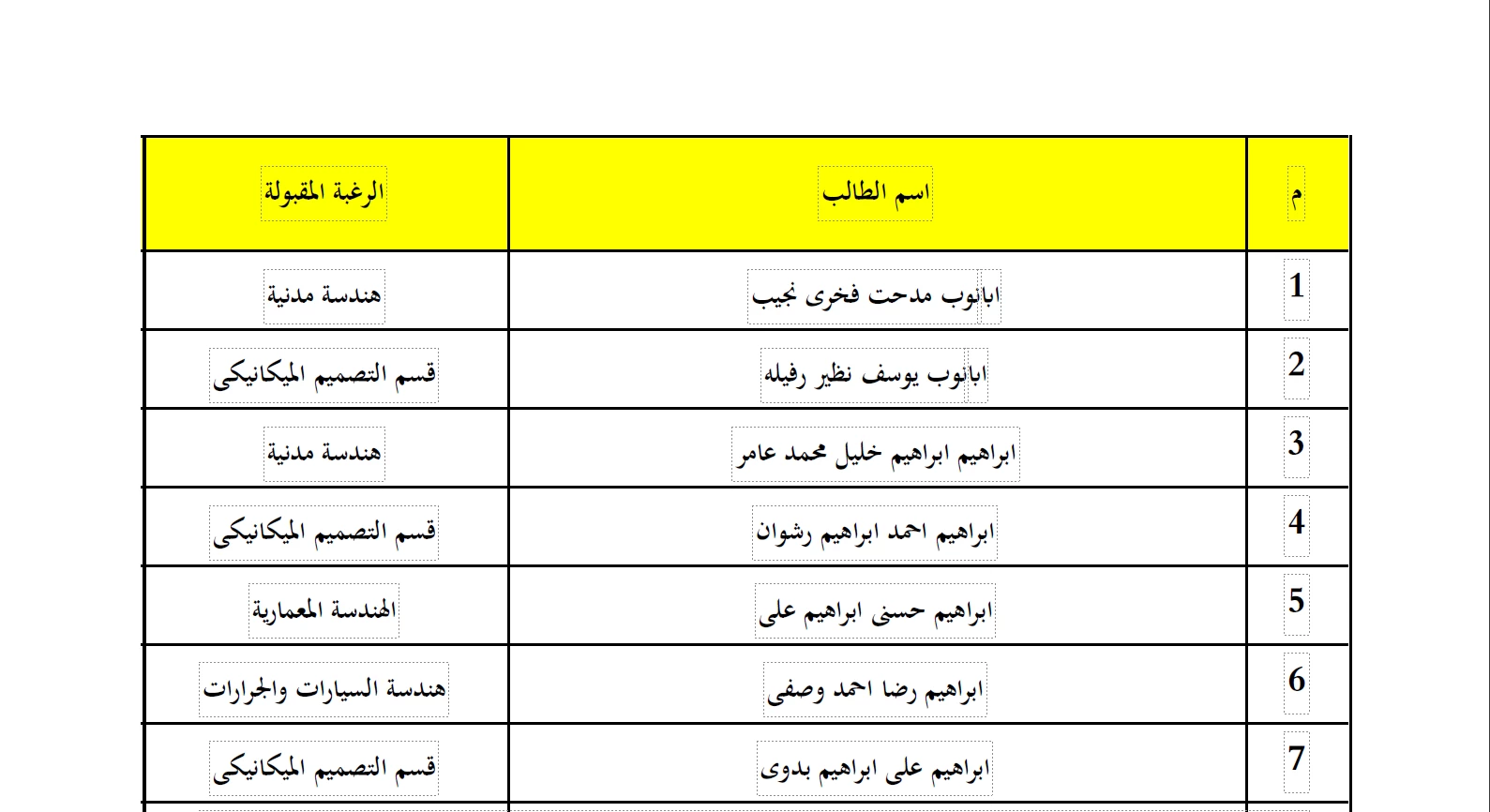
 

So here is the first name as follows:
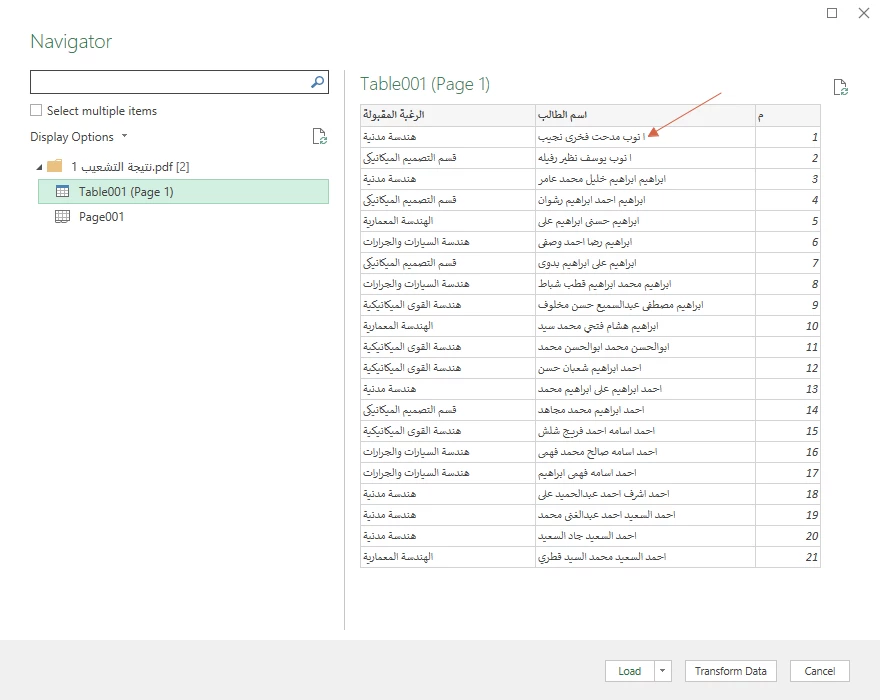
When being imported to Excel it cuts the parts surrounded with boxes as if it does not even exists.
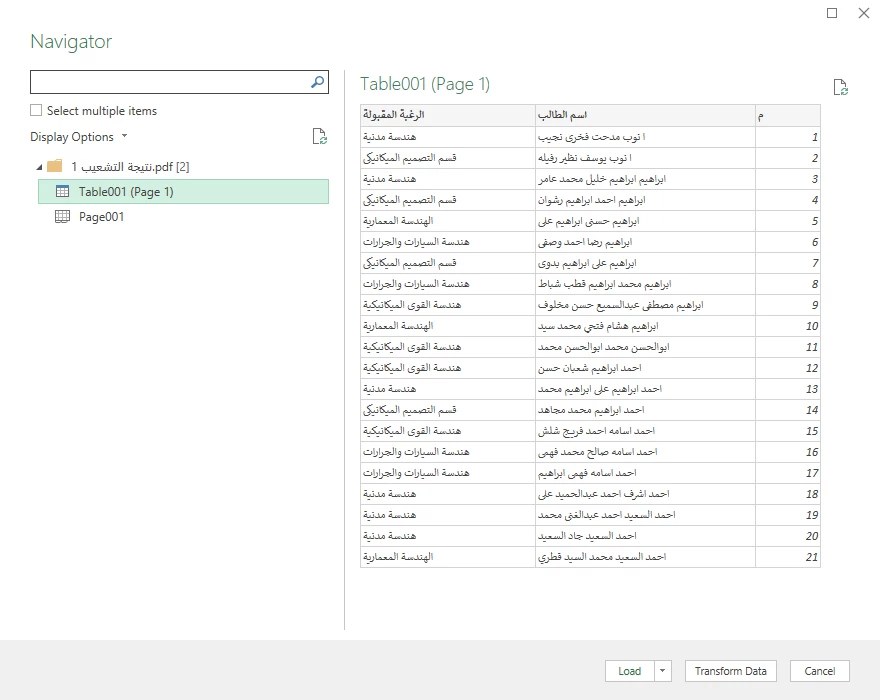
I mean the first row:
And there are several other examples.


This topic has been closed for replies.

2 replies

_MGadAllah_
Known Participant
August 5, 2023

@Zaid Al Hilali 

does there is any specified font would you recommend using that may help?

Thanks,Mohamed GadAllah
Zaid Al Hilali
Community Expert
Community Expert
August 5, 2023

With regards to the font. I do prefer that you keep away from System fonts such as "Traditional Arabic" or "Simplified Arabic" in Windows.

Try the fonts "Arial" or "Time New Roman". I can see that you're using an old Acrobat 7. I wonder if you can try to generate the PDF while using a newer version of Acrobat.

_MGadAllah_
Known Participant
August 11, 2023

جزاك الله خيراً أخي الفاضل

I will follow your advice.

Thanks,Mohamed GadAllah
_MGadAllah_
Known Participant
July 9, 2023

A gentle reminder, please!

Thanks,Mohamed GadAllah
AkanchhaS8194121
Legend
August 1, 2023

Hi @_MGadAllah_ 


Hope you are doing well. Sorry for the delay in response.

This looks like an Arabic font, right? The result of the converted document also depends on the quality of the PDF file. What is the source of this file? Did you create it?


A similar discussion with a detailed description of how the conversion works with Arabic font. Please go through it: https://community.adobe.com/t5/acrobat-reader-discussions/conversion-to-word-of-arabic-document/td-p/10232514 


Thanks,

Akanchha