Participant
July 23, 2019
Question

Win 10 - Acrobat X Pro "File In Use" error

  • July 23, 2019
  • 2 replies
  • 740 views

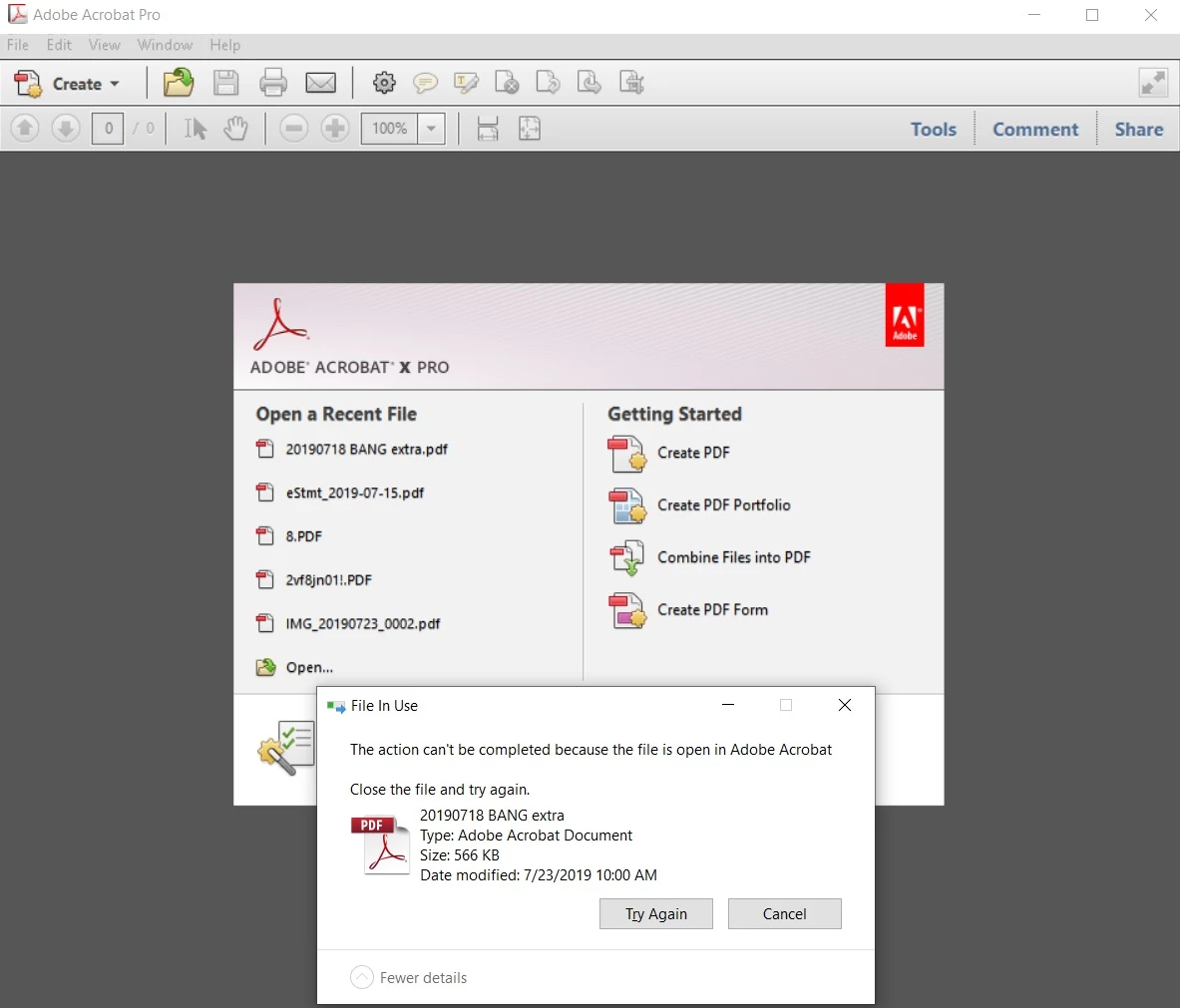
After closing a pdf document file, but leaving Acrobat running, if I then try to delete the file, I get an error message from the OS "File in Use" and the advice to "Close the file and try again." The advice does not work because the file is already closed in Acrobat. See pic below. 

What does work is to close Acrobat, then delete the file. This is clumsy when reviewing several pdfs for possible deletion. Is there a solution?

In the screenshot, I am trying to delete the first file in the Open a Recent File list, and the Win 10 error message is superimposed. 
This topic has been closed for replies.

2 replies

Amal.
Legend
July 24, 2019

Hi There,

As already suggested by "try67"

Acrobat X is not compatible with windows 10, features may or may not work.

Please check the system requirements here -Older versions of Acrobat (XI, X, 9) system requirements

Adding on, you may try repairing the installation. Go to Help>Repair Installation.


Let us know if this works for you

Regards,

Amal

try67
Community Expert
Community Expert
July 23, 2019

Well, Acrobat X is not officially compatible with Windows 10, which might help explain this issue.

You should make sure Acrobat X is updated to the latest possible version, and then try running it in Compatibility Mode with an earlier OS (like Windows 7), but that's about all you can do about it, I think.

TRFTAuthor
Participant
July 23, 2019

Thank you, but no joy. I tried Compatibility Mode with Win 7, but the same problem appears.

try67
Community Expert
Community Expert
July 24, 2019

Time to get a new version, probably...