
Participant
July 29, 2017
Answered

Windows - Application error when using Acrobat DC

  • July 29, 2017
  • 2 replies
  • 1429 views

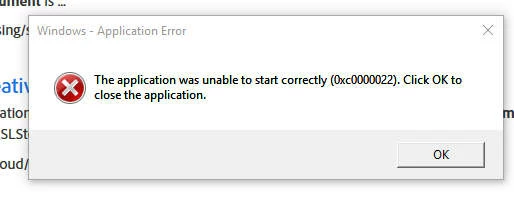
Each time I download a pdf document into Acrobat DC, I am getting an "application error". The error message says:-

Windows - Application Error

The application was unable to start correctly (0xc0000022). Click Ok to close the application.

I click OK but the application still stays open so I can print my document or save it.

How can I get rid of this error message please?- I am using Windows 10.

Email address dyter@dyters.com
This topic has been closed for replies.
Correct answer Meenakshi Negi

Hi Lornad,

Sorry for the delay in response.

As you get the application error message when trying to install the application, please refer the troubleshooting steps provided here: Application unable to Start correctly Error: 0xc0000022 || 0x00000022

Check if this helps.

Let us know how it goes.

Regards,

Meenakshi

2 replies

Participant
May 15, 2024

Meenakshi Negi
Community Manager
Meenakshi NegiCommunity ManagerCorrect answer
Community Manager
August 11, 2017

Hi Lornad,

Sorry for the delay in response.

As you get the application error message when trying to install the application, please refer the troubleshooting steps provided here: Application unable to Start correctly Error: 0xc0000022 || 0x00000022

Check if this helps.

Let us know how it goes.

Regards,

Meenakshi