
Windows Cryptographic Service Provider Error when attempting to digitally sign in acrobat 2017
I am attempting to digitally sign a document with Acrobat 2017 (updated version, 17.011.30166). The operating system is Windows 10 Enterprise x64. Previously there was installed Acrobat DC on the system, which was completely uninstalled and machine was rebooted before Acrobat 2017 was installed instead.
When signing I am getting the follwing error: The Windows Cryptographic Service Provider reported an error: The requested operation is not supported. Error Code 50.
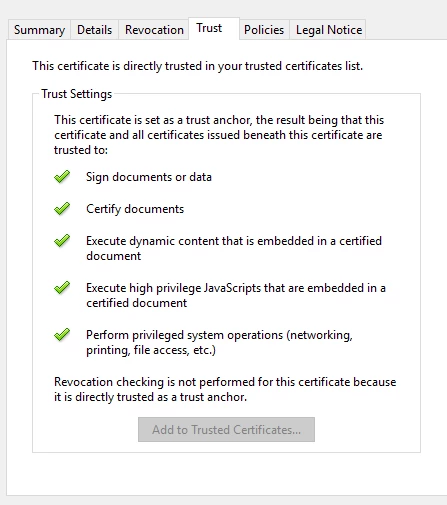
Under trust tab for particular certificate, the image looks as given below. Also, I have unchecked "use modern interface for signing" under application preferences / signatures / creation and apperance and that did not help. (With "modern interface" option there was no error message but the button "sign" was not resulting in anything and after reading through forums I could see that unchecked option might help. After unchecking I was able to see the error).
Are there any ideas for what might cause the error?
Thanks in advance.
 AdChoices