Participant
February 11, 2022
Question

Word 2016 to PDF conversion inaccurate

  • February 11, 2022
  • 1 reply
  • 597 views

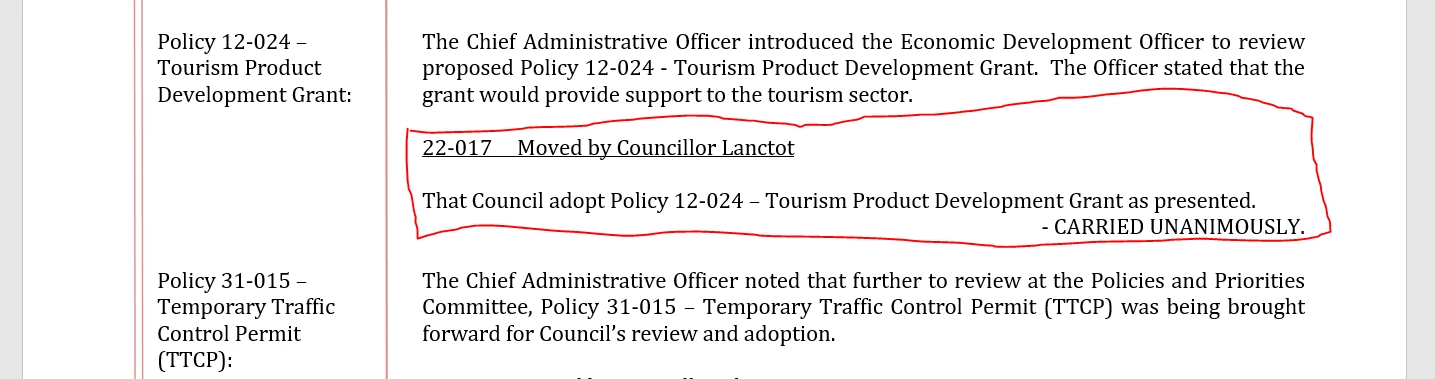
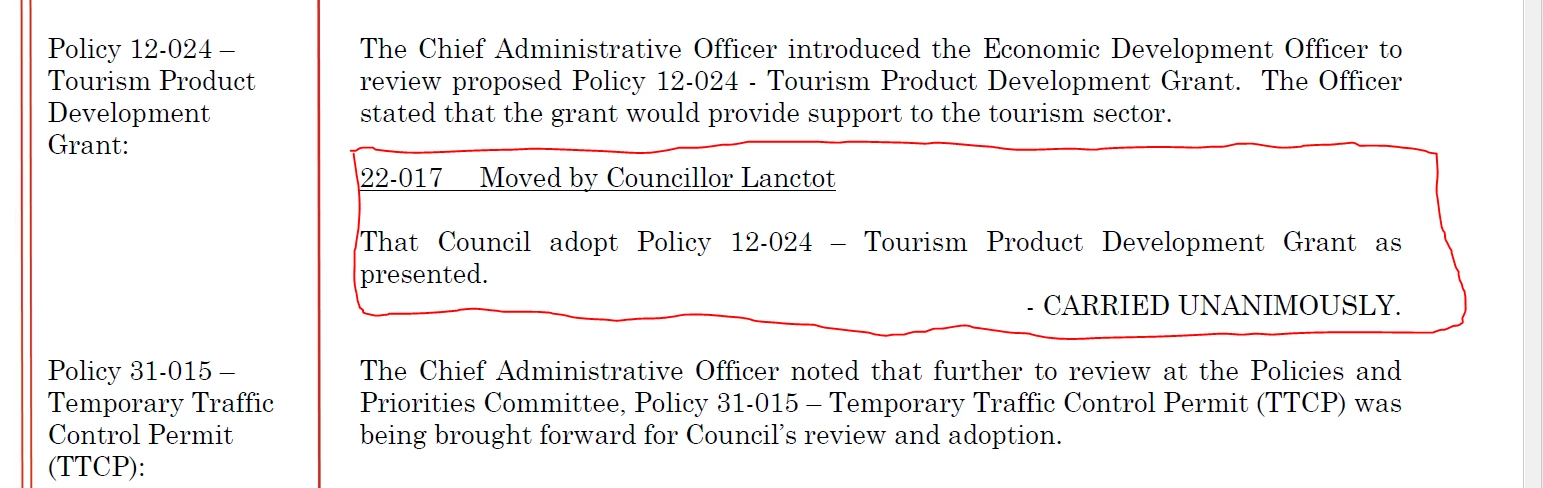
User is encountering issue where converted PDF has some discrepencies. very close look at the original word document I found that justified alignment was used, all text appears on a single line in the word document, but on the converted PDF its expanded to a second line. This is the root cause of the issue they noted that text at the bottom of the first page is pushed to the top of the second page.

I have absolutely no clue how/why this happens on conversion. it only appears to affeect this specific line. format is changed throughout the document from left aligned to justified to right aligned depending on the specific information.

I asked the user to ensure the formatting is consistent to see if this affects how the conversion ends up looking.

software is Adobe Pro 2020, using the convert to PDF button added by the Adobe software.

original:
 converted:
note from the end user, she chose to save as PDF rather than use the toolbar option to convert and the formatting is fine. does the save as option use the same converter as Adobe Pro tool? or is it just using the microsoft conversion?

This topic has been closed for replies.

1 reply

Brad @ Roaring Mouse
Community Expert
Community Expert
February 11, 2022

There seems to be a font substitution going on. The PDF is using a different font that is slightly bigger than what shows in your top grab, and the copy is reflowing accordingly throughout. Is the first screen grab from your user as well, or is this how it looks to you on your own machine?


towctsAuthor
Participant
February 11, 2022

the sizing could be off due to me having them open on my system rather than the user's.


If it is font substitution, where can we find options to disable/adjust it?

Brad @ Roaring Mouse
Community Expert
Community Expert
February 11, 2022

I guess it depends on what the font is supposed to be ... according to whoever created the Word document.

Does the document open on your user's Word and it looks okay there with the proper font?

Fonts can be embedded into Word (assuming you save it that way... and the font is legal to embed), so it should open the same for your user. Failing that, the fonts will substitute according the table you can find in Preferences e.g. in Word 365 PC, look for the option under Preferences > Advanced > Font Substitution.

But, as to why it works one way by Word's internal "Save As > PDF format" as opposed to using the "Adobe Ribbon/Save As Adobe PDF" route I couldn't tell you.


btw, I don't think your formatting changed to flush left at all... it's just that some words would no longer fit that did otherwise.