Participating Frequently
October 6, 2022
Answered

Working on Adobe Form to produce a PO - Need Text Fields to appear only when triggered

  • October 6, 2022
  • 1 reply
  • 964 views

Hi everyone, 

I am working on a PO Form in Adobe Acrobat. 
The PO needs to have multiple text area rows based on Item Number/Description/Qty/Uom/Cost/Total.


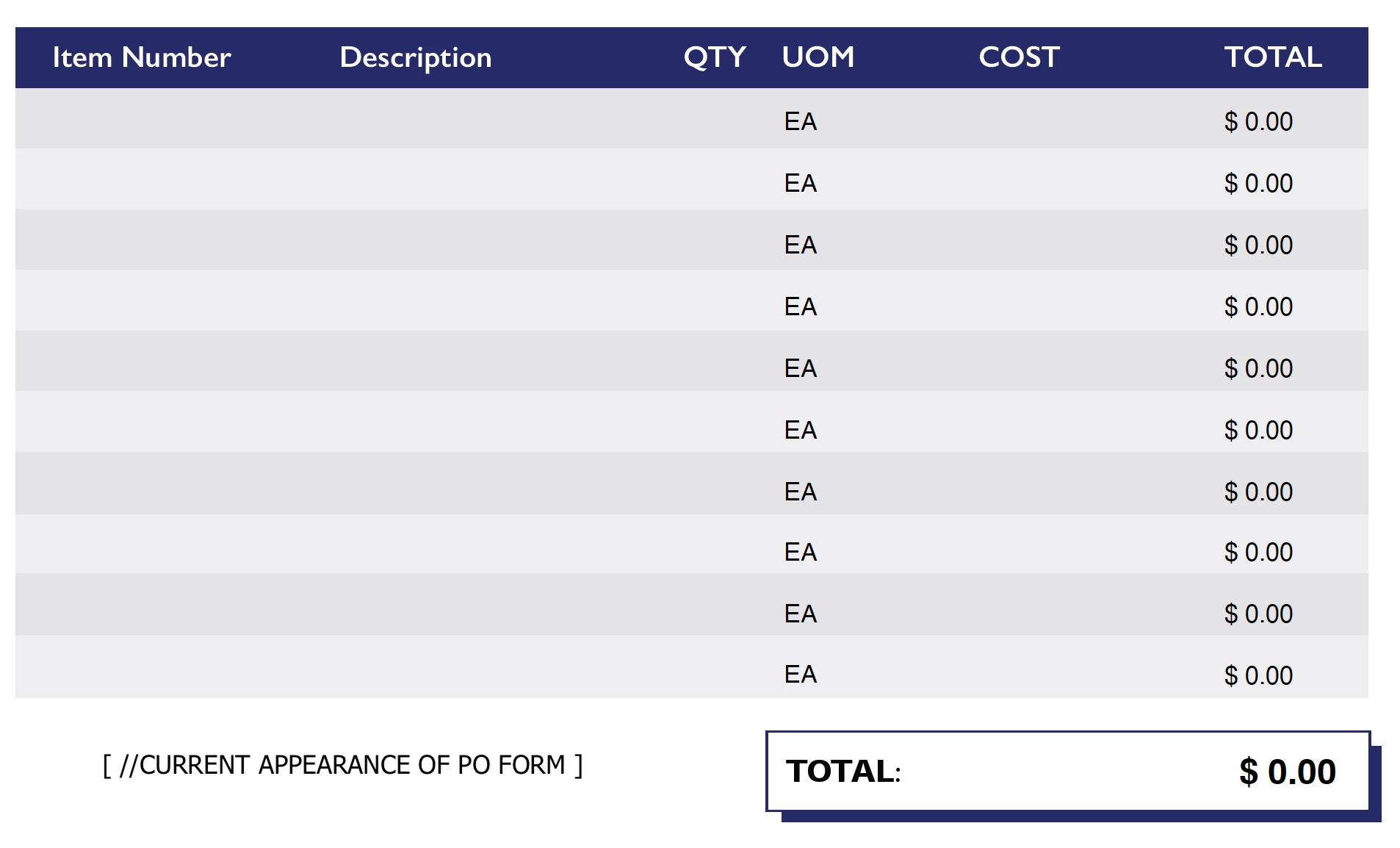
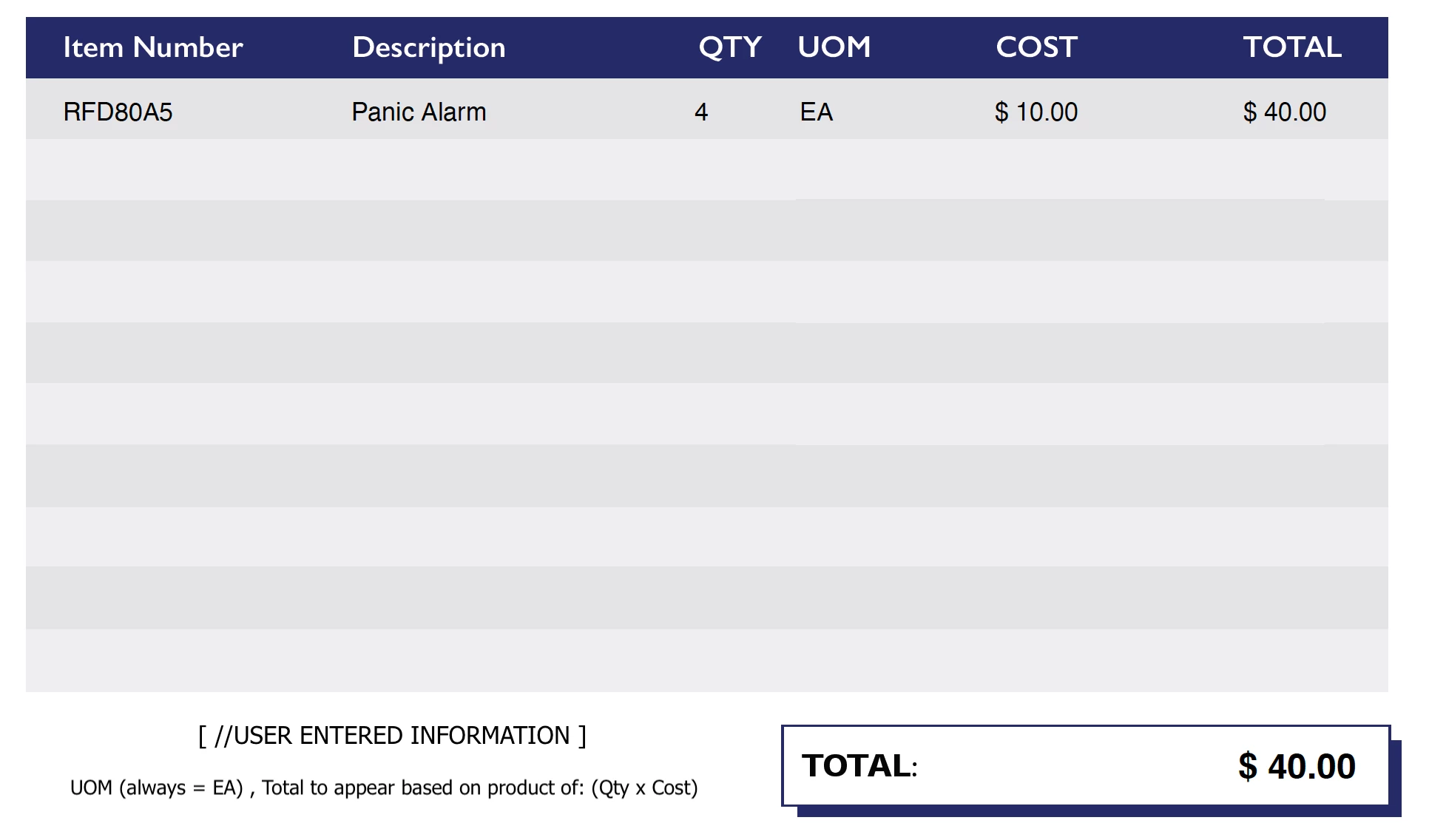
I was able to get the Total to calculate when Qty and Cost are entered, and produce a final Total with Qty x Cost + Freight (if applied). That's great—however, the Uom (unit of measurment = EA for every line) and Total ($ 0.00) appear in each row whether the user has an Item Number entered or not, which I don't want.

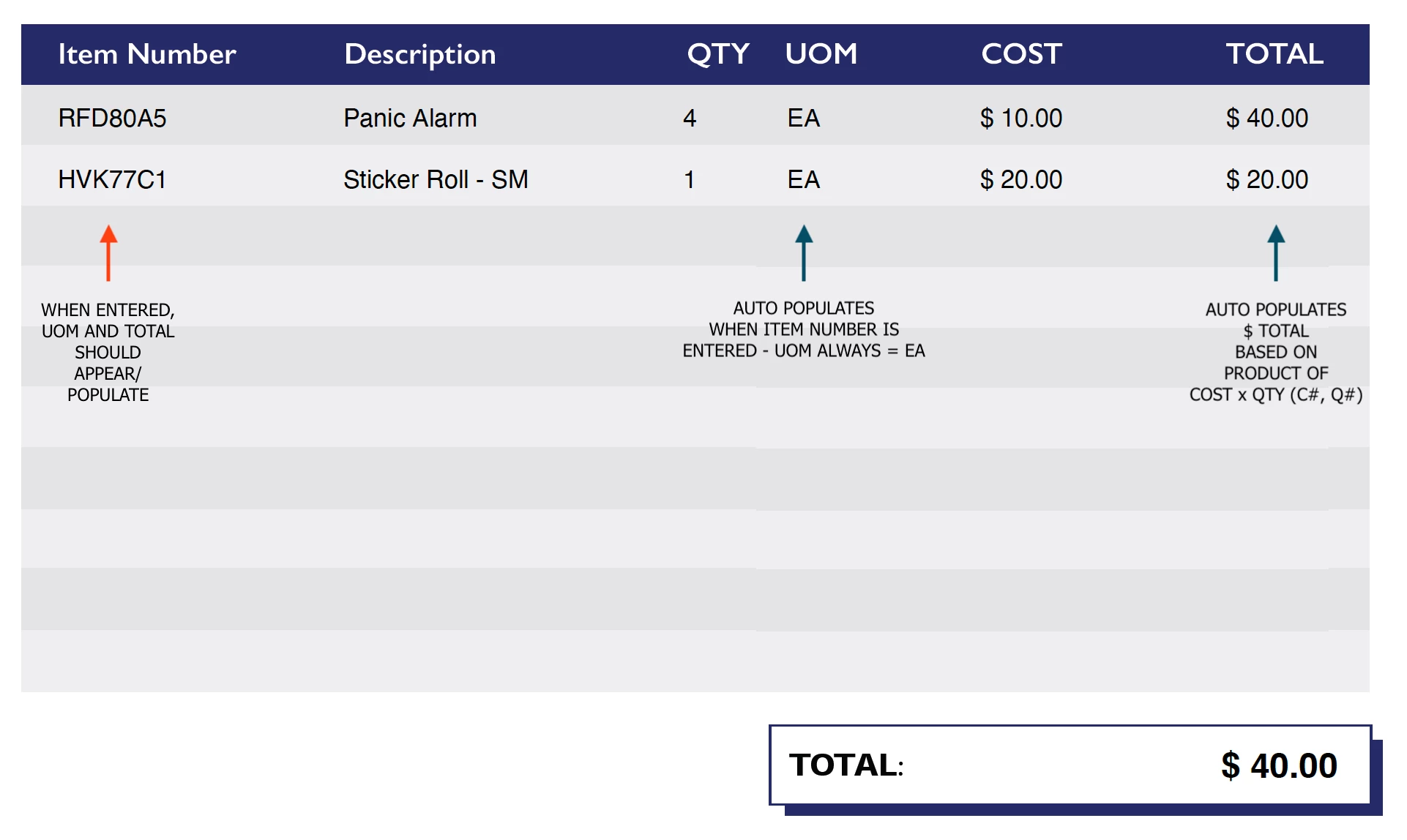
I only want the auto-populated Uom (EA) and Total ($ 0.00) for that row to appear if the user enters an Item Number. Sequences as follows:

Item Number (triggered) > Uom = EA will appear (EA = Default Value under 'Options')
Qty (entered) and Cost (entered) > Total = $ 0.00 will appear based on (Qty x Cost)

I will include images for reference—I hope they help! If anyone can assist, I would be very thankful. My guess is that I will need to use some kind of Script to accomplish this.
This topic has been closed for replies.
Correct answer Nesa Nurani

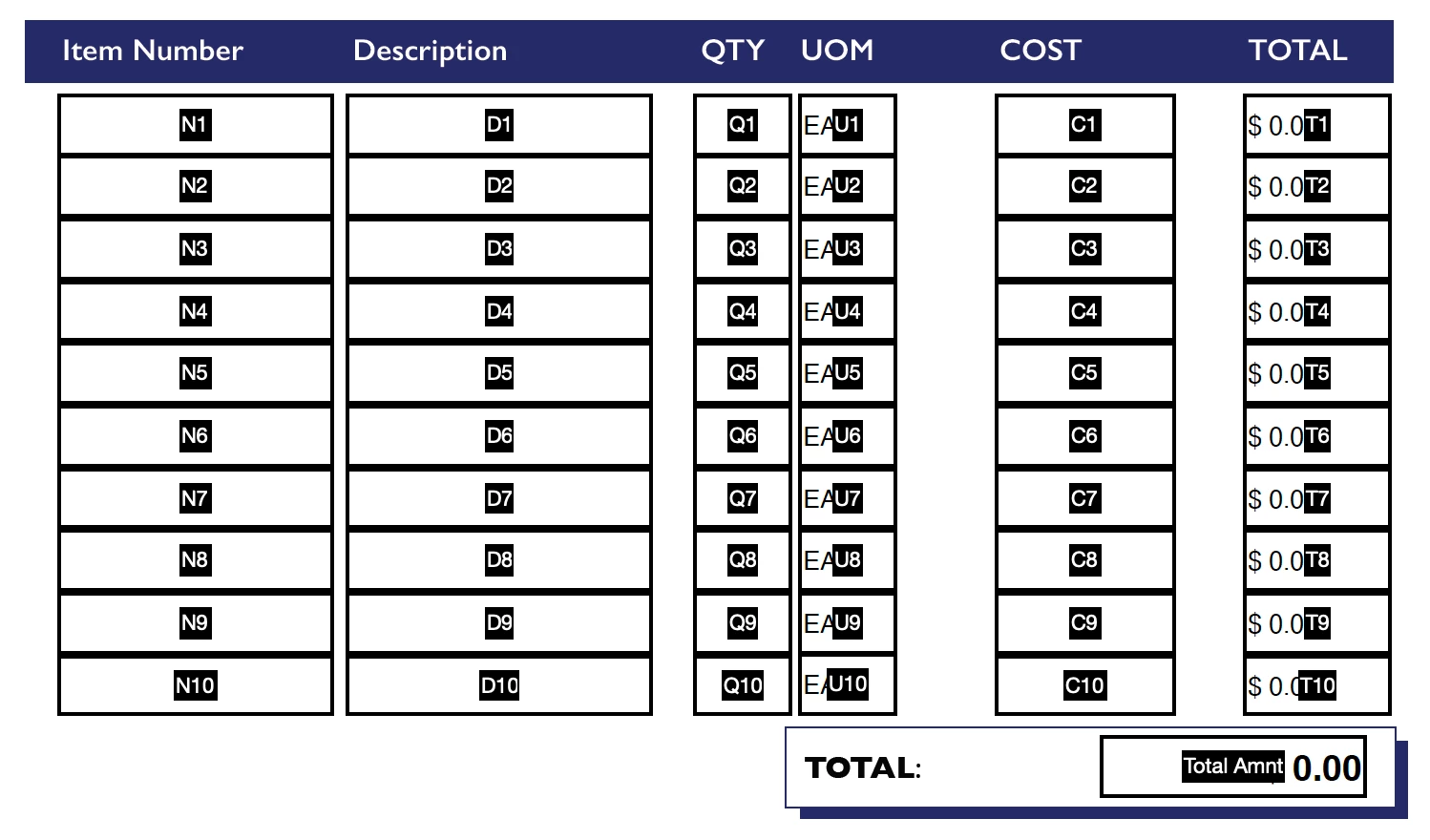
I did simplify the 'Order Item Number' (OIN #) to N1, N2, N3 etc. 


As 'Validation script' of "N1" field use this:

this.getField("U1").display = event.value == "" ? display.hidden : display.visible;
this.getField("T1").display = event.value == "" ? display.hidden : display.visible;

1 reply

Nesa Nurani
Community Expert
Community Expert
October 6, 2022

You can hide those fields until value is entered in Item number, something like this as validation script of 'Item Number' field:

this.getField("UOM").display = event.value == "" ? display.hidden : display.visible;
this.getField("Total").display = event.value == "" ? display.hidden : display.visible;


Change field names in script to your actual field names.

Participating Frequently
October 6, 2022

Hi Nesa, here are the Text Field Names: 
How would I input these into the scripts above? 

Participating Frequently
October 6, 2022

And for the Total (T1, T2, T3 etc.) I have this entered in the properties tab:
Is there a way for me to keep that calculation without clearing it when I enter the custom script instead?
Thank you so much for your help!