Participant
November 14, 2024
Answered

Workspace size too large in acrobat

  • November 14, 2024
  • 2 replies
  • 366 views

Hello, 


my workspace for acrobat is abnormal too large for my 24inch screen. i search around inside the software couldn't really get any setting for the workspace sizing adjustment.


May i know any 1 is also facing the same problem like me?


Correct answer AnandSri

Hi,


I hope you're doing well. We apologize for the delayed response and trouble.


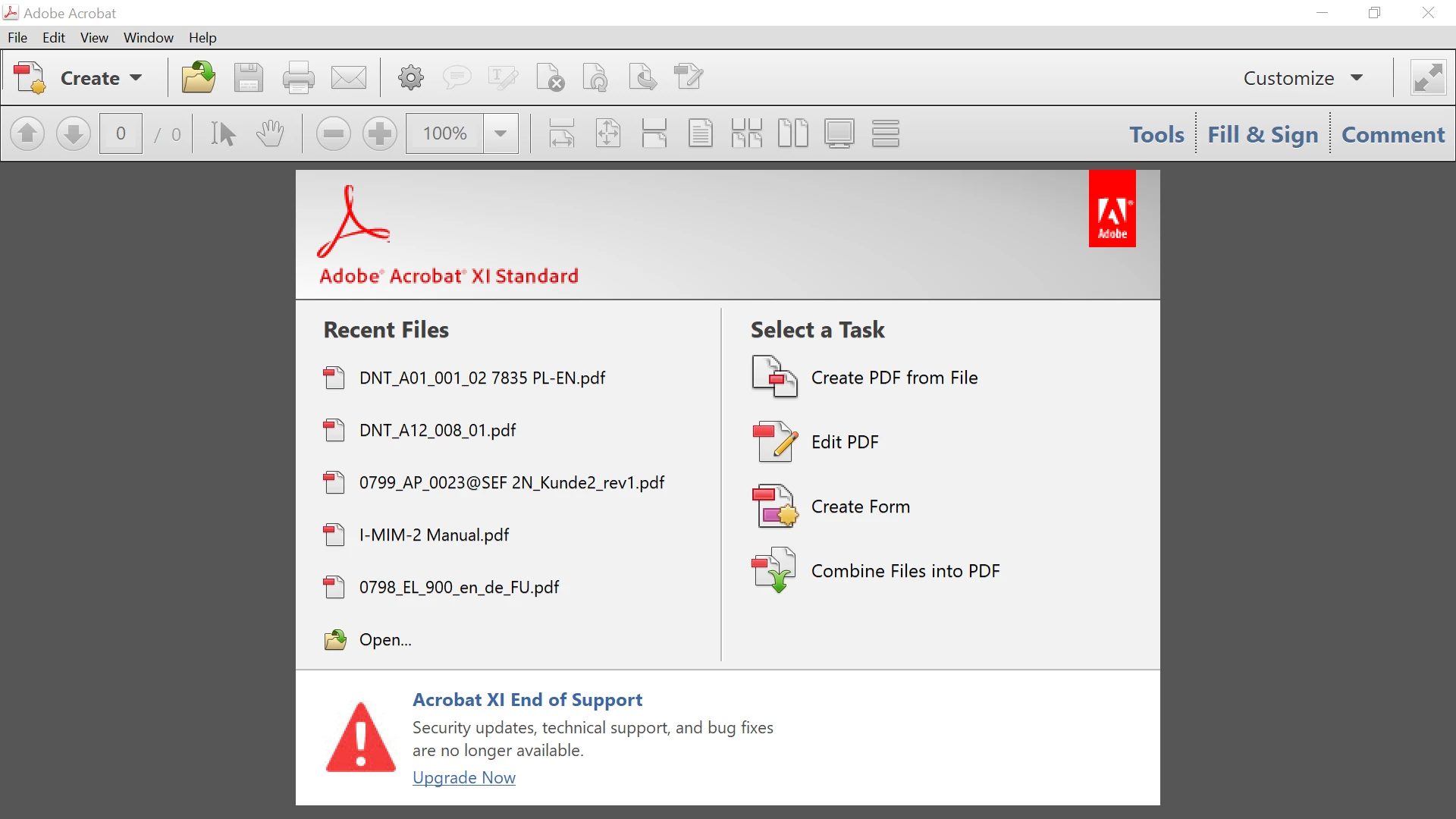
As correctly pointed out by the Engineer, if you're using Acrobat 11, which is an End of Life product, you may encounter issues. For more information about product support, please refer to this article: End of Support for Acrobat XI and Reader XI.


You can download and install the latest version of Acrobat and activate it by signing in with the Adobe ID (email) associated with your subscription: Download and Install Acrobat Subscription.


I hope this information is helpful.


Thanks,
Anand Sri

2 replies

AnandSri
Community Manager
AnandSriCommunity ManagerCorrect answer
Community Manager
January 6, 2025

Hi,


I hope you're doing well. We apologize for the delayed response and trouble.


As correctly pointed out by the Engineer, if you're using Acrobat 11, which is an End of Life product, you may encounter issues. For more information about product support, please refer to this article: End of Support for Acrobat XI and Reader XI.


You can download and install the latest version of Acrobat and activate it by signing in with the Adobe ID (email) associated with your subscription: Download and Install Acrobat Subscription.


I hope this information is helpful.


Thanks,
Anand Sri
Adobe Employee
November 28, 2024

Hi @kenson_7617 


You are using Acrobat XI which is already eol and may have issues on new resolutions.


Regards

Ravi