
Participant
September 16, 2021
Question

Yellow Background out of nowhere

  • September 16, 2021
  • 2 replies
  • 1795 views

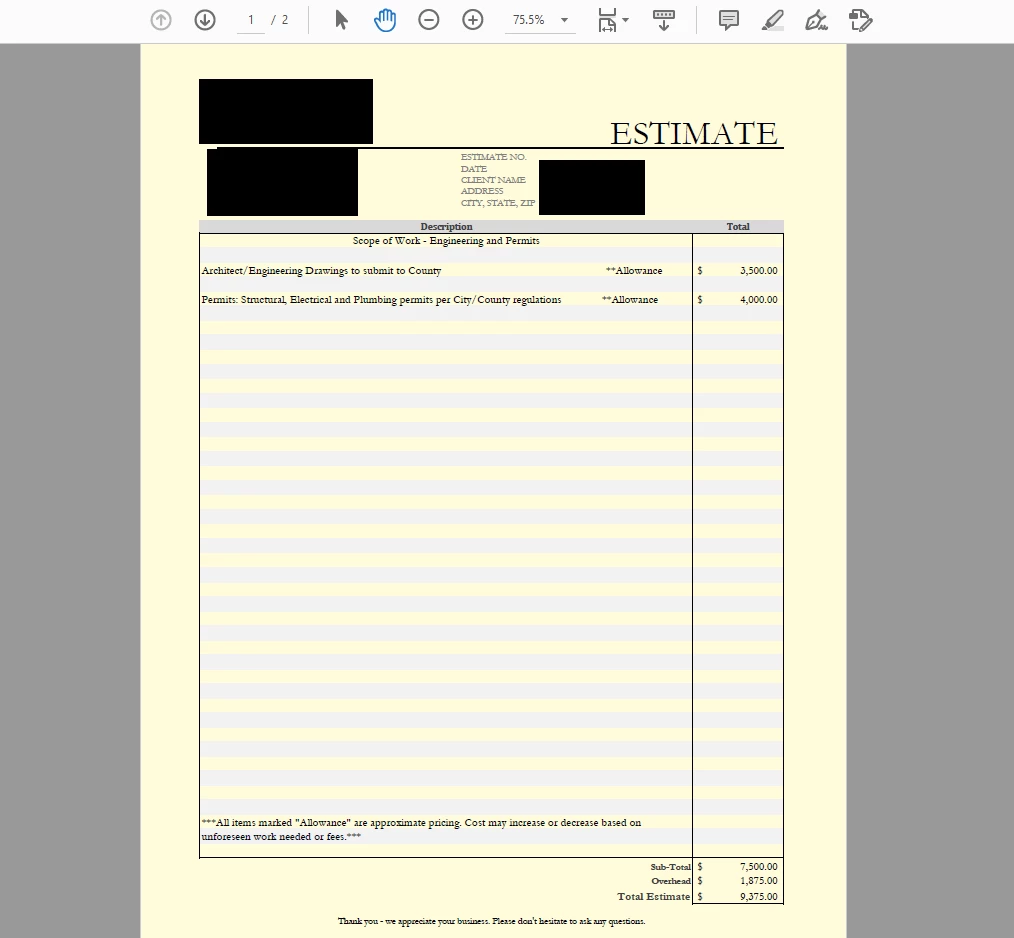
I started my day as usual. Creating quotes for clients via Excel and saving as PDF using Adobe Acrobat. But as of this morning, when I save as PDF, it is saving them as a yellow page. What the heck happened? How do I get it back to being a white page? 


This topic has been closed for replies.

2 replies

Participant
September 16, 2021

Open Adobe Acrobat
go to ‘Edit’
then ‘Preferences’
Select ‘Accessibility’
Check ‘Replace Document Colors’
Select ‘Use Windows Color Scheme’
Press ‘OK’


If this does not work you can also try selecting

‘Custom Color’
And make the ‘Page Background’ color white.


Participating Frequently
September 19, 2021

Select ‘Accessibility’
Check ‘Replace Document Colors’
Select ‘Use Windows Color Scheme’


The above option only fixes some of the simpler documents from my end created from Word documents.

The more complex PDF documents with graphics, logos, colored fonts will still retain that weird yellow background.


Adobe needs to elevate this to the top as a priority to resolve. It's not working for many Acrobat users.


Check out my attached PDF for example. Using the accessibilty option makes the document even worse if you can believe it.

Document Geek
Community Expert
Community Expert
September 16, 2021

It appears that others are having this problem as well.It just started today. I suspect it's a bug. See here for the discussion: https://community.adobe.com/t5/acrobat-discussions/pdf-document-pages-turning-yellow/td-p/12382014