


Website Glitching in Plan Comparisons
Since I'm being priced out of the student/teacher plan (I cannot afford $40 a month when I only use 2 of the apps consistently), I'm considering switching to a different plan. However, when I click on any given plan and try to see what other apps it comes with, there's no scroll bar...until I decrease the width of the window. I can only assume whoever coded the website forgot to specify something about width in the code for the i-frame, but I haven't coded websites in decades. I only discovered this because initially, I didn't want to post an extra-wide screen shot. But now I'll post comparisions. For reference, my desktop's resolution is 1920x1080.
With wider screen (browser is maximized, but not full screen):
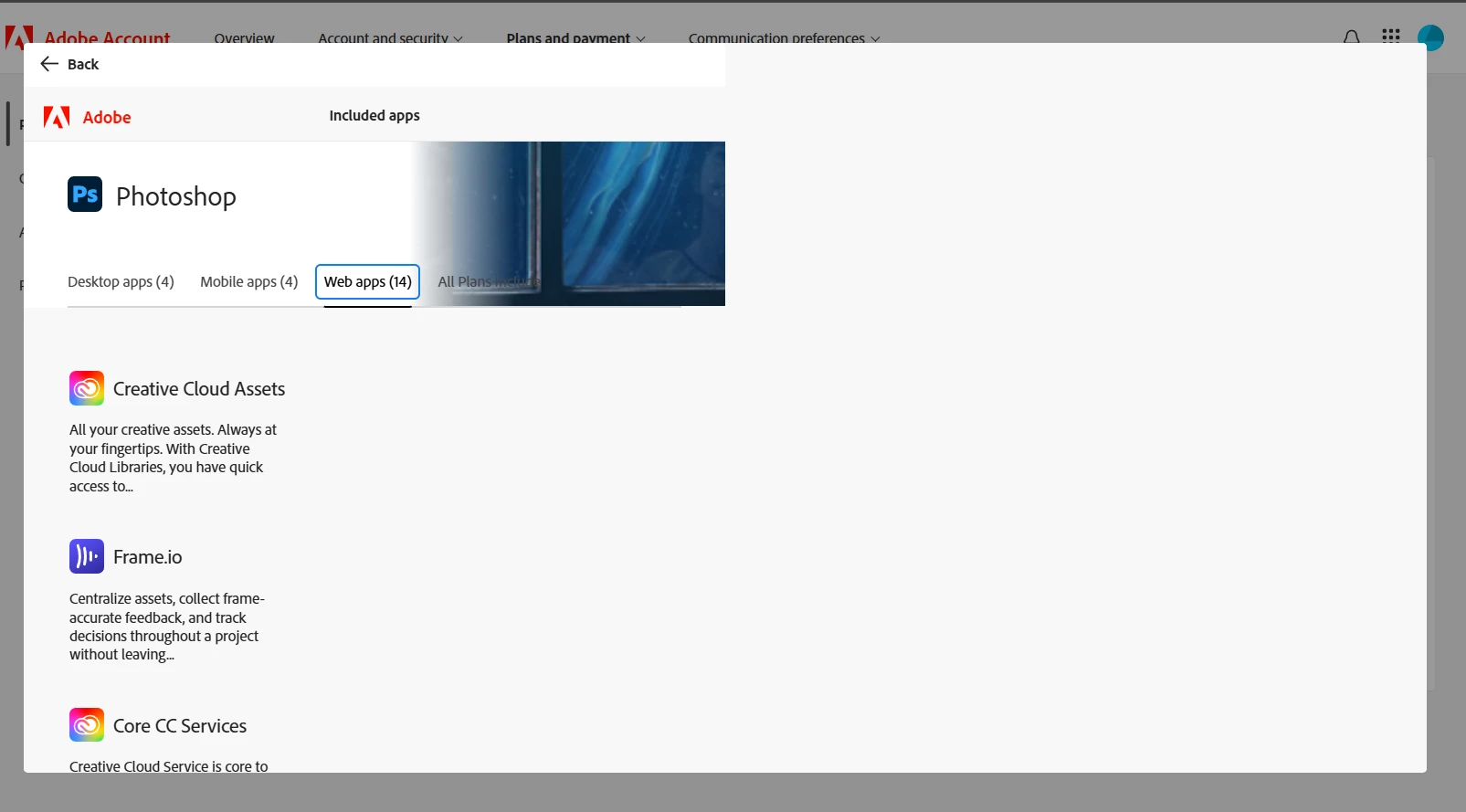
Please note there is no scroll bar within this pop-up i-frame.
But when I reduced the width to about 2/3 of my screen:
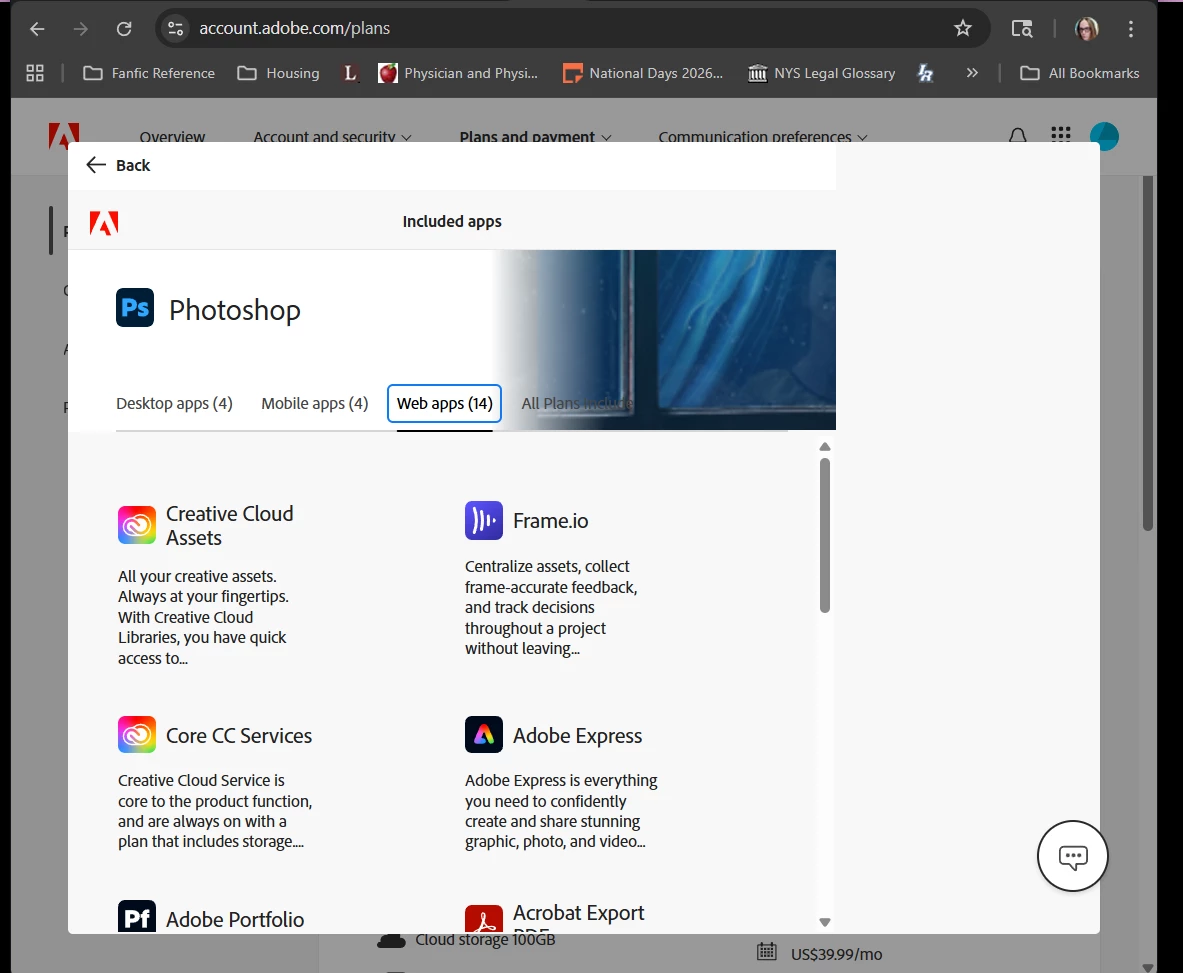
And lo, did the scroll bar appear.
And yes, I tried using page down and my scroll wheel. I'm an elder millenial old-school computer nerd, I've been using Photoshop since at lease v3.0 when I was in high school. 😛 I probably have computer parts older than some of you. 😉
 AdChoices