

Answered
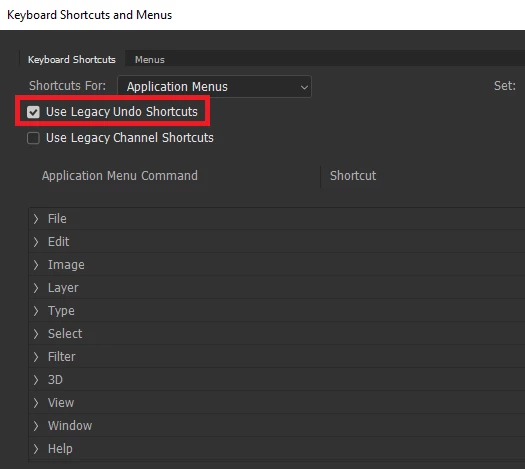
CTRL+z undo unselecting active layer mask in photoshop 2019 see video
The most annoying thing has happened since upgrading to Photoshop 2019
When working on layer masks and doing CTRL+Z to undo a brush stroke, instead of staying on the active layer mask, it selects the layer itself.
See video. Any way to stop this unbelievably annoying behaviour?
thank you
 AdChoices