It's literally a context menu, which means what's on the menu depends on the context of what's selected in combination with the tool you've selected. If you're right-clicking on something that you can do a lot of things to with the current tool, the context menu will show a lot of commands. You can't do anything to the area outside the canvas except change the color, so that's the only option you get.
Below are some examples of how many options you can get within the context of different tools.
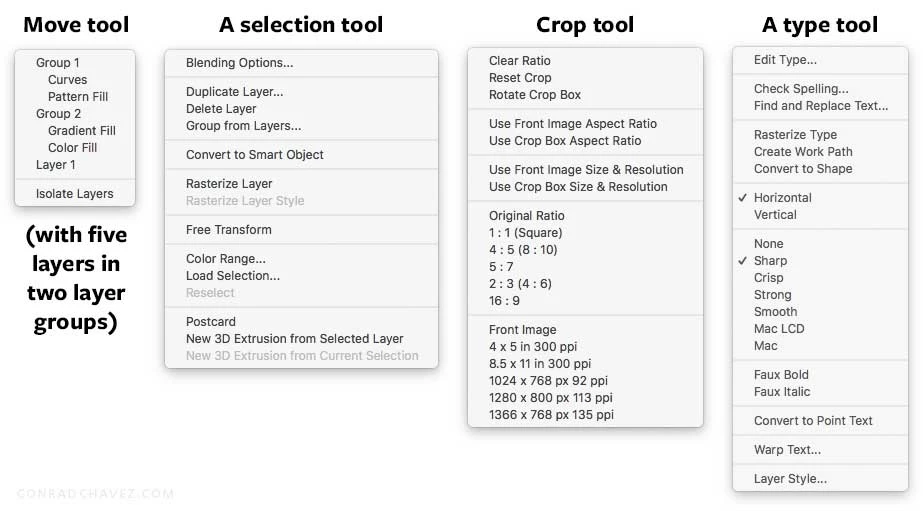
If you aren't seeing context menu options that you expect, you probably need to change the context (the tool you're using, what's selected, and where you're clicking).
In the Move tool example, note that a layer might not be listed if there are no selectable pixels where you right-clicked (for example, if you right-clicked on a layer's transparent pixels).
Heather711 wrote I'd love to see copy, paste, transform, etc. in the menu. Thanks. |
You will see those if you've selected a layer or pixels before right-clicking. If you didn't, there's nothing eligible to copy/paste/transform, so those commands don't appear. For example, in the selection tool menu shown above, you see Free Transform is available, because a layer was selected before right-clicking.

 AdChoices