
Participant
September 17, 2017
Answered

Photos in Photoshop look way different

  • September 17, 2017
  • 2 replies
  • 4462 views

When I open an image in photoshop it look way different than in windows photos (darker in photoshop) ? I ended up downloading irfanview (a few photo app from the app store) and the photos look identical to windows photos so still different from photoshop (see snips of photos below). I'm not sure what to do but I would love for a solution to this problem. I have changed and played with color settings and went into my windows settings to calibrate. Any suggestions would be appreciated
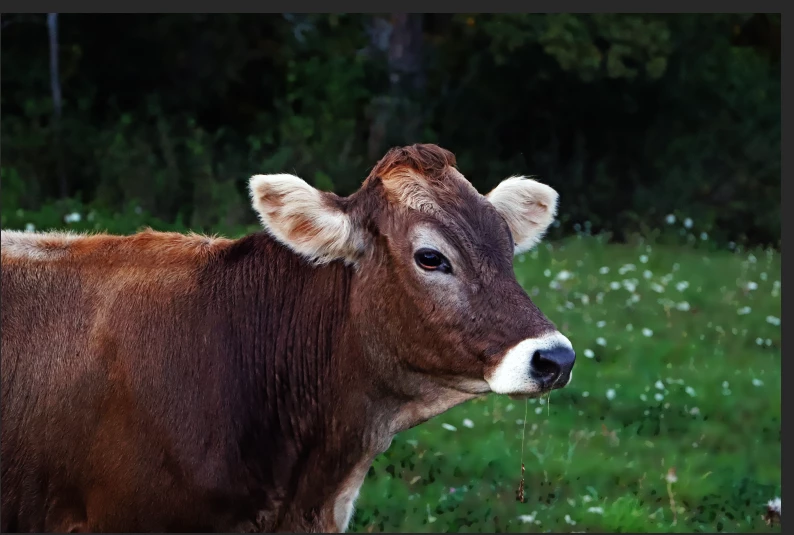
View of photo on photoshop
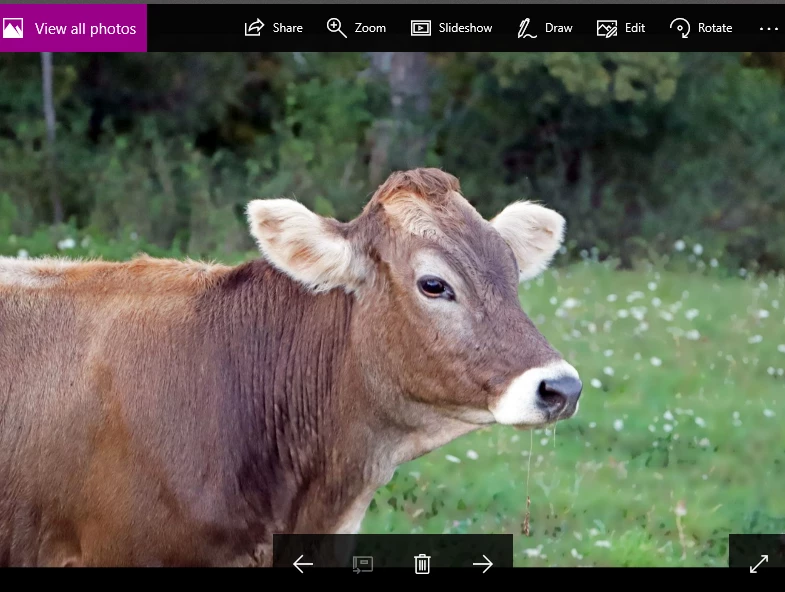
View on windows photo viewer
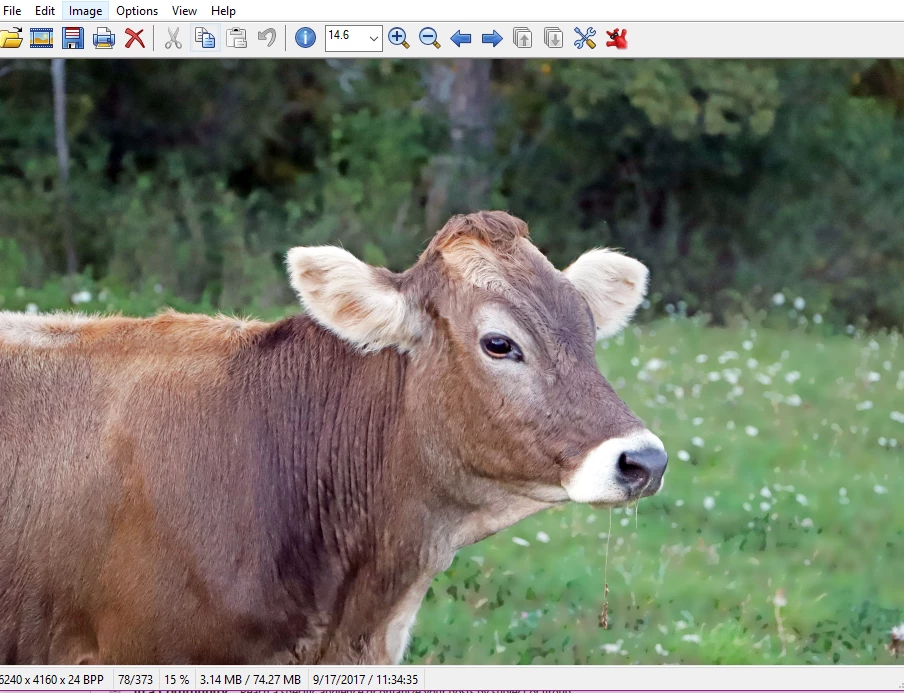
View on irfanview
This topic has been closed for replies.
Correct answer D Fosse

Photoshop is color managed, while Windows "Photos" and Irfanview are not. So they will never match completely. Photoshop uses your display profile to send corrected values to screen. The others just pass the RGB numbers in the file straight through, uncorrected.

That said, this doesn't look right. It appears the display profile is defective in some way. You may have gotten a bad manufacturer profile through Windows Update - that happens a lot.

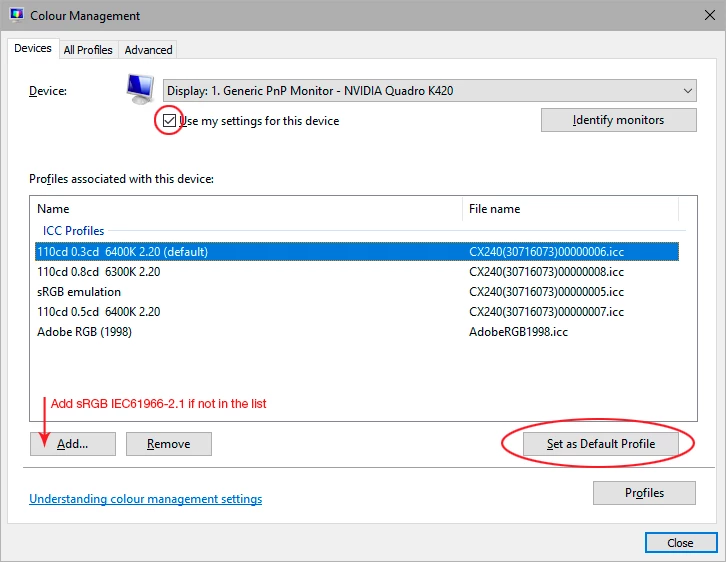
Replace your current profile with sRGB IEC61966-2.1. Relaunch Photoshop when done, it needs to load the new profile at startup:

Oh, and - don't change any color settings! That's not where the problem is. Set everything back to where it was!

The real fix is to use a calibrator to make a new profile, but if you don't have one, sRGB will do for now. It's close enough for most people.

2 replies

Participant
September 17, 2017

Still playing with it and when I go to export the image in photoshop it shows up as an image very similar to the photos viewer photo. So now I am very confused

D Fosse
Community Expert
Community Expert
September 17, 2017

That's because the Export module is not color managed by default. You have to enable it (convert & embed bottom right).

D Fosse
Community Expert
D FosseCommunity ExpertCorrect answer
Community Expert
September 17, 2017

Photoshop is color managed, while Windows "Photos" and Irfanview are not. So they will never match completely. Photoshop uses your display profile to send corrected values to screen. The others just pass the RGB numbers in the file straight through, uncorrected.

That said, this doesn't look right. It appears the display profile is defective in some way. You may have gotten a bad manufacturer profile through Windows Update - that happens a lot.

Replace your current profile with sRGB IEC61966-2.1. Relaunch Photoshop when done, it needs to load the new profile at startup:

Oh, and - don't change any color settings! That's not where the problem is. Set everything back to where it was!

The real fix is to use a calibrator to make a new profile, but if you don't have one, sRGB will do for now. It's close enough for most people.

Participant
September 17, 2017

Is there a way to download a profile? Below are my only options for color management.

D Fosse
Community Expert
Community Expert
September 17, 2017

Look at my screenshot again. Click "add" and navigate to sRGB IEC 61966-2.1. This profile is hardwired into Windows, it's there.