Marcus_P
Participant
May 10, 2019
Answered

Adobe Acrobat 7.0

  • May 10, 2019
  • 2 replies
  • 5213 views

Hi there,

I cannot install my old Acrobat 7.0 Professional version since Adobe shut down phone activation. Waht can I do to still use the product?

This topic has been closed for replies.
Correct answer Dov Isaacs

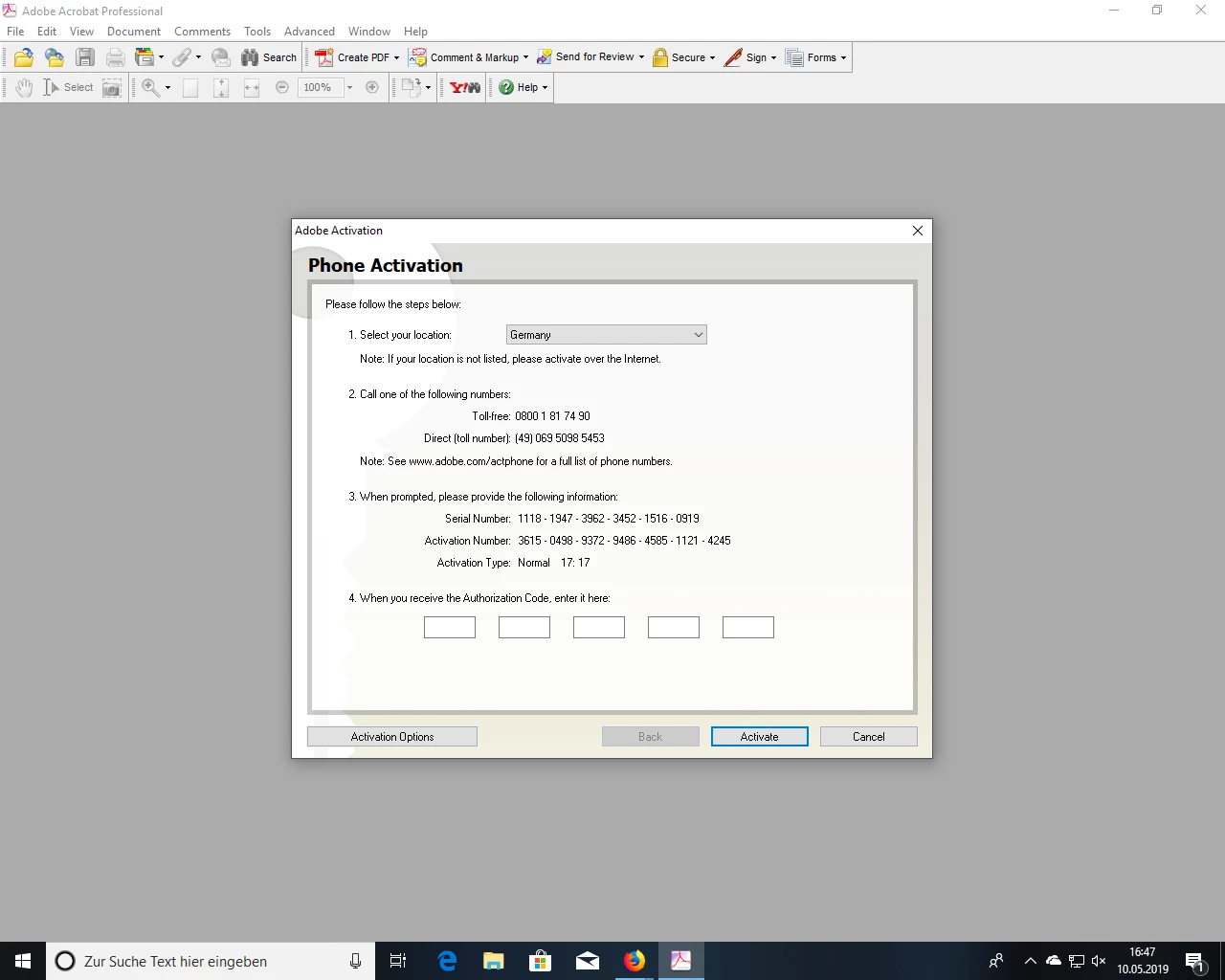
Based on the screen shot you provided, it would appear that you are attempting to use Acrobat Pro 7 on Windows 10 (or perhaps Windows 8.x?). Changes made in Windows beginning with Windows Vista effectively prevent any version of Acrobat earlier than 8.1 from properly fully installing and running on any Windows version beyond Windows XP 32-bit. The Adobe PDF printer will not properly install and work nor will any integration with Microsoft Office.

The activation servers for Acrobat 7 and Acrobat 8 were discontinued a few years back. If you have previously registered a serial number with Adobe for Acrobat 7 or 8, if you call Adobe Customer Support, they can give you a link to a new installer that will properly handle activation of these older versions. You would need to uninstall what you have and install the alternate version with a new serial number provided. But again, this installation will not properly work for any Windows version beyond XP 32 bit.

          - Dov

2 replies

Dov Isaacs
Dov IsaacsCorrect answer
Legend
May 10, 2019

Based on the screen shot you provided, it would appear that you are attempting to use Acrobat Pro 7 on Windows 10 (or perhaps Windows 8.x?). Changes made in Windows beginning with Windows Vista effectively prevent any version of Acrobat earlier than 8.1 from properly fully installing and running on any Windows version beyond Windows XP 32-bit. The Adobe PDF printer will not properly install and work nor will any integration with Microsoft Office.

The activation servers for Acrobat 7 and Acrobat 8 were discontinued a few years back. If you have previously registered a serial number with Adobe for Acrobat 7 or 8, if you call Adobe Customer Support, they can give you a link to a new installer that will properly handle activation of these older versions. You would need to uninstall what you have and install the alternate version with a new serial number provided. But again, this installation will not properly work for any Windows version beyond XP 32 bit.

          - Dov

- Dov Isaacs, former Adobe Principal Scientist (April 30, 1990 - May 30, 2021)
Marcus_P
Marcus_PAuthor
Participant
May 10, 2019

Dear Dov, thank you for your comprehensive answer. I kinda feared that my

old acrobat 7 won't work properly on my new computer (windows 10).

I guess I have to buy a new version.

Best regards

MARCUS

Dov Isaacs <forums_noreply@adobe.com> schrieb am Fr., 10. Mai 2019, 19:14:

Adobe Acrobat 7.0 created by Dov Isaacs

<https://forums.adobe.com/people/Dov+Isaacs> in *Installing, Updating, &

Subscribing to Acrobat* - View the full discussion

<https://forums.adobe.com/message/11069051#11069051>

kglad
Community Expert
Community Expert
May 10, 2019

adobe shutdown the activation servers for acrobat 7.

you may (or may not) be able to get an acrobat 7 that doesn't need activation.  it's not clear, but start here:

if you purchased from and registered with adobe, check https://helpx.adobe.com/x-productkb/global/find-downloaded-file-app.html for info on how to download non-current adobe programs.

if that fails AND you've (a) registered your software with adobe or (b) can provide proof of purchase, using a browser that allows popups and cookies, contact adobe support during pst business hours by clicking here and, when available, click 'chat', https://helpx.adobe.com/contact.html