
Adobe Acrobat XI Bug: Diagonal / Checkered pattern fill from Microsoft Excel distorted.
Hi,
I am bringing in charts from Excel with custom fill and a legend, and the striped patterns are getting totally distorted. Have tried various settings in both Excel and Acrobat, for resolution, dpi, import/export, images. Have tried Have tried turning off "smooth line art", "enhance thin lines", "smooth images". Have tried print to PDF option, Save as PDF, Export to PDF.
Any experience or workarounds for this problem?
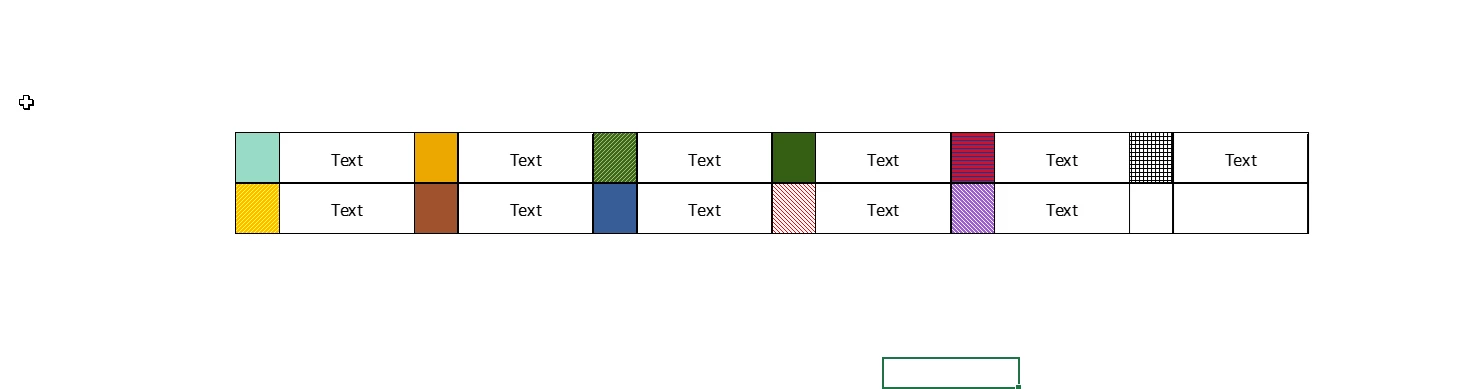
In this picture, I have saved this legend as an image from a separate location in the same excel workbook. It may not translate well in this posted image
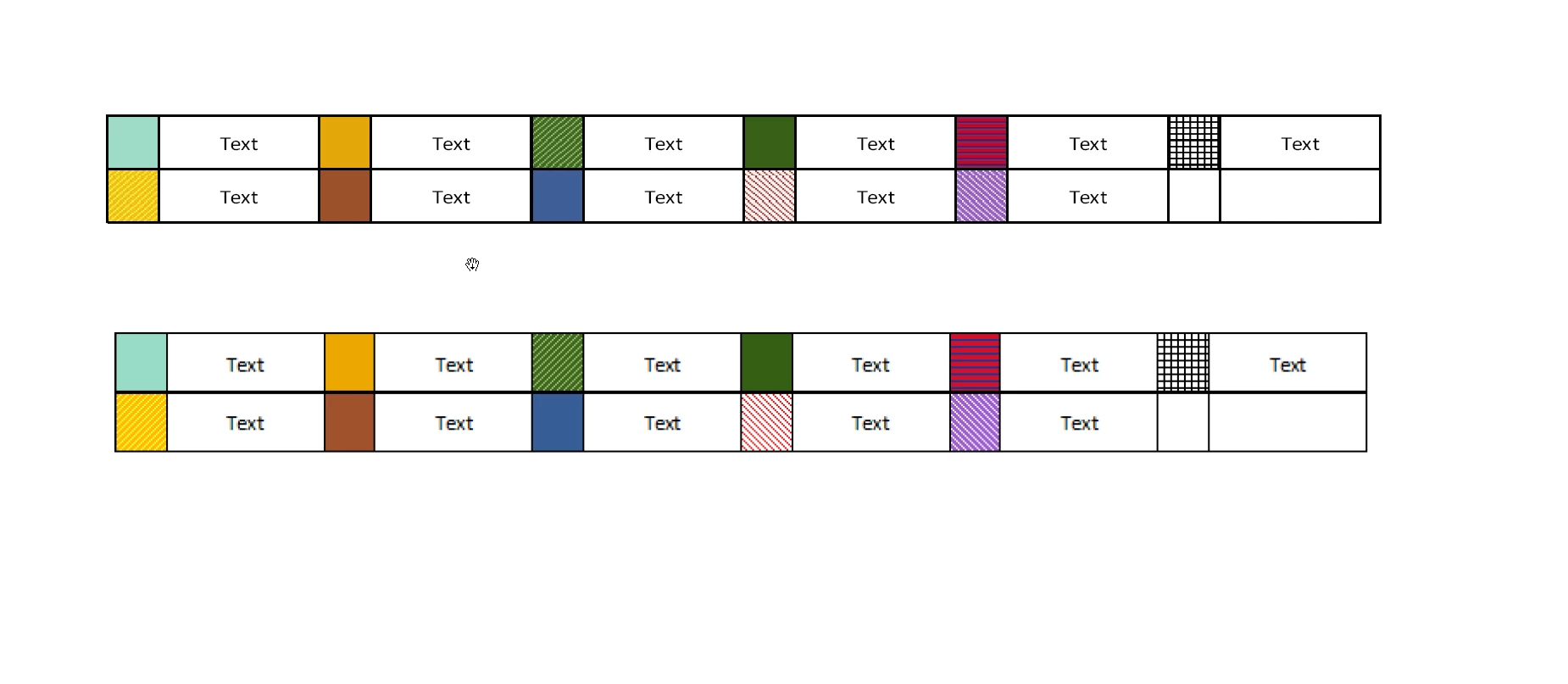
Here I have tried two separate options: Exporting the worksheet to pdf, and below it just copying over the image directly into a pdf document. As you can see, in the first image the text is sharp, but the patterns are heavily distorted. In the second image, the text is blurry but the patterns are sharp. These look even worse when printed on paper.
Any ideas on how to fix this or work around this problem would be much appreciated, thank you!
 AdChoices