



Question
Black Color In CMYK
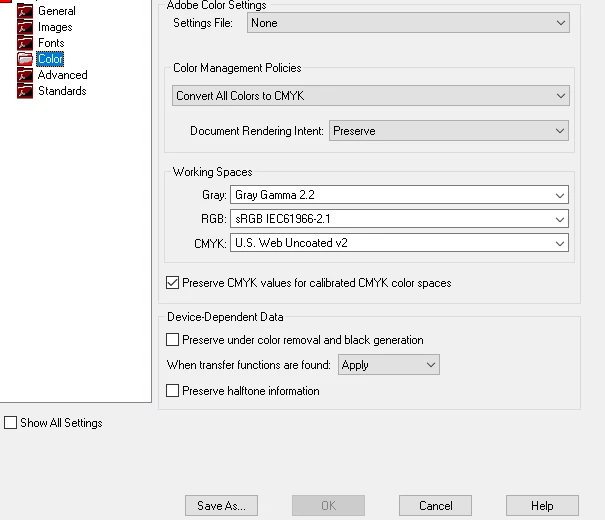
Hi. I'm using Acrobat XI Pro / Distiller XI to generate a PDF from word document. The Word document has a few elements on it that have a black boarder. I use the File --> Print menu to print to an Acrobat printer to generate the PDF. I've selected the option to Convert All Colors to CMYK. The problem is that the black is coming out as a soft black (R: 35, G: 31, B: 32) instead of a solid black color. How do I configure Adobe to output the black as a true black color? I've attached images of my CMYK settings and the outputted circle is that is no longer true black after printing to the Adobe printer.
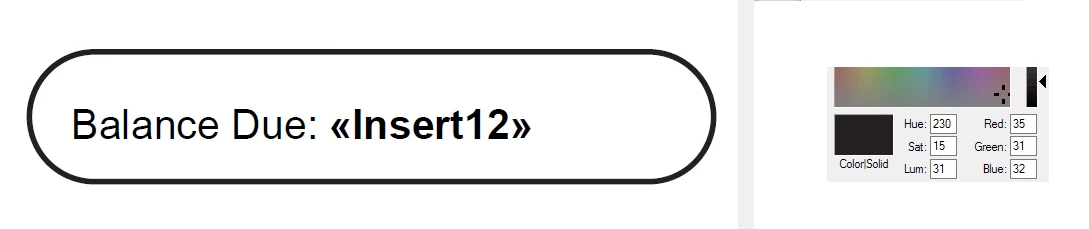
Above: screenshot of non-black black color from PDF
Below: Adobe Distiller settings
 AdChoices