



maxwithdax
Community Expert
Community Expert
June 20, 2019
Answered

Chinese, Vietnamese, Albanian Languages

  • June 20, 2019
  • 1 reply
  • 3675 views

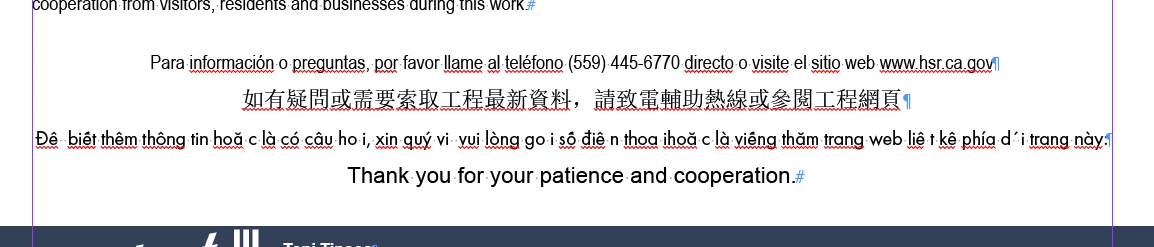
We have translation disclaimers written in the respective language at the bottom of some of our documents that say "This document is available in ....."  These languages are not available choices in InDesign and only Chinese is available within Acrobat DC, however when the reader (NVDA or Acrobat) gets to the Chinese it is silent. In addition, when we tag things in Spanish and then test with NVDA it just reads it as English still.

How can we make sure we tag these correctly to be voiced appropriately?

- Thanks


Dax
This topic has been closed for replies.
Correct answer maxwithdax

We ended up figuring this out.

  1. If the language is not visible in InDesign you can look up the language code and manually add it to the tag for that text in Acrobat.
  2. For the screen reader to voice it properly, the correct language pack needs to be installed. We were not getting the right voicing because we were using the base install of NVDA to test. If someone speaks that language, they will have it already installed.
  3. If you are looking for the language codes, you can get most of them here - https://accessibility.psu.edu/foreignlanguages/langtaghtml/

-Dax

1 reply

maxwithdax
Community Expert
maxwithdaxCommunity ExpertAuthorCorrect answer
Community Expert
August 1, 2019

We ended up figuring this out.

  1. If the language is not visible in InDesign you can look up the language code and manually add it to the tag for that text in Acrobat.
  2. For the screen reader to voice it properly, the correct language pack needs to be installed. We were not getting the right voicing because we were using the base install of NVDA to test. If someone speaks that language, they will have it already installed.
  3. If you are looking for the language codes, you can get most of them here - https://accessibility.psu.edu/foreignlanguages/langtaghtml/

-Dax