Hi Srikanth,
As per the issue description mentioned above, you want to know how to configure timestamp server in Acrobat, is that correct?
To configure a timestamp server, you need the server name and the URL, which you can obtain from an administrator or a security settings file.
If you have a security settings file, install it and don’t use the following instructions for configuring a server. Ensure that you obtained the security settings file from a trusted source. Don’t install it without checking with your system administration or IT department.
1- Open the Preferences dialog box.
2- Under Categories, select Signatures.
3- For Document Timestamping, click More.
4- Select Time Stamp Servers on the left.
5- Do one of the following:
• If you have an import/export methodology file with the timestamp server settings, click the Import button . Select the file, and click Open.
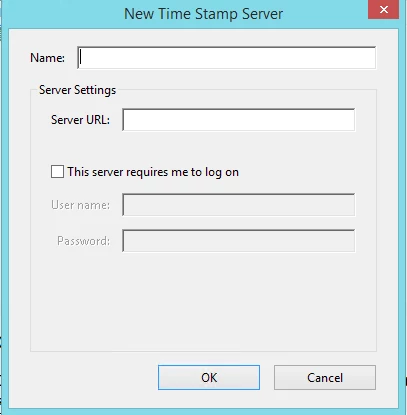
• If you have a URL for the timestamp server, click the New button. Type a name, and then type the server URL. Specify whether the server requires a user name and password, and then click OK.
Thanks,
Shivam



 AdChoices