Answered
How to generate the copyright (c) symbol and other things like that
Where can I find the copyright symbol in Captivate 8.0?

Where can I find the copyright symbol in Captivate 8.0?
Just answered your question about slide numbers. I pointed to the X button in the Character part of the Properties panel, you'll find symbols to the left of the X button:
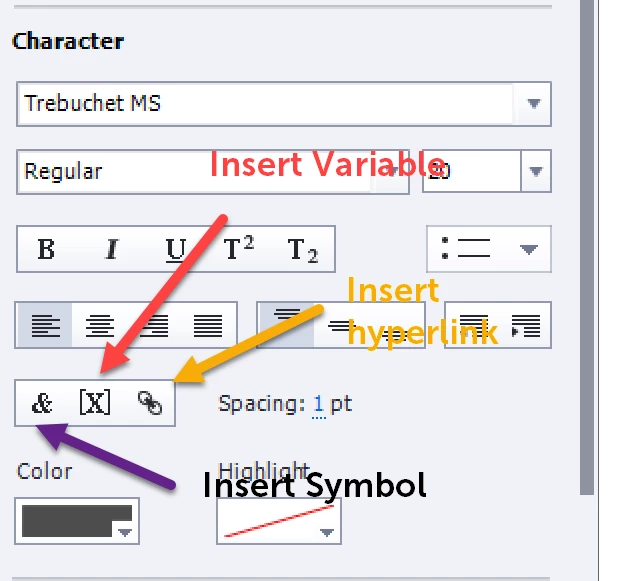
The last one is to insert a hyperlink (which can do much more than just create a link, can trigger advanced actions).
For other symbols than the limited ones listed there, I often switch to Wingdings or Webdings font if the symbol is not available in the font I'm using.
Already have an account? Login
Enter your E-mail address. We'll send you an e-mail with instructions to reset your password.
 AdChoices