Participating Frequently
September 18, 2018
Answered

Adobe illustrator drop down menu text very small on new Cintiq Pro 24

  • September 18, 2018
  • 4 replies
  • 5754 views

Hi there,

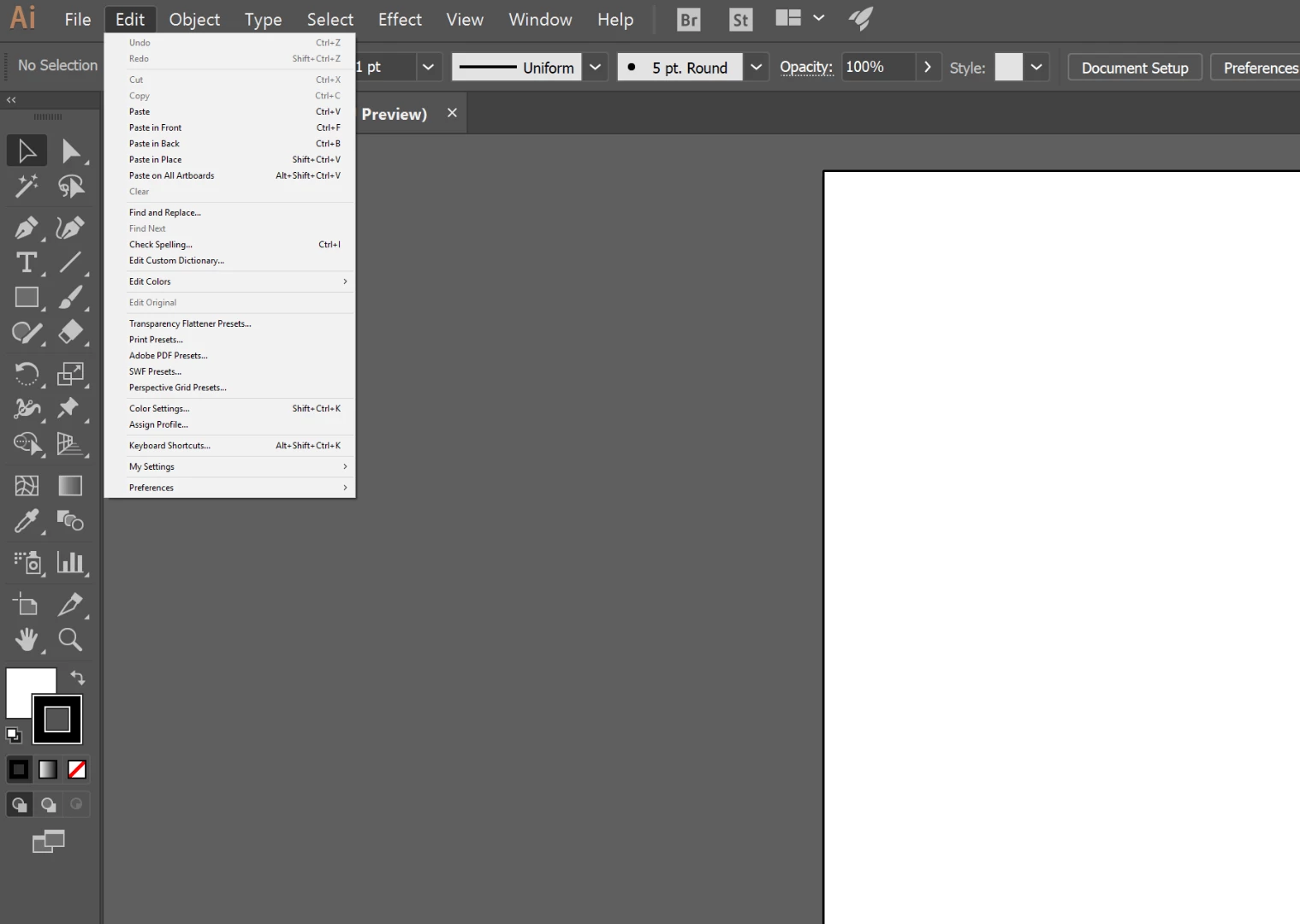
I just got my new Cintiq Pro 24 - 4k display - Photoshop is working great - However, My menus are super tiny in Adobe Illustrator.  I've gone through all the preferences and even suggested it size up for higher displays in the UI setting but nothing is changing this issue.

As you can see the text of the header itself isn't so bad but the text in the menu is considerably smaller.  My display settings are set to the recommended 200%.
This topic has been closed for replies.
Correct answer ryancloud

I had a person try this and it seemed to work. Have to log out to have it take


4 replies

ryancloudCorrect answer
Inspiring
February 23, 2023

I had a person try this and it seemed to work. Have to log out to have it take


Om Nath Jha
Legend
November 26, 2018

Hi all,

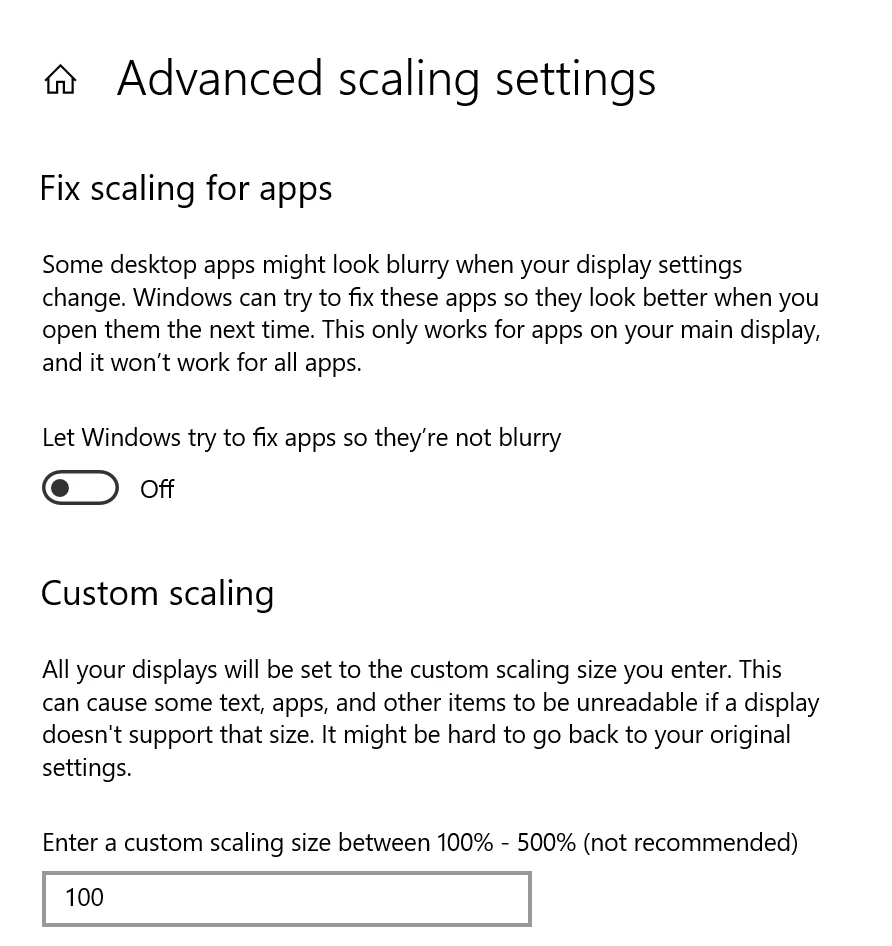
We now have UI Scaling available in the new Illustrator 2019. You can adjust the UI as per your convenience. Here's a screenshot with more details:

Regards,

Om

MSLdesigner
Participant
April 1, 2019

Um, only in Windows 10 it seems. Options look completely different in Windows 7. What gives, Adobe??? Changing this does not solve the problem.

Muqqarib Hassan
Inspiring
October 3, 2018

Hi, Go the Preferences and then choose user interface and then select the scale to Higher supported factor.

Thanks.

ajahadiAuthor
Participating Frequently
October 9, 2018

It was already set that way for me.  It's still not right.  I had tried that before posting my question.

ajahadiAuthor
Participating Frequently
October 10, 2018

Just to better show the difference in size I took a screen shot of photoshop vs. illustrators drop down menu text.  The menu headers, icons everything are fine - its just the text in the drop down menus.  There has to be some setting somewhere for this - I just can't seem to find it.

Franck Payen
Inspiring
October 3, 2018

I don't have a windows machine or a cintiq 24 4k, but I would rather check on Adobe Illustrator Feedback  to see if there are existing bug reports or feature requests on this issue. (And I know it's a tricky one since you can adjust things both in the OS and the application…