
Known Participant
April 26, 2018
Question

Gradient to 3D object

  • April 26, 2018
  • 1 reply
  • 1062 views

Hi everyone

I'm using the greyscale in order to engrave on plastic objects.

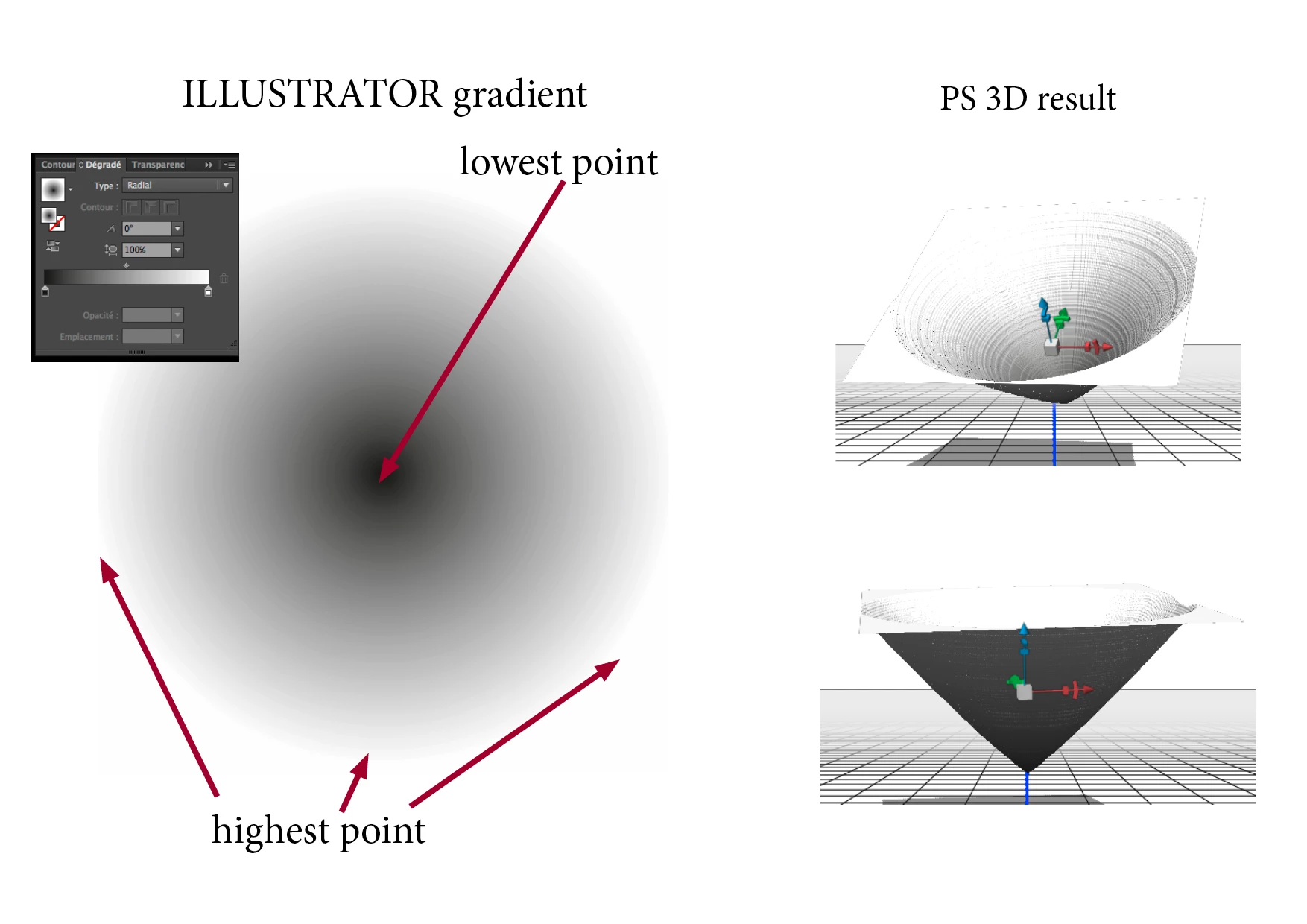
White color to have the highest point and black point to have the lowest point.

So a radial black to white gradient gives me a hole.

In order to verify what i will obtain with a gradient object, i import it in Photoshop 3D tool and "translate" it into a 3D object.

My problem is that if i would like to have specific angle or rounded angle in my engraved shape, i can't calculate it within illustrator.

Do you know any trick or plug in to do this?

Thank you

Regards

Miran
This topic has been closed for replies.

1 reply

John Mensinger
Community Expert
Community Expert
April 26, 2018

lemiran  wrote

My problem is that if i would like to have specific angle or rounded angle in my engraved shape, i can't calculate it within illustrator.

Well, as the second image you posted under "PS 3D result" illustrates, the "cone" this technique produces would be subject to relatively simple triangular geometric calculation, meaning the "angle" can be controlled by the diameter of the radial and the length of the gradient. I would concede, however that Illustrator is not equipped to facilitate inline calculations of those factors.

As for a "rounded angle," you'd surely be in murky waters there if only using simple gradients, which tend to progress at a constant rate. Blends may be able to produce the ramp-curvature needed, but here again, true calculation would be quite elusive.

You're in solid modeling territory here, and you're using apps that simply aren't capable of doing it with precision. I'm sorry I can't be more helpful.

lemiranAuthor
Known Participant
April 26, 2018

Hi John Mensinger!

Thank you very much for your reply!

You are right that Illus isn't the best soft for this purpose, thus it's the one that i know well and i have to give my engraving tool a grayscale image...

Usually, i create a graphic element with my gradient, so i make a pattern with it and i export it to my tool which interpretes it in order to engrave more or less deeply...

Which tool or software would you use to calculate easily this kind of angles. Or if i inverted the question how could i (in illustrator or anywhere else) trace a curved path and transform it into a gradient in order to communicate it to my tool...

Regards

Miran