Participant
November 19, 2018
Question

Illustrator not working

  • November 19, 2018
  • 3 replies
  • 403 views

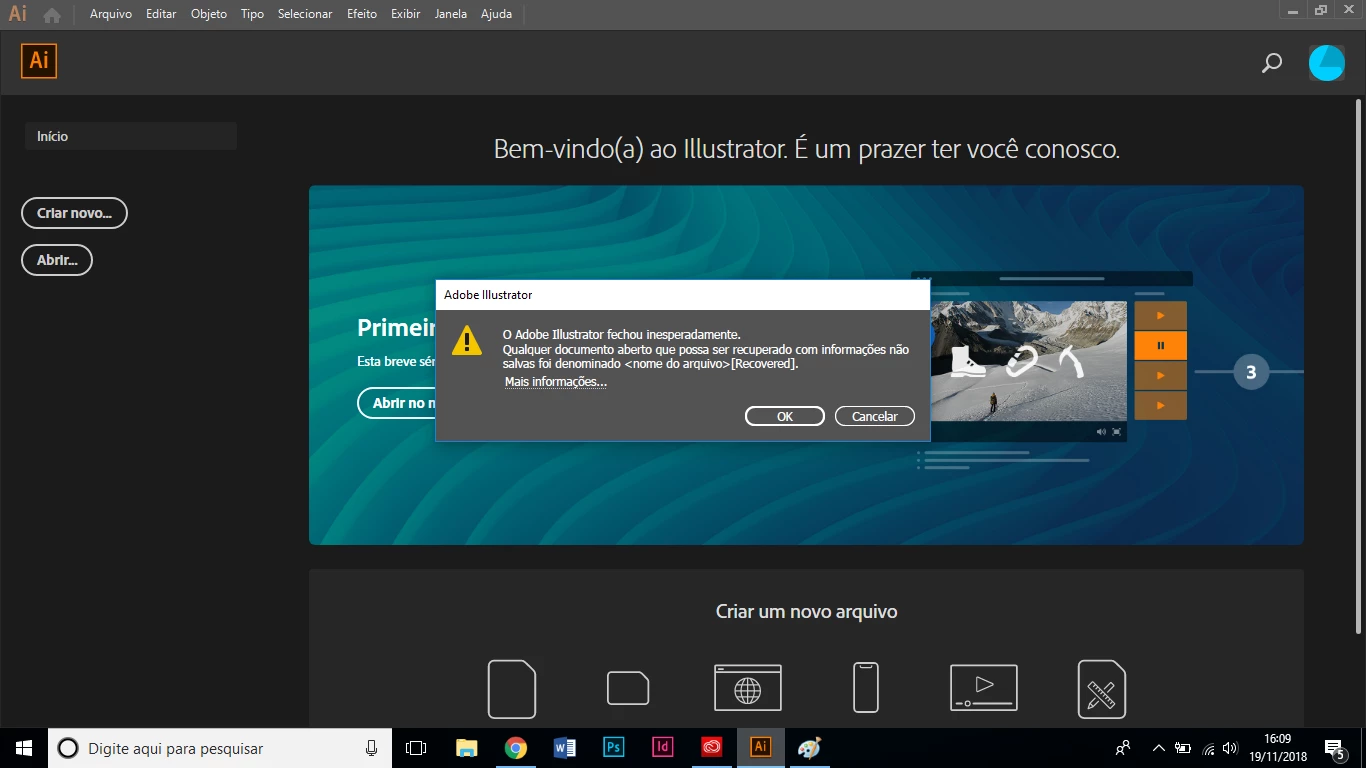
"adobe illustrator closed unexpectedly"

Does anone knows how to solve this problem?

illustrator cc 2019
This topic has been closed for replies.

3 replies

Srishti Bali
Legend
November 21, 2018

Hi Juan,

Sorry to hear about this. I would request if you can try resetting preferences for Illustrator and let us know how it works: How to set preferences in Illustrator.

Important: Resetting preferences will remove all the custom settings and Illustrator will launch with default settings.

Regards,

Srishti

Community Expert
November 19, 2018

What were you doing when that happened?  More info is needed

juanatieAuthor
Participant
November 19, 2018

Besides the illustrator, only Chrome esse open. And There was this mesage.

Em seg, 19 de nov de 2018 17:58, DaveJCummings <forums_noreply@adobe.com

escreveu:

Illustrator not working created by DaveJCummings

<https://forums.adobe.com/people/DaveJCummings> in Illustrator - View

the full discussion <https://forums.adobe.com/message/10760000#10760000>

andreamaestri
Participating Frequently
November 19, 2018

I need more information, that's the recovery window, so is Illustrator close immidietly after open it?

juanatieAuthor
Participant
November 19, 2018

It closes right after i try to create a file. I even tried to install an

older version.

Em seg, 19 de nov de 2018 17:16, andreamaestri <forums_noreply@adobe.com

escreveu:

Illustrator not working created by andreamaestri

<https://forums.adobe.com/people/andreamaestri> in Illustrator - View

the full discussion <https://forums.adobe.com/message/10759951#10759951>
