



Image Trace vs 2003 Illustrator and PAINT.NET vs Illustrator for making a vector collage of images
I want to make a collage similar to what this youtube tutorial is doing using PAINT.NET.
https://www.youtube.com/watch?v=pOyEm6bvigY
Is what Keith Ruston doing in the link above considered "vectorizing" because he doesn't display himself changing the "size"of each image?
I know that vector images are important because your image will lose its sharpness if you enlarge it and its not a vector...
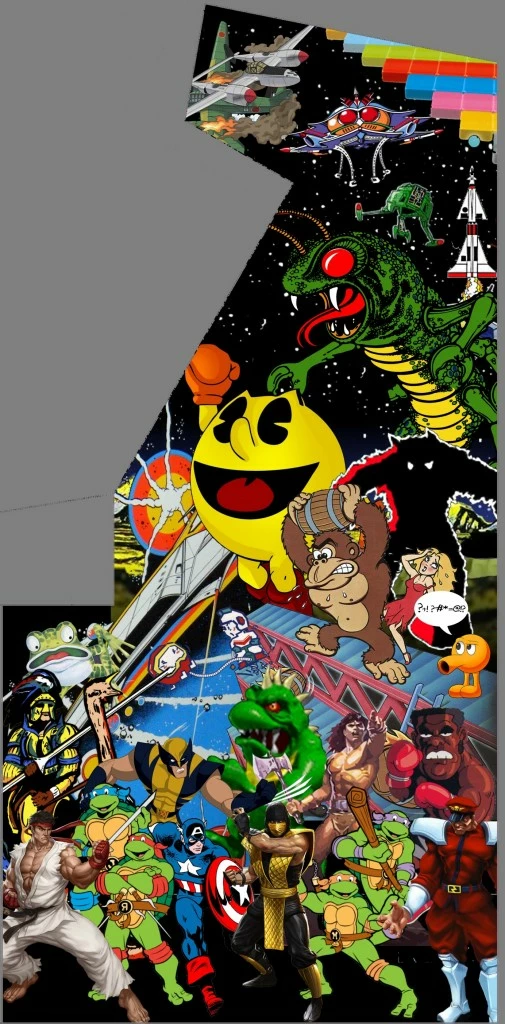
ie I want to make a "collage" of vector images and then have them printed to the entire size of my side art of my arcade
cabinet which is 74" tall using a Vinyl print out from a professional print service.
Can anyone tell me if this tutorial (see link - there are no viruses in the zip file) is still applicable to Adobe Illustrator CS6 or has the "Image Trace" tool
made this tutorial obsolete?
http://www.arcadecontrols.com/files/Miscellaneous/VectorTutorial_v1_3.zip
I KNOW THAT THE CURRENT ADOBE ILLUSTRATOR CS6 HAS AN "IMAGE TRACE" TOOL BUT BACK IN 2003 I DON'T THINK THERE WAS SUCH A THING
AS "IMAGE TRACE" WHEN HE MADE THE TUTORIAL.
He made the tutorial back in August 2003 (I believe based on the available of whatever version of Illustrator, he must have used Illustrator Ver 3 (not CS3, just "3").
I am not too familiar with Adobe Illustrator but I own the Adobe Illustrator for Dummies book and I have read the above Vector Tutorial twice( and I will be
re-reading it many times into the future).
Should I try to learn Illustrator to do what my goal is or should I go with a PAINT.NET project or will PAINT.NET NOT support vector images?
Here is a jpg image (just an example I googled and it is not a vector image!!!!!!!) of what I want my end result to sort of look like.

 AdChoices