Daleg94
Known Participant
July 12, 2017
Answered

Best way to remove the red tint/noise in shadows (astrophotography)

  • July 12, 2017
  • 1 reply
  • 5363 views

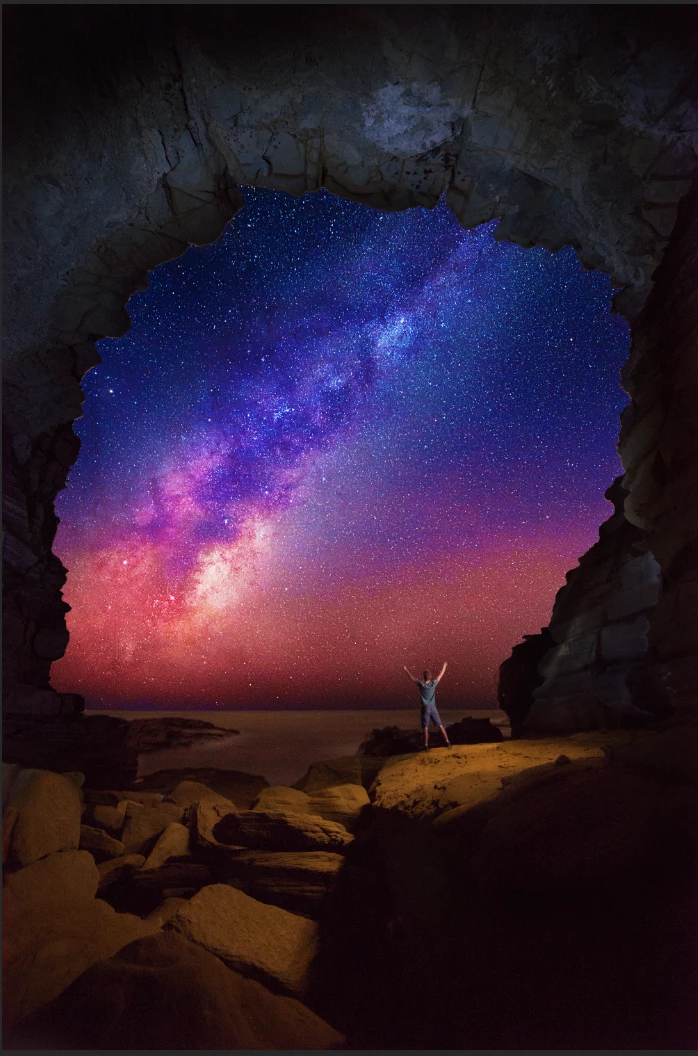
Recently I took a picture of the milky way from inside a cave.

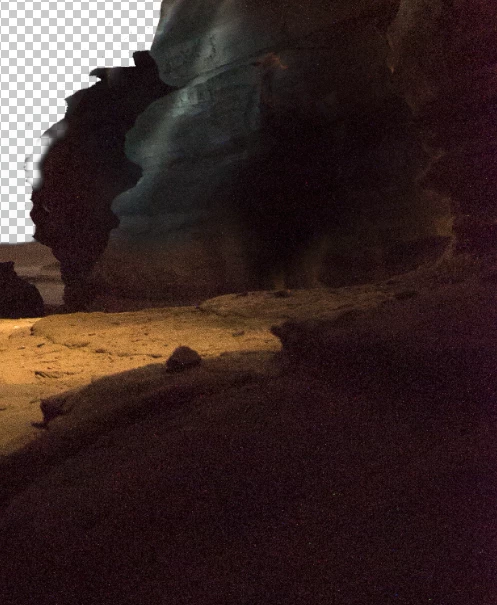
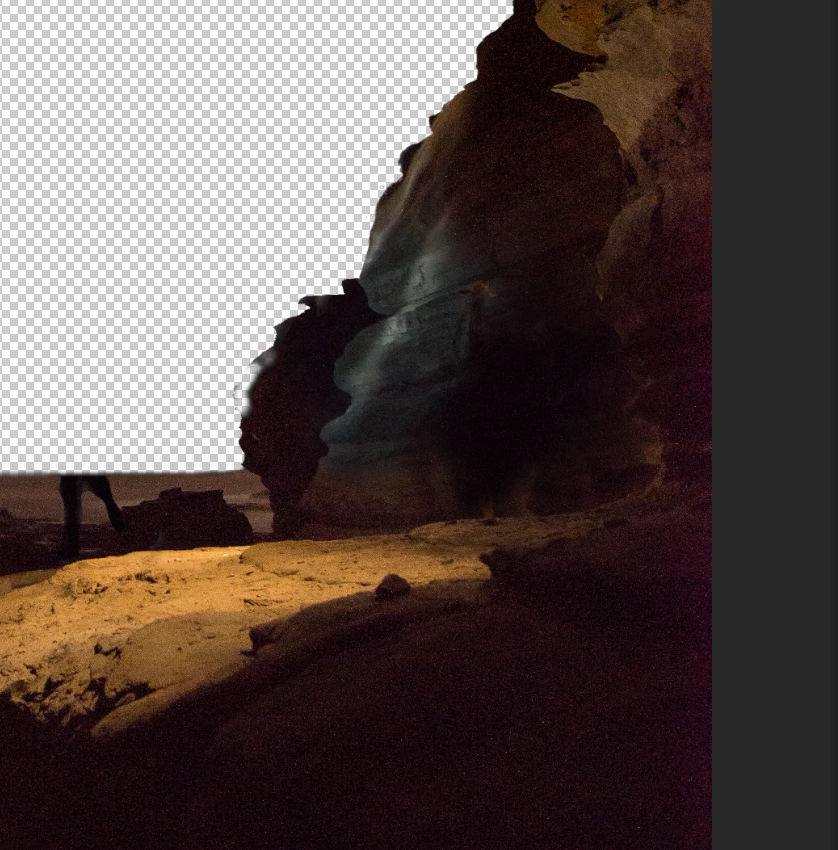
I've processed everything how I wanted and it looks great on the web but now I need to print a large version of it (700mm on shortest edge). After going back into the file I noticed a ton of redish colour in the shadows of the image around the edge of the cave (as seen below)

I understand this is due to the high ISO and the camera, however, is there any way of limiting this in post processing especially for printing?

I thought of going over it with a black brush at a low opacity but I'm afraid that at that size it'll look too obvious when blown up
This topic has been closed for replies.
Correct answer davescm

Hi

I think we've seen this image before from you. Very nice

You could try this.

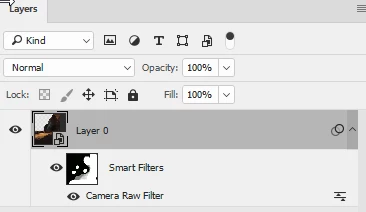
Put the image in a smart object

Open it in the camera raw filter.

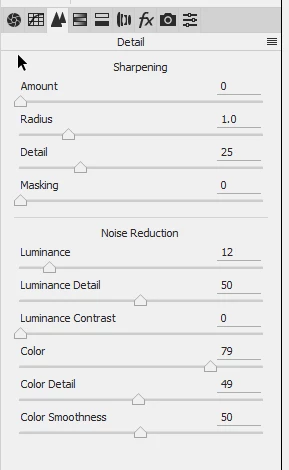
Use the noise reduction in camera raw and also pull down the red and purple saturation

Now fill the smart filter  mask with black and then paint with a soft white brush at around 30% opacity onto the mask where you want the red noise to reduce building up the reduction with successive strokes.

I would keep it subtle.

From

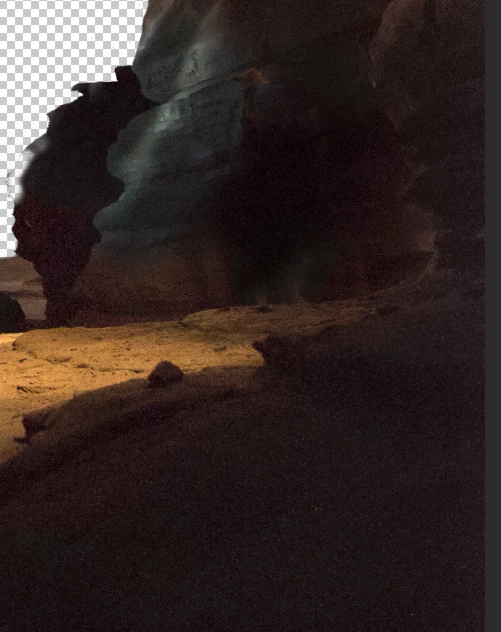
To

Dave

1 reply

davescm
Community Expert
davescmCommunity ExpertCorrect answer
Community Expert
July 12, 2017

Hi

I think we've seen this image before from you. Very nice

You could try this.

Put the image in a smart object

Open it in the camera raw filter.

Use the noise reduction in camera raw and also pull down the red and purple saturation

Now fill the smart filter  mask with black and then paint with a soft white brush at around 30% opacity onto the mask where you want the red noise to reduce building up the reduction with successive strokes.

I would keep it subtle.

From

To

Dave

Daleg94
Daleg94Author
Known Participant
July 12, 2017

Hi Dave,

YES! haha you helped me align the stars in this one

I'll give that idea a shot, I knew there would be something but wasn't 100% sure what it was but needed something because printing at a large size will make the issue even worse

davescm
Community Expert
Community Expert
July 12, 2017

Whatever you do - do it in a smart object that way you can alter the settings again if it doesn't look right. No pixels destroyed.

In case anyone is wondering - the "dark slide" method from the camera is not going to work here as the image is stitched with a lot of puppet warping to overcome star movement combined with multiple complex lens distortion. I remember it well

Dave