evermorenz
Participant
November 12, 2016
Answered

Content aware crop not available?

  • November 12, 2016
  • 5 replies
  • 5863 views

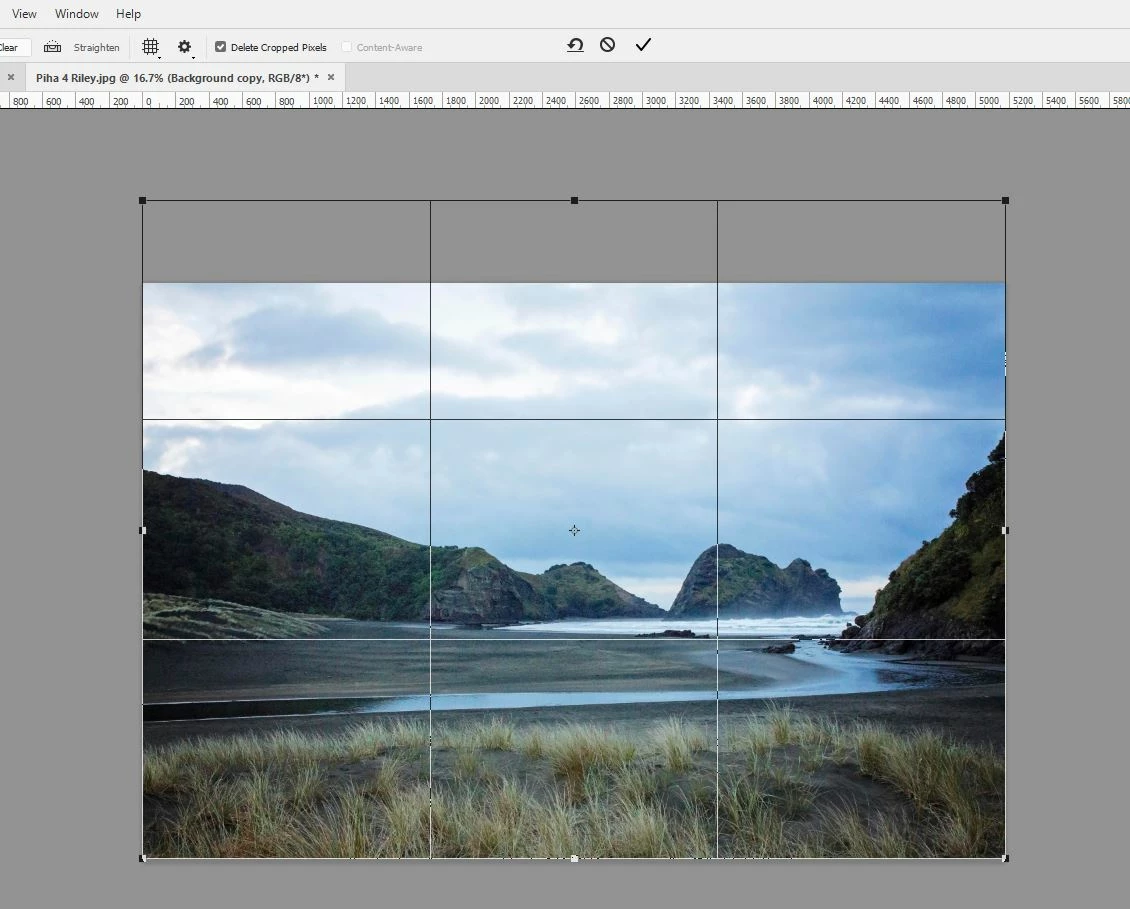
Hi, I'm using PS 2015.5.1 and I'm trying to use the content aware feature of the crop tool for the first time but when I make my crop selection the content aware option becomes unavailable... what am I doing wrong? I can tick the content aware box before making the crop selection but then it becomes unavailable when I make the crop selection. I'm relatively inexperienced with photoshop and can't find an answer via google or searching the forums. Thanks
    This topic has been closed for replies.
    Correct answer Barb Binder

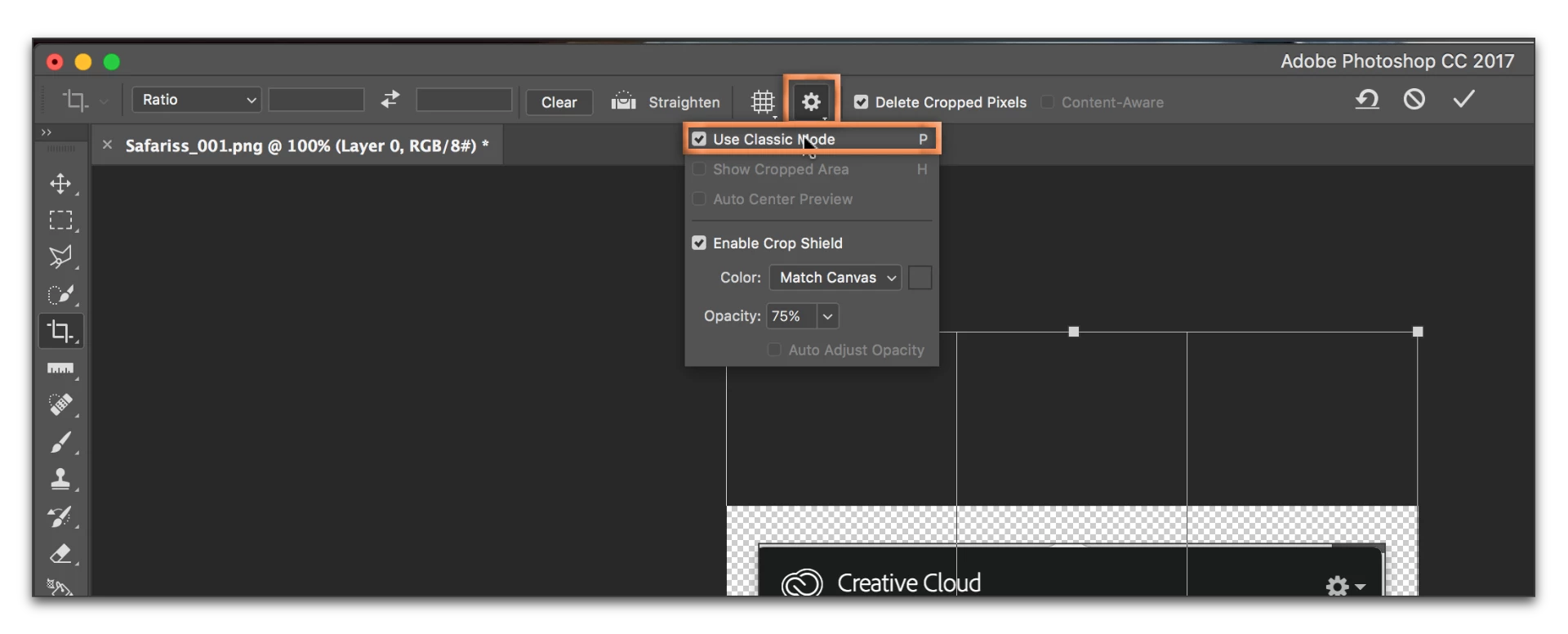
    Evermorenz: check the gear icon on your Options bar. I think you have Classic mode enabled.

    Try disabling it:

    5 replies

    Participant
    February 29, 2020

    Disabling Classic Mode worked for me thank you!!

    Barb Binder
    Community Expert
    Barb BinderCommunity ExpertCorrect answer
    Community Expert
    November 13, 2016

    Evermorenz: check the gear icon on your Options bar. I think you have Classic mode enabled.

    Try disabling it:

    ~Barb at Rocky Mountain Training
    barbara_a7746676
    Community Expert
    Community Expert
    November 13, 2016

    Unchecking delete cropped pixels shouldn't make any difference as far as the Content Aware command being grayed out, but it will give you the benefit of not deleting any pixels that happen to fall outside the canvas in case you decide to change the cropped area later.

    Theresa J
    Community Expert
    Community Expert
    November 13, 2016

    Try unchecking the delete cropped pixels option.

    barbara_a7746676
    Community Expert
    Community Expert
    November 12, 2016

    You didn't mention which version of Photoshop you're using. Depending on the version, you may need to make a selection first. You can use the Rectangular Marquee tool to select the pixels, then choose the Crop tool. Let me know if that works for you.

    Theresa J
    Community Expert
    Community Expert
    November 13, 2016

    Barbara is right. I was just guessing because I don't use this function often. I also almost always uncheck the option to delete pixels. I like being able to change my mind later.

    Can you show us your layers? Is is possible that you don't have the correct layer selected? Or maybe this image is a placed smart object, or a placed image from a CC Library? I don't think content aware fill will work in any of these situations. You need to rasterize the layer first.

    barbara_a7746676
    Community Expert
    Community Expert
    November 13, 2016

    Good points, Teresa. Smart Object could be the culprit.

    Evermorenz, the more information you give us, written and visual, the better we can help you.