mattrittman
Known Participant
April 18, 2017
Answered

Doppler Radar Reflectivity Colors

  • April 18, 2017
  • 2 replies
  • 1650 views

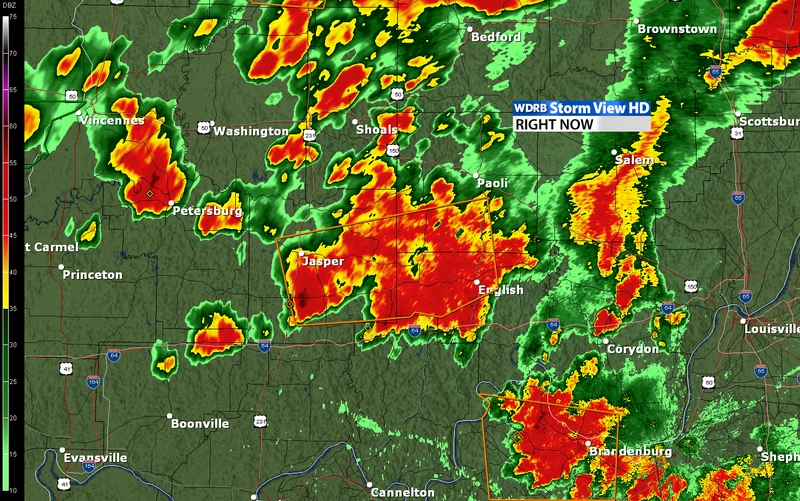
Can someone help me figure out how I could create a doppler radar looking image? I know you could go in with a paint brush and manually do this, but didn't know if there was a quicker way to do it with filters?
This topic has been closed for replies.
Correct answer davescm

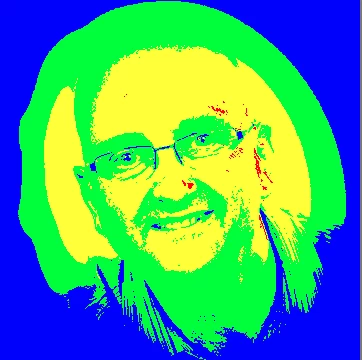
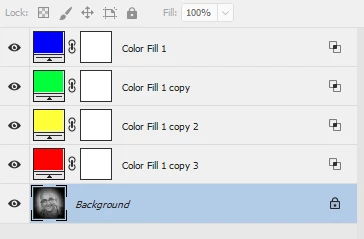
Do you have the Doppler areas as a greyscale. If so you can introduce false colour with Color Fill layers set to "Blend if underlying layer" is gray to a  range for each false colour (and Blend if R or G or B to 254 or less to ignore the colour layers below)

Below is an image rather than a map - but hopefully you get the idea

Dave

2 replies

Semaphoric
Community Expert
Community Expert
April 18, 2017

Since you have the scale running along the left side, you could use that to construct a custom gradient, like so:


which you can then use as a Gradient Map:


This is over a base of rendered Clouds, with the Wind filter to give it that Doppler/Sonogram look, and a color fill layer with a mask and a Pattern Overlay for the background texture.

davescm
Community Expert
Community Expert
April 18, 2017

You know, it never occurred to me to use a custom gradient map - good idea Semaphoric, that gives you just as much control as the fills - but with the ability to have more graduated steps. I like it !

Dave

davescm
Community Expert
davescmCommunity ExpertCorrect answer
Community Expert
April 18, 2017

Do you have the Doppler areas as a greyscale. If so you can introduce false colour with Color Fill layers set to "Blend if underlying layer" is gray to a  range for each false colour (and Blend if R or G or B to 254 or less to ignore the colour layers below)

Below is an image rather than a map - but hopefully you get the idea

Dave

mattrittman
Known Participant
April 18, 2017

This definitely helps. Thanks Dave!