
Double-Click object in PSP, Camera Raw Won't Allow Any Changes to Image
Hi All,
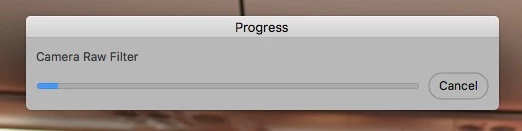
I've searched everywhere and can't find a solution. Problem started about a month ago - when I double-click an object in Photoshop, Camera Raw opens as normal but a progress bar opens over the image (says "Camera Raw Filter"). The progress never advances or moves no matter how much time goes by, it always shows about 10% done with whatever it's trying to do. It won't let me adjust any image settings or even use the cancel button on the progress bar. The only thing I can do is hit cancel in the camera raw interface and it requires hitting it several times before it returns me to PSP.
I've updated all apps, tested this on dozens of different images, turned "use graphics processor" off, changed scratch disks, etc. all with the same results. I'm under serious deadlines for an important client and it's really causing a lot of problems! Has anyone had similar issues or heard of this before??
- If I give it a long time, it won't even let me cancel out of anything & I have to force quit).
- If I go through this process several times, usually it will let me change image settings in camera raw if I'm working on an original object. If it was a regular image and then converted to an object, it will always show this progress bar and never allow changes no matter how many times I back out and start again.
- Size of PSP doc has no effect.
- There have been no major changes to my system except upgrading to the latest version of Photoshop in the last month & I'm not sure if that's when the issues began or not.
- PSP (v19.1.3) on my laptop works fine.
(System: OSX 10.12.6, Photoshop CC v19.1.5, Mac Pro late 2013, 16gb ram, many TB's of scratch disk space)
Thanks for any help.
 AdChoices