bartonlew
Legend
May 14, 2018
Answered

Edit > Transform> Warp grayed out (was "perspective warp grayed out")

  • May 14, 2018
  • 3 replies
  • 17108 views

I created a large psb file using the panorama tool and I now need to correct some issues using Edit>Transform>Warp, but Warp is grayed out.  It has always been available for me before.  Does anyone know why this might be happening?  Thanks.

This topic has been closed for replies.
Correct answer Barb Binder

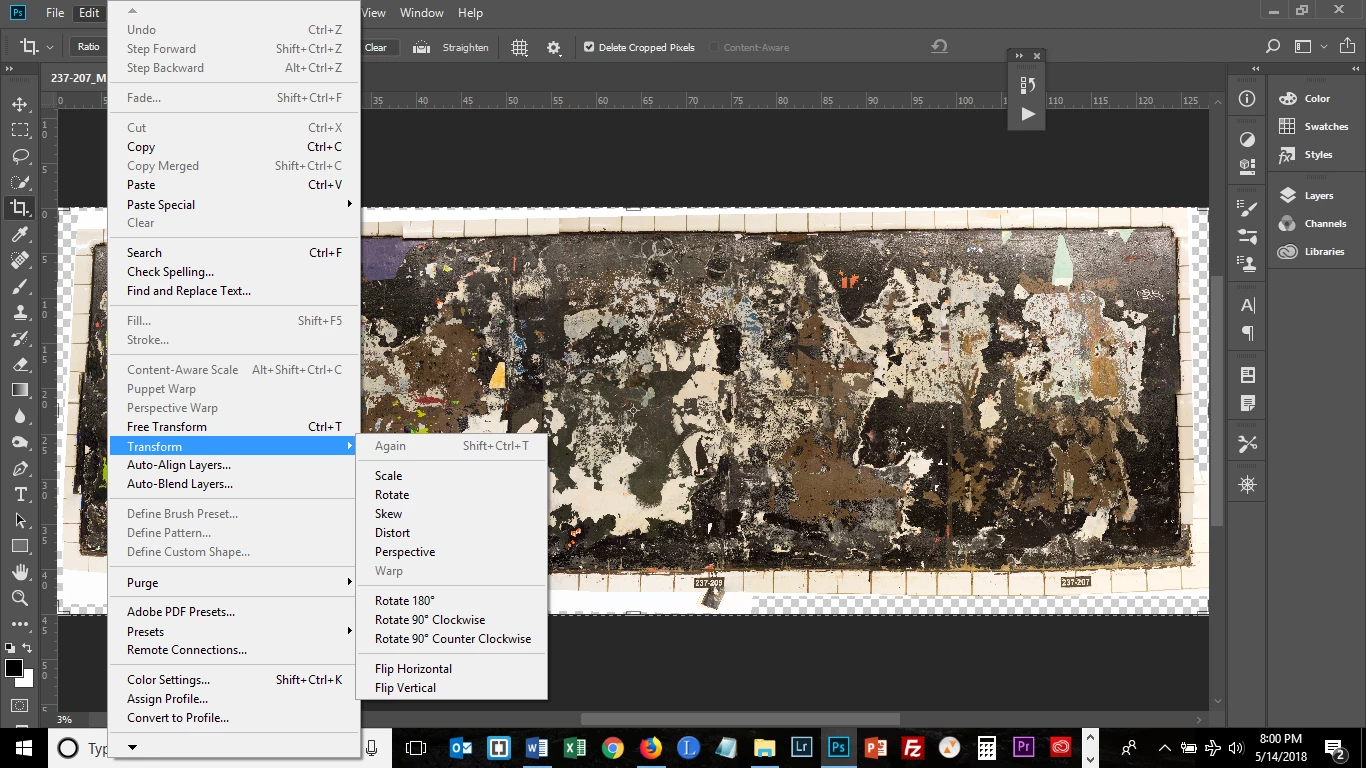
Thank you.  I moved files to an external hard drive to free up space.  I now have 43 free GB on my 688 GB hard drive.  I tried to access Warp again and it is still grayed out.  I'm posting a screen shot below.  I was able to access Wrap on other smaller files I used it on.  Is it possible that it's the size of the file that is preventing this?  I have the "Use Graphics Processor " box unchecked.  Thank you.

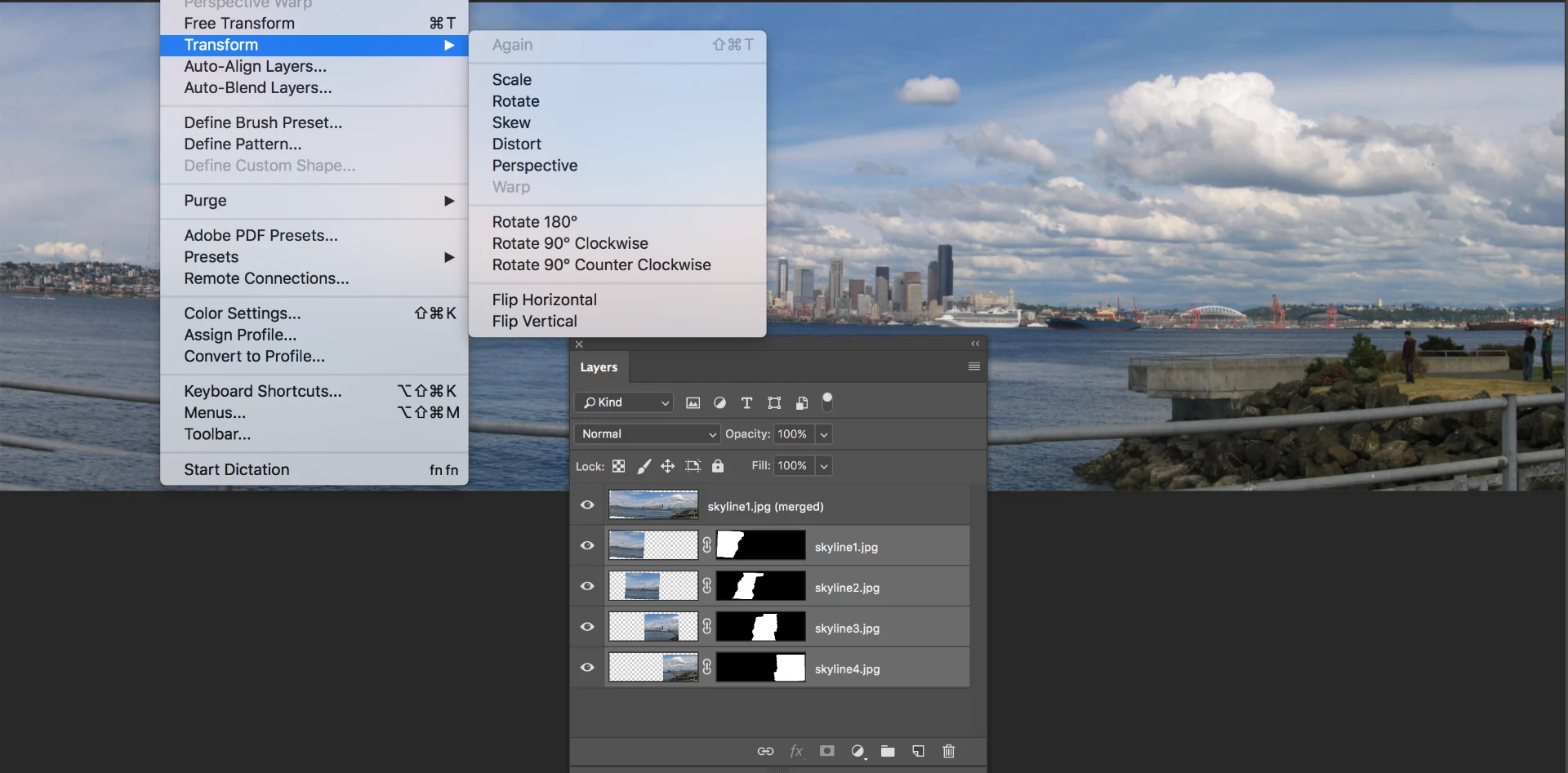
Norman is asking to see your Layers panel, and because he's trying to figure out what is selected. For example, if you have multiple layers selected, Warp will gray out.
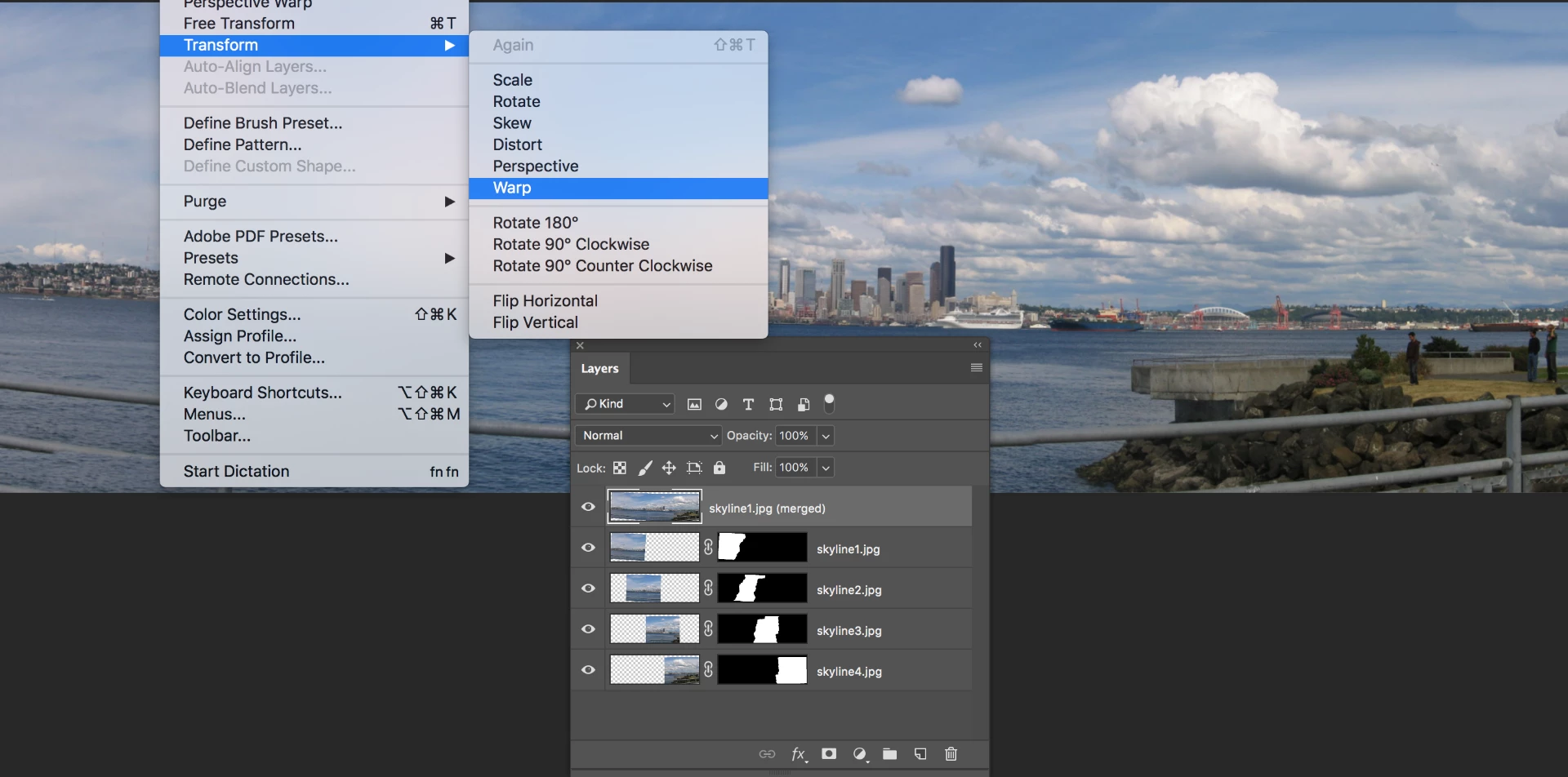
But if you have just one layer selected (the masked layers or the stamped layer), it will be available.
Would you please show your layers panel?

~Barb

3 replies

Norman Sanders
Legend
May 14, 2018

That may very well be the reason but, after correcting that limitation, you find the tis not the cause, I suggest you follow my original request and let us see Layers panel and image.

Norman Sanders
Legend
May 14, 2018

Your inquiry is confusing. Perspective warp is a separate command from Edit > Transform > Warp. Please post a screen shot of the Layers panel and image and describe your objective.

bartonlew
bartonlewAuthor
Legend
May 14, 2018

I apologize for the confusion.  I realized after posting that I had mislabeled the subject line of my post, but you can't edit a post in these forums after posting unfortunately as far as I know.  I am not using Perspective but rather, as stated in the body of my post, Edit>Transform>Warp.  The file is a single background layer created from the panorama tool.  I am not at my home computer now so cannot post a screenshot, but does that provide sufficient clarification?

Mohit Goyal
Community Manager
Community Manager
May 14, 2018

Hi bartonlew,

Could you please check the "Use Graphics Card" disabled under Preferences>Performance tab in Photoshop? Also, please let us know the exact version of Photoshop you are using now?

Regards,

Mohit

bartonlew
bartonlewAuthor
Legend
May 14, 2018

Thank you, Mohit.  I unchecked the box "Use Graphics Processor" in the Performance tab as you suggested, closed PS and then reopened it, and Warp is still grayed out.  I am using version 19.1.1 20180206.r.254.  Do you have any further suggestions?

Regards,

Barton
