Inspiring
November 19, 2018
Answered

Font Names

  • November 19, 2018
  • 2 replies
  • 1395 views

Hi,

Does anyone have a link to where I can see all the alias's for all fonts in the artLayers.textItem.font argument?

For example, "Arial" is "ArialMT".

Kind Regards,

Dale

This topic has been closed for replies.
Correct answer JJMack

What font are available depends on what fonts are installed on a machine.  You can get a Font List from Photoshop.

You can see how I got the list for my scripts dialog pull-down list. Xtools has a FontList script.

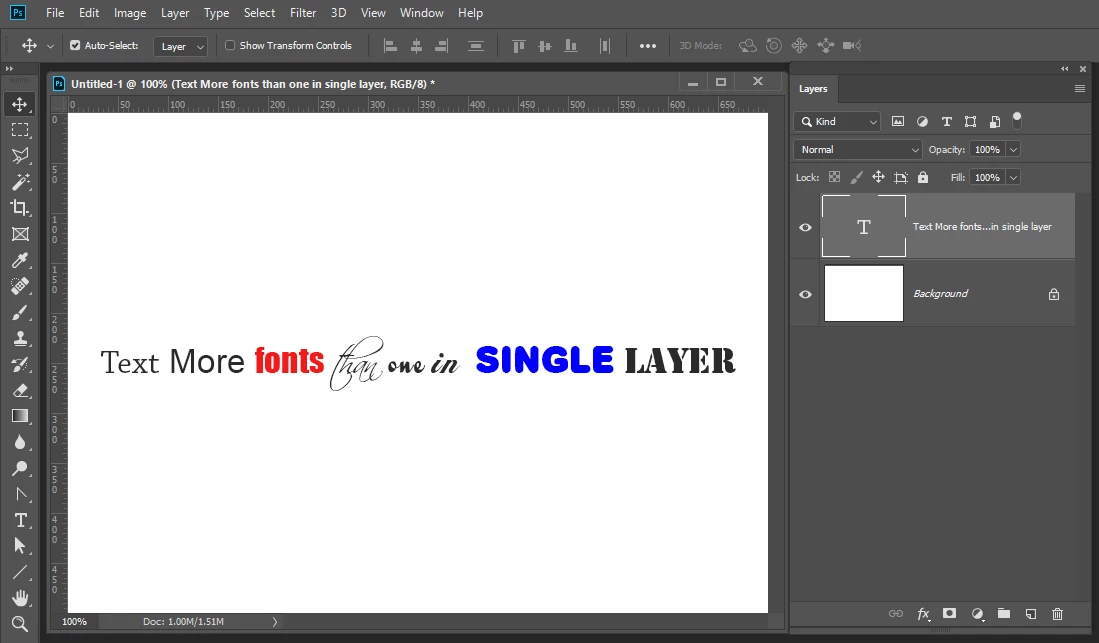
It is posible for a text layer in a document to have a font that is not installed on the current machine. Also a text layer can have more than a single font in it.

Re: how to select item into ListBox  ?
2 replies

JJMack
Community Expert
JJMackCommunity ExpertCorrect answer
Community Expert
November 20, 2018

What font are available depends on what fonts are installed on a machine.  You can get a Font List from Photoshop.

You can see how I got the list for my scripts dialog pull-down list. Xtools has a FontList script.

It is posible for a text layer in a document to have a font that is not installed on the current machine. Also a text layer can have more than a single font in it.

Re: how to select item into ListBox  ?

JJMack
Inspiring
November 20, 2018

Cheers JJ, I actually had xtools installed, so a bit embarrassing I hadn't seen that one!

Inspiring
November 20, 2018

If it helps anyone, I made the log slightly more readable by changing the below code:

    fi.name       = names.getString(i) ;

    fi.postscript = psnames.getString(i);

    fi.family     = families.getString(i);

    fi.style      = styles.getString(i);

To:

    fi.name       = names.getString(i) ;

    fi.postscript = " = " + psnames.getString(i);

  //  fi.family     = families.getString(i);

  //  fi.style      = styles.getString(i);

I don't need the family or style values, so if you need these you can modify as I have for the postscript info.

Chuck Uebele
Community Expert
Community Expert
November 20, 2018

Create a text layer and run this script to show what it's name is:

#target photoshop

var doc = activeDocument;

alert(doc.activeLayer.textItem.font);

I don't think there is a master source to see all the fonts.