
Known Participant
May 1, 2017
Answered

Healing tool keeps getting back to spot healing tool

  • May 1, 2017
  • 1 reply
  • 945 views

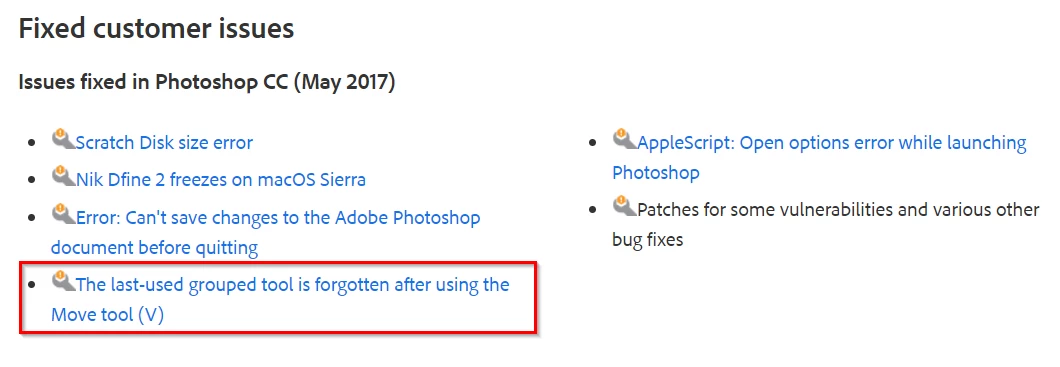
Whenever I change tools and go back to the healing tool it never remembers which healing tool I was, it always goes back to the spot healing tool. This is very annoying, anybody knows how to fix it?

Thanks
This topic has been closed for replies.
Correct answer Trevor.Dennis

Done all the steps. Now not only it didn't fix the issue, Photoshop is slow as molasses now. Confusing and frustrating.


Can you install the Update to 2017.1.1  and let us know if that fixes it?

1 reply

Trevor.Dennis
Community Expert
Community Expert
May 1, 2017

Hi Andre

How are you accessing the Spot Healing brush?  Shortcut or mouse.  If shortcut, do you have Preferences set to use the Shift key to switch between tools that use the same shortcut?

Or are you talking about what tool is selected after opening Photoshop?

What version of Photoshop are you using?

What operating system?

Any other information that might help?

Known Participant
May 2, 2017

I normally access it through shortcut (J). Yes, I have the "Use Shift Key for Tool Switch" checked on preferences.

What I am talking about is that, let's say, I am using the healing tool, I go to another tool (say, the move tool or the brush tool), and when I get back to the healing tool (by pressing J - without the Shift, of course) it goes to the spot healing tool instead of going to the healing tool. Very annoying as I almost never use the spot healing tool and it just makes me have to take an extra step to get what I need.

Trevor.Dennis
Community Expert
Trevor.DennisCommunity ExpertCorrect answer
Community Expert
May 2, 2017

Done all the steps. Now not only it didn't fix the issue, Photoshop is slow as molasses now. Confusing and frustrating.


Can you install the Update to 2017.1.1  and let us know if that fixes it?