
selah_mb
Participant
October 31, 2017
Answered

How do I get Crosshair in brush cursor?

  • October 31, 2017
  • 3 replies
  • 1575 views

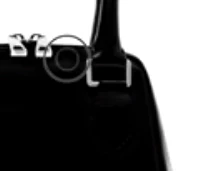
I have a question about using the paint brush for product photo editing.  I watched a tutorial in which the teacher's brush displayed like a target, with one larger circle and one smaller circle inside.  It seemed to provide more control. How do I get this?
[Moving post to Photoshop forum from the non technical Lounge forum  - I think that's the product that is being used. Mod]
    This topic has been closed for replies.
    Correct answer Chuck Uebele

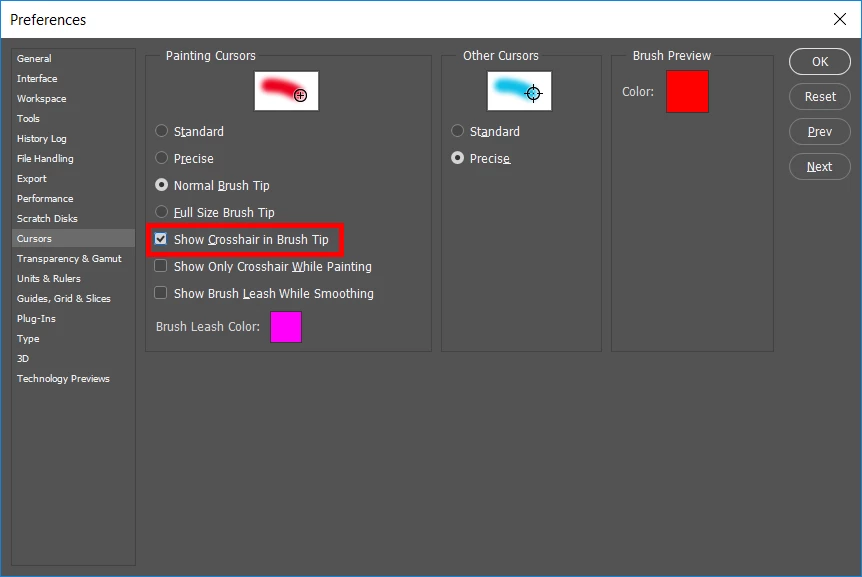
    In the preferences:

    3 replies

    Abambo
    Community Expert
    Community Expert
    October 31, 2017

    Not to forget: Caps Lock brings the cross-hair cursor "on demand"...

    ABAMBO | Hard- and Software Engineer | Photographer
    Trevor.Dennis
    Community Expert
    Community Expert
    October 31, 2017

    Something I have strong feelings about.  It just makes so much sense to have cross hairs turned on.  Perfect alignment with the Clone tool for instance. 

    If you happen to use Lazy Nezumi Pro you have yet more options.  This is the 'Mega Crosshair'  (you have to read that in a deep and loud voice )

    CC2018's brush smoothing is probably on a par with LNP, but does not come with the wealth of added features that LNP gives us. It's a bit cheeky that Adobe have used exactly the same terminology with their Smoothing feature, and I believe that was without discussing with the LNP author. 

    Chuck Uebele
    Community Expert
    Chuck UebeleCommunity ExpertCorrect answer
    Community Expert
    October 31, 2017

    In the preferences: