
Participating Frequently
March 4, 2017
Answered

Image cut off, would like to extend image by duplication or other means

  • March 4, 2017
  • 2 replies
  • 5832 views

Can anyone give me advice on how to fix this image with Adobe Photoshop CS5. It is cut off one the right side and I would like a simple fix to just duplicate the edge of the hoop, and the black background.  Haven't used photoshop in a while so hoping theres a simple fix... Step by step would be nice if you had the time.  I have never posted anything like this before!

I really appreciate it!

Kindly, Haley
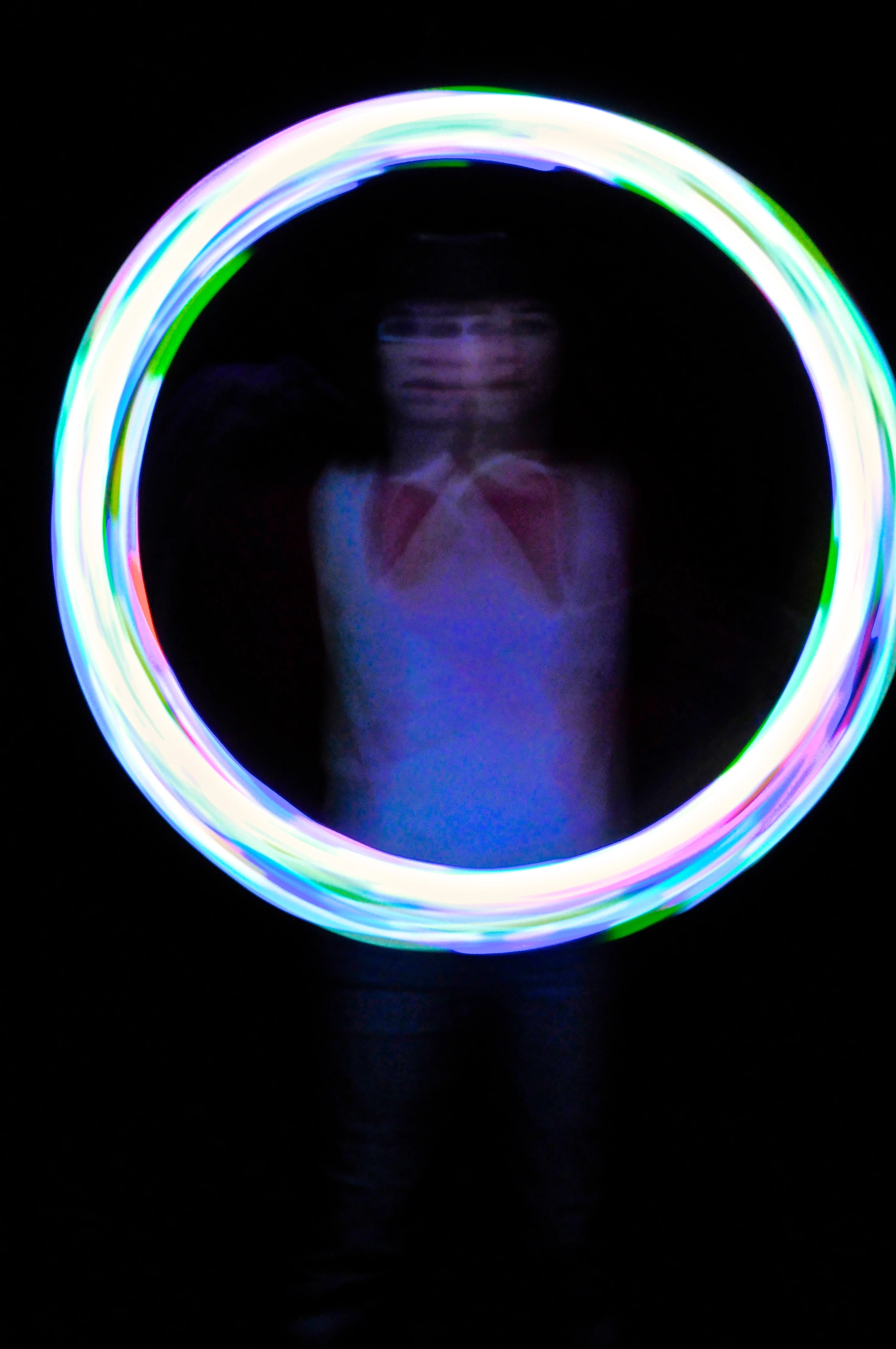
This topic has been closed for replies.
Correct answer davescm

This part makes me nervous! I sure am rusty. How did you get the hook to blend so well and look like it wasn't just duplicated from the other side?


hmcart  wrote

This part makes me nervous! I sure am rusty. How did you get the hook to blend so well and look like it wasn't just duplicated from the other side?

Nothing to be nervous about - when you are painting on the mask you are only hiding and showing pixels - the originals are not being altered. If you get it wrong just change from black to white (or vice versa) and paint over it.

I used a fairly small brush and painted most of the light trail black so the original right hand side showed.  The blend to the new was easy with those light trails. I used a soft brush (hardness 0%) and built up the opacity (set the brush to c 20%) and I used brush strokes in the same round direction as the light.

Dave

2 replies

davescm
Community Expert
Community Expert
March 5, 2017

You could just extend the canvas, duplicate the layer  - flip it and then mask it so that the left side of the original image fills the gap on the right

Dave

hmcartAuthor
Participating Frequently
March 5, 2017

this is exactly what i want my image to look like. you dont know how many google key words i put out there, but to no avail.  let me work on it Dave and I'll post the final result soon!

davescm
Community Expert
Community Expert
March 5, 2017

No Problem

After you Flip the layer - turn the opacity down to around 50% so you can move it and line it up. Then just paint on the mask with white to show the top layer and black to show the bottom layer

Dave

Nancy OShea
Community Expert
Community Expert
March 4, 2017

Is this image flattened or do you have PSD layers to work with?

1) Make a bigger canvas.  Go to Image > Canvas Size.  See screenshot.

Nancy O'Shea— Product User & Community Expert
hmcartAuthor
Participating Frequently
March 4, 2017

The image is flattened. I will make the canvas bigger. using this.

Then do i need to create several layers to extend the image?

What would you suggest to most accurately duplicate what the hoop and background would look like if the image was not cut off.  I remember in the past I did some duplication with the clone tool and then blurred if needed, but dont know if theres an easier better way...any suggestions?

Thanks alot!

Nancy OShea
Community Expert
Community Expert
March 5, 2017

I would make several layer copies with Ctrl+J.  Find an area of the hoop that looks close in color to the MIA area.  You could possibly find a match from the opposite side by moving & flipping it.  Then masking out unwanted portions from top layer.  Much trial & error required.  Be patient.  

Nancy

Nancy O'Shea— Product User & Community Expert