
Issue using Pantone V3 color book library files
The issue: We cannot select colors from the V3 versions of Pantone+ .acb color book libraries within Photoshop if the V2 libraries are also installed. This is true of the Coated and Uncoated as well as Color Bridge. (Libraries exported with Pantone Color Manager app.) These libraries work normally within InDesign and Illustrator, even with all previous versions installed.
Asking if this is a "known issue" or if any others are experiencing a similar problem. Looking for a viable enterprise solution. (I first reported this here: Re: After installing latest Pantone color library in photoshop, some colors are inaccessible )
Our hypothesis is the V2 books were damaged or flawed. Their mere presence creates inconsistencies with the way colors are referenced. (Multiple sources, different copies and versions of PCM.)
With the V2 library installed alongside the V3 (and V1, and original Pantone (not plus)), colors specific to the V3 library (e.g. "Bright Red," 3519) cannot be chosen. Moreover, when specifying an older color from the V3, the next time a color is added or changed, Photoshop defaults to the V2 list. (This option is normally "sticky" — pick from one book and the next time you're in the color picker it defaults to the last book used.) Remove the V2 file (and only the V2) and the V3 works as it should. We've replicated this with multiple versions of the V2 book, saved at different times from different versions of PCM, and across multiple workstations — Photoshop CC 2015–2019 (fresh install).
Unfortunately, the obvious solution, "just remove the (redundant) V2 file," causes problems.
This is because references to named colors in Photoshop are book-specific. "This document contains references to color books which are not installed."
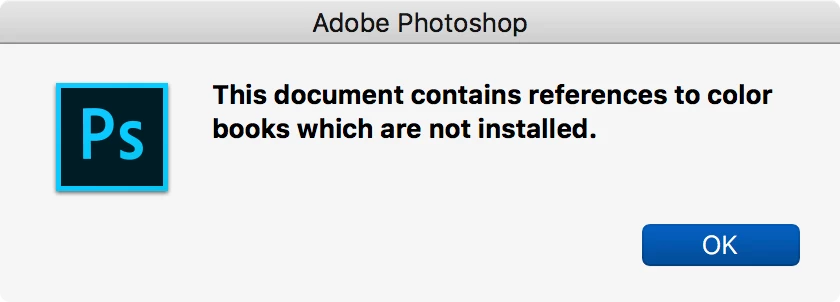
This occurs even with older, original Pantone+ colors, when chosen from the V2 book and that library is removed.
We have a vast amount of legacy and archived materials. Many of these predate the Pantone+ libraries (2010). When Pantone added (the now infamous) 336 colors in 2012, we added those color books. When they added more (2015?) we added the V2 libraries. Now we're up to V3 and, yes, in our workflows we need to have all the previous book versions installed on our systems. We deal with countless freelance artists and designers, most of whom only use the Adobe defaults. (Which is the sole reason anyone outputs US SWOP v2 CMYK anymore.) And it might surprise you to learn that, yes, even in 2019, we still spec jobs using Hexachrome inks — which are only available in the original Pantone libraries.
And here is another issue we run into regularly: spec a color from the V3 book in Photoshop (it doesn't have to be a new color unique to that book) and then open the same image later and the color has changed. I mean a visibly different color — it retains the same name (and when brought into InDesign the color reference is correct) but it is nowhere near the same hue.
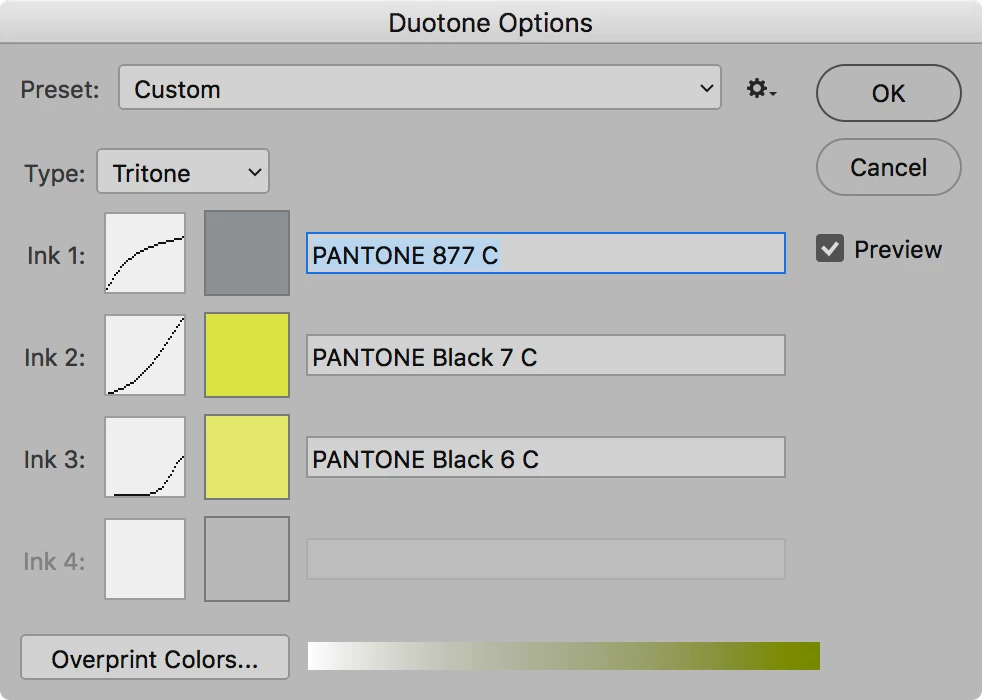
Yes, there is an easy fix for this: double-click the channel thumbnail to edit the color, and re-select the same name from the correct library. [/thread/1275951#9175251]
But now imagine having to do this for every spot color job you pick up from a freelancer or out of archive — and you work on dozens of titles a day. And imagine you have no idea what the colors are supposed to look like — you've just noticed they look one way in Photoshop and look completely different in InDesign.
Yellows turn purple, blues turn green, oranges turn teal. This is the reason we suspect the V2 color book library is the issue. Colors in Photoshop are not referenced by name, but by their color database and their position in that database. You pick "Pantone 294 C," but to Photoshop it's "item #N in database #Y." And it's when Adobe tries to make these disaparate databases compatible with each other that it runs into problems. It says, "oh, I have item #N in database #Z, so we'll use that."
Only in this case, the installation of the V2 book is preventing Photoshop from even seeing the V3 book.
This issue is solely caused by poor change management by Adobe and Pantone.
This has been discussed ad nauseam here: 336 new pantone colors; here: Missing Pantone Coated and UnCoated Colors in InDesign 2017; and in literally over a million other forums and posts online: https://www.google.com/search?q=pantone+color+library+missing
One would assume that purchasing the latest version of design software — software that advertises its inclusion of standard color books like Pantone — would include the latest versions of those plug-ins.
In a nutshell:
Adobe: "we can only distribute what Pantone gives us."
Pantone: "we'll give the updated libraries to anyone who pays us."
Also Pantone: "oh, and all the updated books are incompatible with any older books."
Also Adobe: "we're going to keep giving out the outdated books."
 AdChoices