
Answered
Issue with "Selected Layers" Tweening option
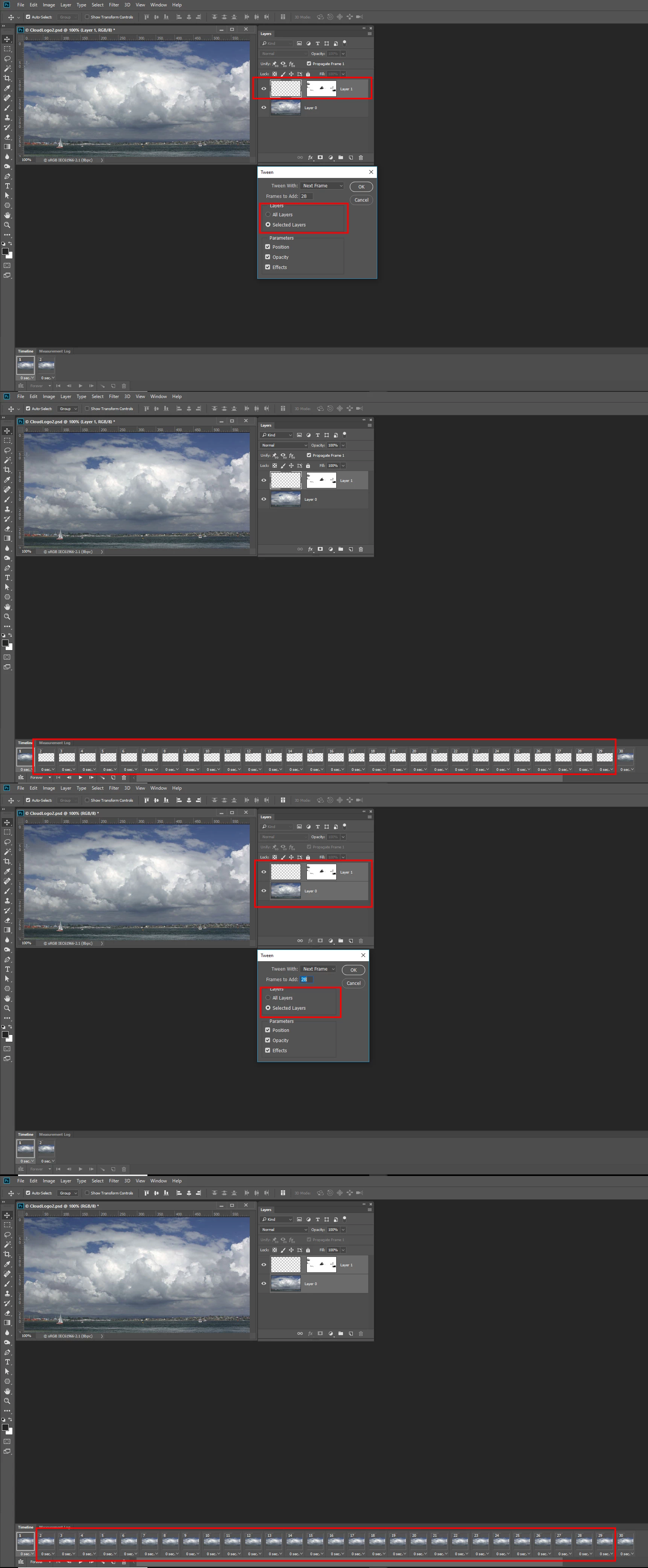
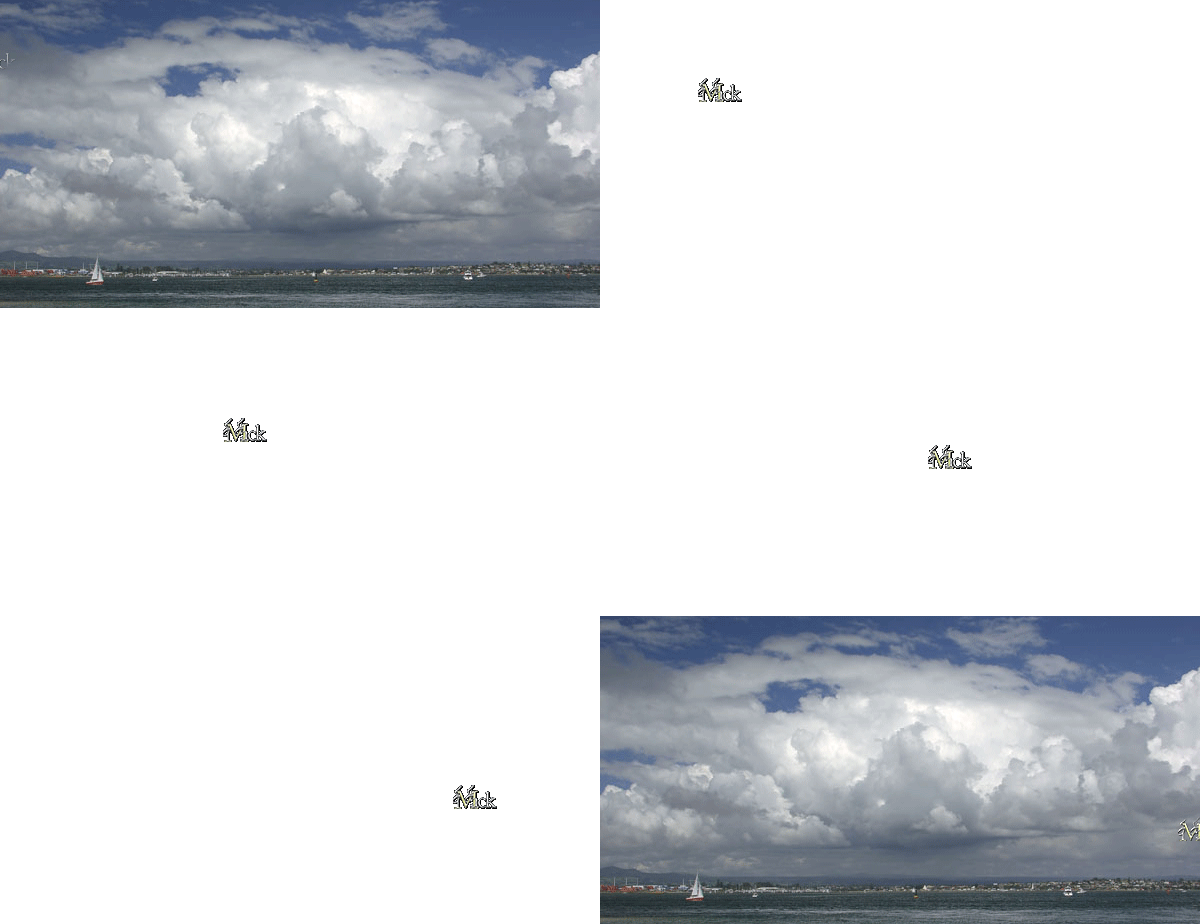
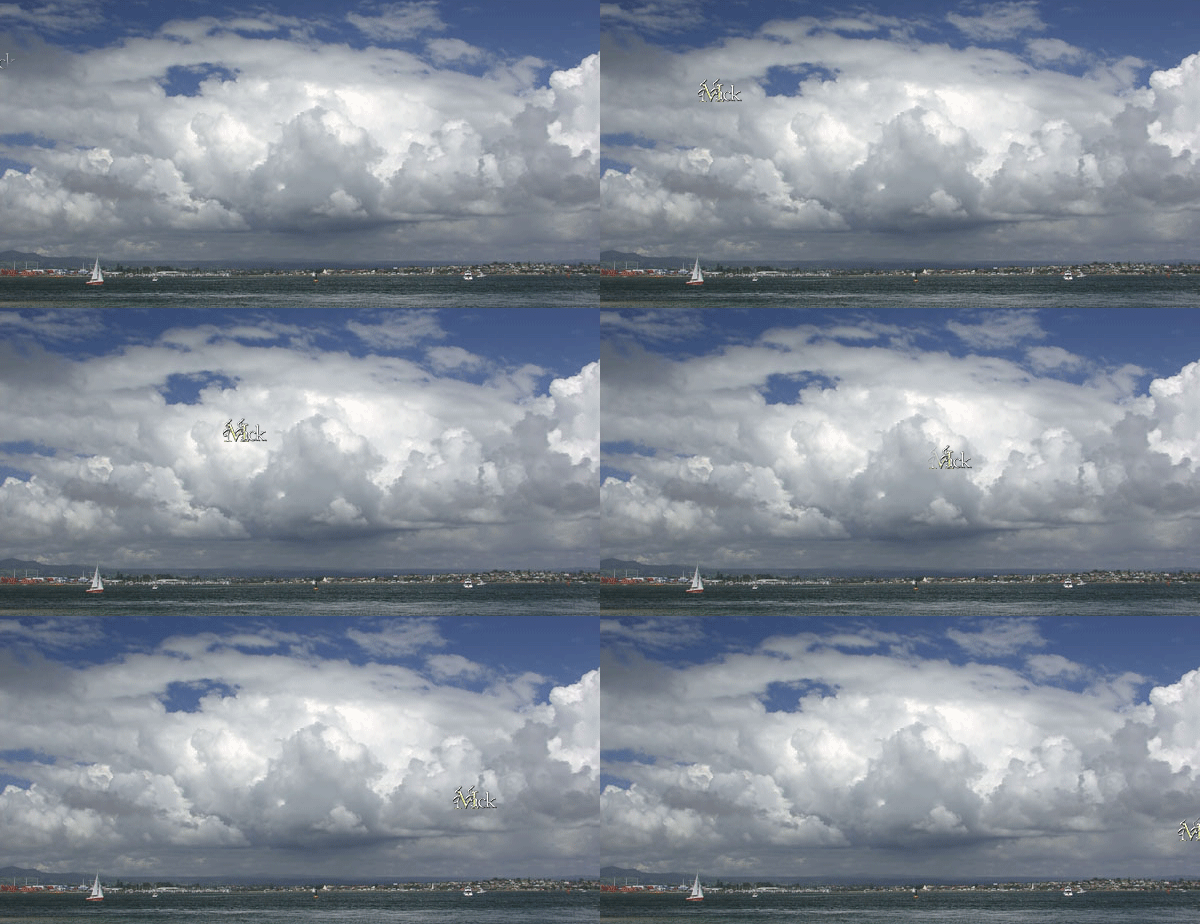
Using the Photoshop CC 2017 Frame Animation Timeline for tweening an object's position using the "Selected Layers" option generates empty frames despite the fact that the beginning and ending keyframes are from the same layer and that layer is selected. I repeated the process using "All Layers" and it works fine; however, it should work using the "Selected Layers" option given the fact that the tweening object emanates from a single layer and is used for both start and end positions.
I have attached a link to a silent video to demonstrate the issue.
Photoshop CC 2017 Issue with "Selected Layers" tweening option - YouTube
This issue was initially flagged by Jeffrey Tranberry Sr. Product Manager. JeffreyTranberry
 AdChoices