Inspiring
March 16, 2017
Answered

Left over smear after removing light poles

  • March 16, 2017
  • 1 reply
  • 583 views

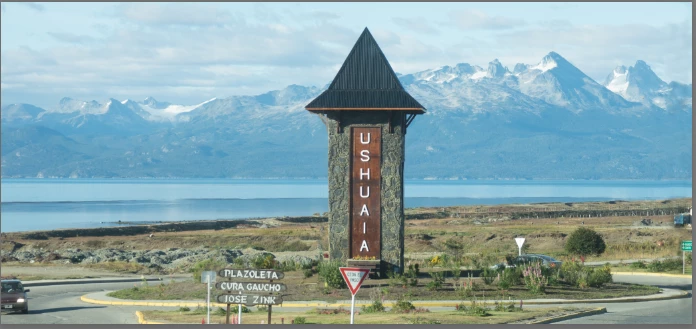
I am trying to remove the light poles from the following image:

and the results have been ugly.  I've tried the spot healing brush remove mode content aware and magic wand using fill content aware.  Although the light pole is removed, there is either a blur where it used to be, or the fill is totally out of context.

Obviously I'm a newbie so any advice would be appreciated.  I'm on a Mac.
    This topic has been closed for replies.
    Correct answer davescm

    Hi

    One tool will not do all.

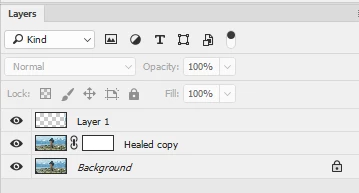
    The spot healing brush will take out the main poles but will leave a little work to do with the clone stamp tool to fill the areas it leaves. Work in small sections.  Heal  a duplicate layer and if it takes out any wanted detail just add a mask to the healed layer and paint the mask with black to let the original show through.

    The black edge at the right is best approached with the clone stamp tool set to normal and cloned onto a new layer.
    Just take your time the result below took about 5 minutes :

    Dave

    1 reply

    davescm
    Community Expert
    davescmCommunity ExpertCorrect answer
    Community Expert
    March 16, 2017

    Hi

    One tool will not do all.

    The spot healing brush will take out the main poles but will leave a little work to do with the clone stamp tool to fill the areas it leaves. Work in small sections.  Heal  a duplicate layer and if it takes out any wanted detail just add a mask to the healed layer and paint the mask with black to let the original show through.

    The black edge at the right is best approached with the clone stamp tool set to normal and cloned onto a new layer.
    Just take your time the result below took about 5 minutes :

    Dave

    Inspiring
    March 24, 2017

    Thanks.  Now I know i can be done.  I've got a lot of learning to do.