

gcshep
Participant
September 1, 2017
Answered

Microsoft Visual C++ Runtime Library

  • September 1, 2017
  • 4 replies
  • 5097 views

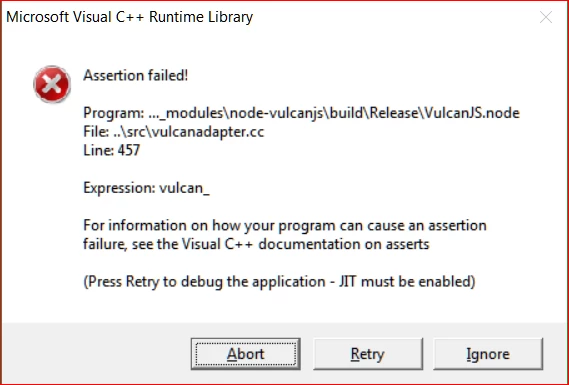
Hi I have just install Photoshop CC 2017 and when I start the program I get the following error message.

    Correct answer gcshep

    When I restarted creative cloud it repaired it's self so all is fine now.

    thank you for the input.

    4 replies

    Known Participant
    May 12, 2020

    This has to do with the C++ 2013 Version 
    And you should install the 32bit version even if you have Windows 64bit version.
    You can install both versions (32bit and 64bit)  just in case. But the C++ 2013 32bit version (vcredist_x86.exe) was the one that solved the issue.
    Hope this helps.
    https://www.microsoft.com/en-us/download/details.aspx?id=40784

    gcshep
    gcshepAuthorCorrect answer
    Participant
    September 1, 2017

    When I restarted creative cloud it repaired it's self so all is fine now.

    thank you for the input.

    Sheena Kaul
    Community Manager
    Community Manager
    September 1, 2017
    Govardhan.V
    Participating Frequently
    September 1, 2017

    Try uninstalling and reinstalling latest Visual version C++ redistributable packages.