Participant
September 8, 2017
Answered

My psd file and the jpg image saved have different RGB and hex colors ?

  • September 8, 2017
  • 2 replies
  • 1830 views

Hello guys,


I am having trouble with Photoshop color profiles.

When I save images from my psd files, then open those images with Photoshop and check the color with eyedropper tool. The colors of my files and the images save from those files have the same CMYK color but different RGB and hex color ? I think it's because of differnt color profiles.
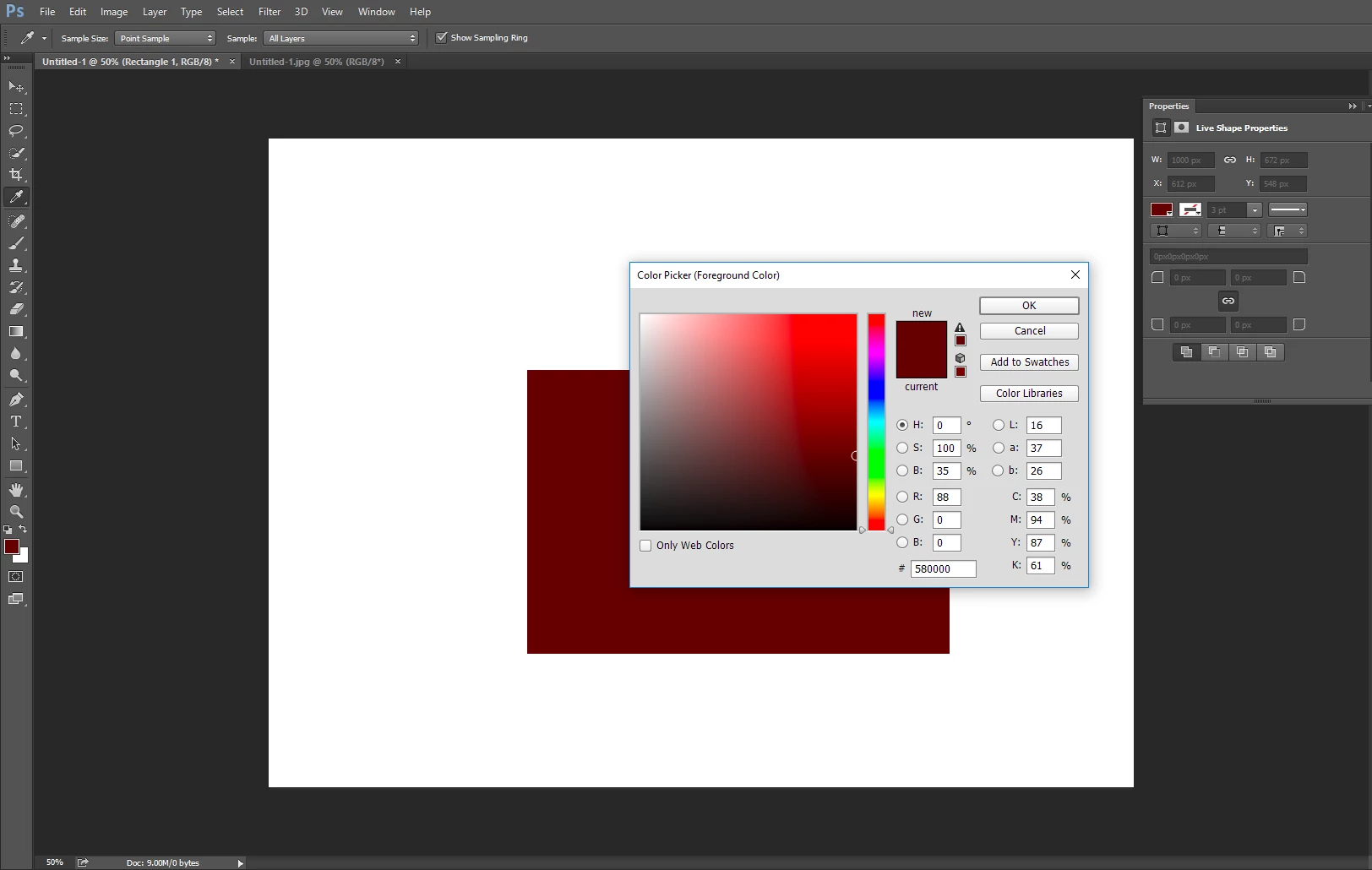
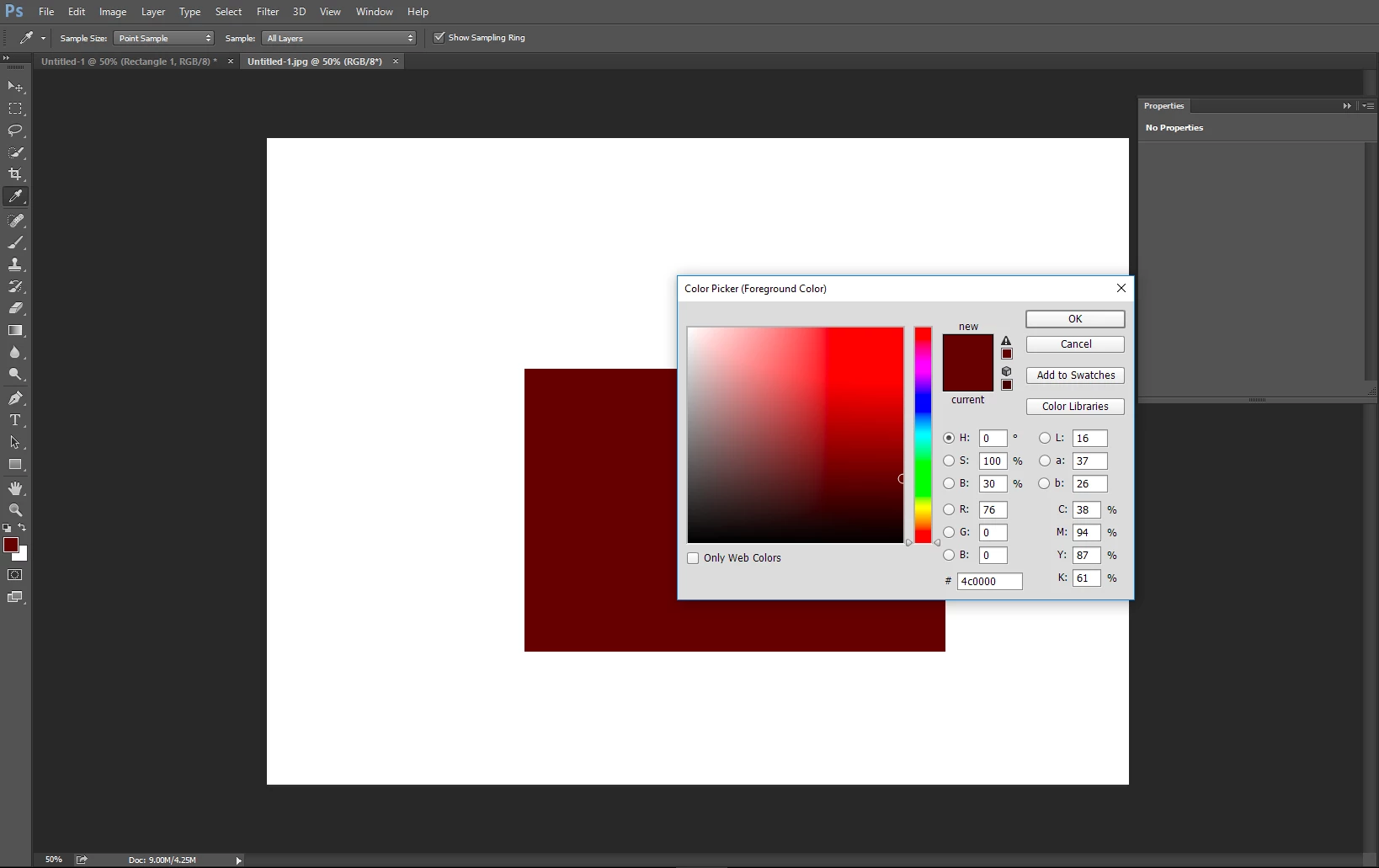
So I don't know why Photoshop can change the color profiles automatically for images saved. How can I prevent that ?
I use Photoshop for website design, so what color profile will suit me best?

You can check the psd file and the image through the link below:

46 Photoshop - Google Drive

Thank you all.

This topic has been closed for replies.
Correct answer c.pfaffenbichler

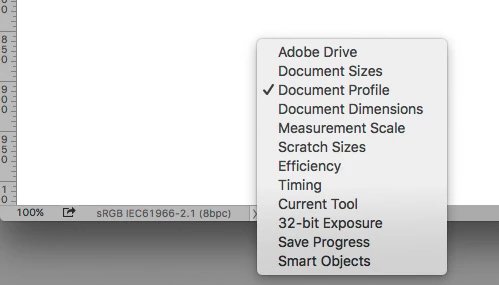
Please set the Status Bar to »Document Profile« and post screenshots.

What are the Edit > Colour Settings?

How did you create the jpg (Save As or Save for Web) and did you embed the profile?

A small difference might also be owed to the lossy compression.

2 replies

tvanhhuyAuthor
Participant
September 8, 2017

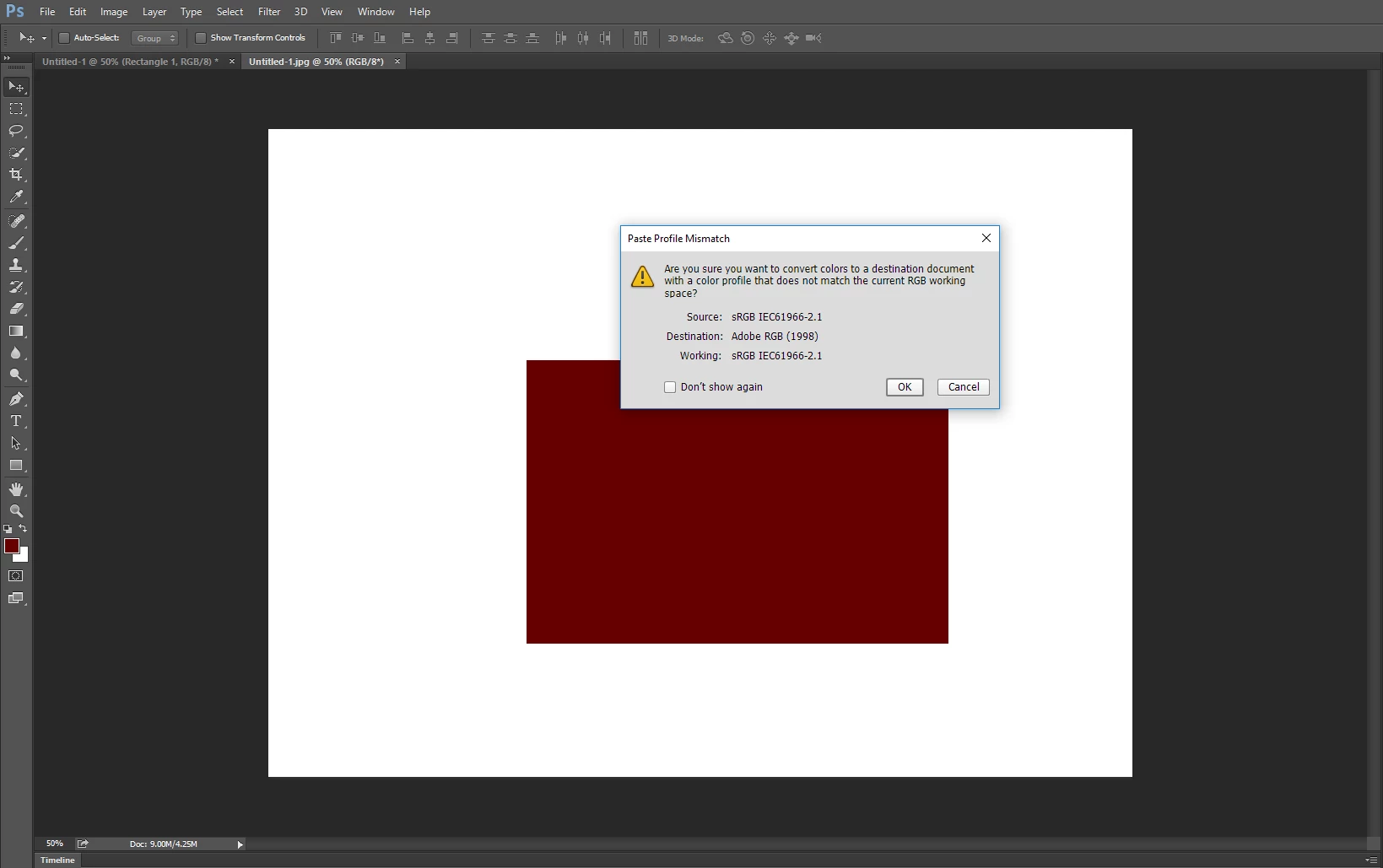
Oh, I know the reason why. Because my photoshop open image with Camera Raw first before open in Photoshop workspace, and it was using Adobe RGB color profile.

When I choose sRGB, it's normal now.
Thank you c.pfaffenbichler​.

davescm
Community Expert
Community Expert
September 8, 2017

You've already found the answer but just in way of an explanation.

The numbers associated with a colour (be they RGB or CMYK) are meaningless without a colour profile.  So the same colour can have have different numbers if the profile is different.  Don't get fooled by the Hex number that is also just a number which uses base 16 i.e. 00 to FF instead of base 10 i.e. 0 to 255. It is also meaningless without a profile.

Dave

c.pfaffenbichler
Community Expert
c.pfaffenbichlerCommunity ExpertCorrect answer
Community Expert
September 8, 2017

Please set the Status Bar to »Document Profile« and post screenshots.

What are the Edit > Colour Settings?

How did you create the jpg (Save As or Save for Web) and did you embed the profile?

A small difference might also be owed to the lossy compression.