April 29, 2019
Answered

Photoshop CC 2018 freezes when I use tilt shift function

  • April 29, 2019
  • 1 reply
  • 952 views

I have hp pavilion AB-029 TX with 8GB RAM, 2GB Nvidia 940M graphics and Intel i5 5th gen CPU (May be 5200u) issue is that whenever I use tilt shift for blurring then suddenly photoshop freezes not all apps I am able to click on start and I can navigate to other app, So I checked Task manager and GPU 1 is using 100% with Disk usage 100% so can you help me to find exact cause, should I go for SSD if I want better performance cause I have 1Tb 5400 RPM HDD in my system.

Thank you
This topic has been closed for replies.
Correct answer Akash Sharma

Hi iamhshaikh,

Sorry that Photoshop CC 2018 is freezing while using the tilt shift function to blur.

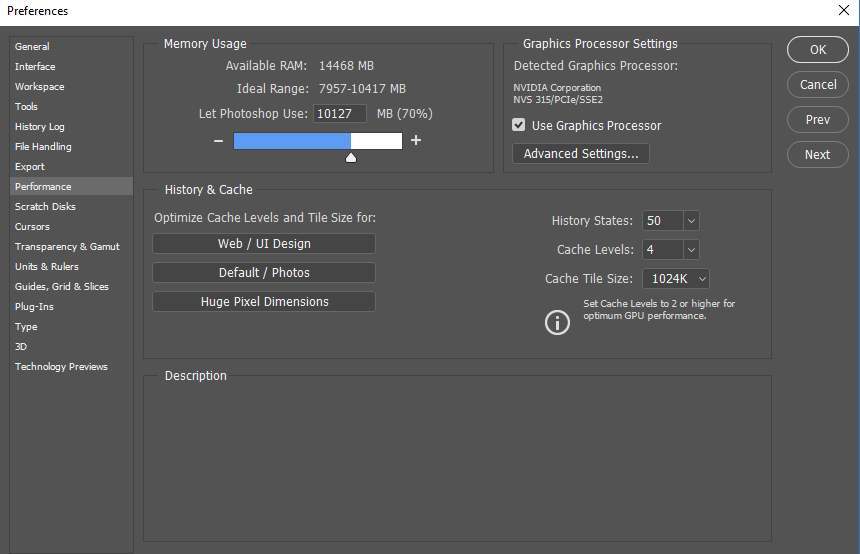
Could you please adjust the Cache level in Photoshop Preferences > Performance menu? Please see the details in the screenshot below:

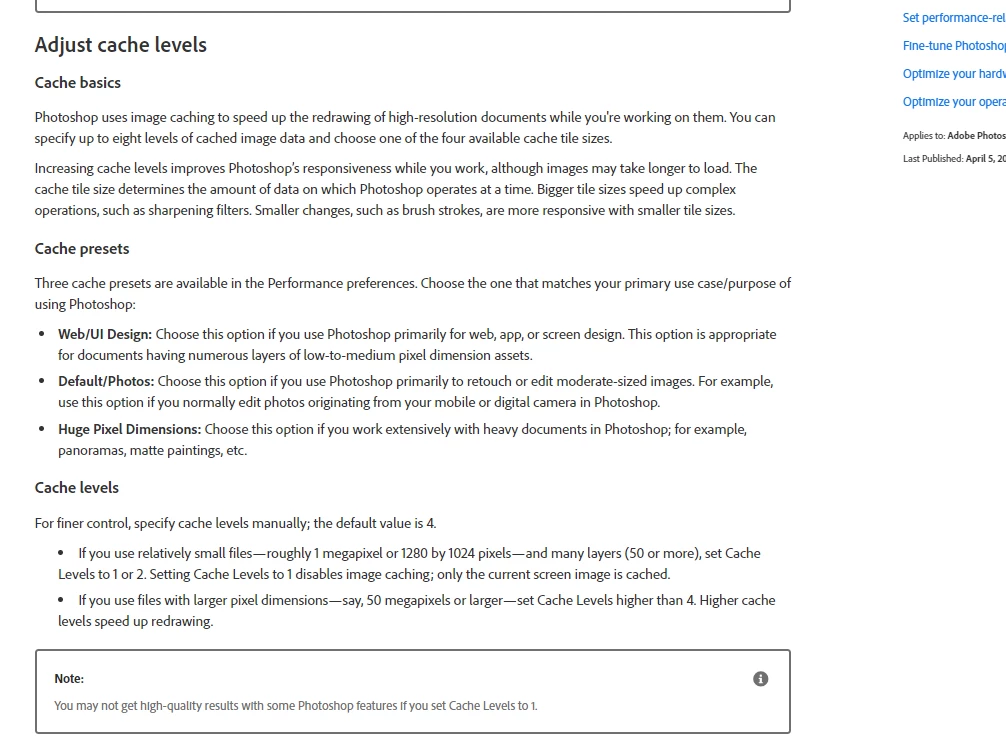
Set the cache to level greater than 4

Photoshop performance preferences

If the above steps do not help, please take a look at this article Optimize performance Photoshop CC ​and optimize the app's performance.

Let us know if that helps?

Thanks,

Akash

1 reply

Akash Sharma
Akash SharmaCorrect answer
Legend
April 29, 2019

Hi iamhshaikh,

Sorry that Photoshop CC 2018 is freezing while using the tilt shift function to blur.

Could you please adjust the Cache level in Photoshop Preferences > Performance menu? Please see the details in the screenshot below:

Set the cache to level greater than 4

Photoshop performance preferences

If the above steps do not help, please take a look at this article Optimize performance Photoshop CC ​and optimize the app's performance.

Let us know if that helps?

Thanks,

Akash

April 30, 2019

Thanks Akash this method helped me

Akash Sharma
Legend
May 1, 2019

Thanks for the update. Glad to know it helped.

Feel free to update us if you have any additional query related to Adobe products.

~Akash