

TysonK
Known Participant
January 9, 2017
Answered

Photoshop cc wierd three finger trackpad movement changes view rotation?

  • January 9, 2017
  • 5 replies
  • 1871 views

How do you get back to normal?

Undo won't do it.

Revert won't do it.

I have to close and re-open.

I'm simply trying to get around the fact that my clicker on my trackpad doesn't work so well anymore (barely ever).

So, when I don't have a mouse... I have to use three finger drag to resize things or move things.

The OS and apps almost always are jittery and confuse resize or move (select and do anything with three fingers) as trying to zoom in or out or move so it is a rough go of it and takes multiple tries to get lucky. But now, in photoshop I've noticed it rotates my whole canvas (a flat styled graphic of a compass popped up the first time I noticed). It is quick.

Here's what I see once it happens...
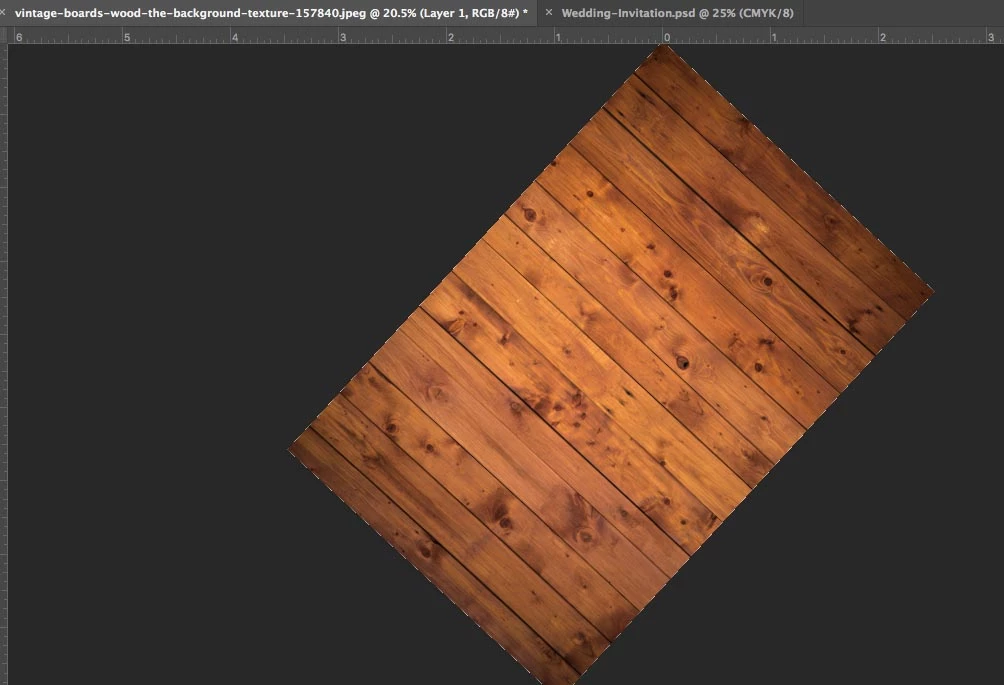
Any way around it?

Thanks!

This topic has been closed for replies.
Correct answer PECourtejoie

A double-click on the rotate view tool also resets the view.

5 replies

PECourtejoie
Community Expert
PECourtejoieCommunity ExpertCorrect answer
Community Expert
November 25, 2021

A double-click on the rotate view tool also resets the view.

timothybooysen
Participant
November 25, 2021

I had the same expereince with my Mac trackpad and found that saving the current document you're working on, closing it and re-opening it solves the problem. After turning off gestures in Photoshop preferences.

JJMack
Community Expert
Community Expert
January 9, 2017

Touch two finger double tapping does not work for me ESC does.  Here is how it is documented.  But it does not work correctly on all touch devices. It works on my surface pro 3 display.  It will not rotate with my Surface pro 3 touch pad but will zoom. It will zoom and rotate with my Intuos Pro but will not reset with the double two finger tap. So your mileage may vary. I use ESC to reset rotation.

JJMack
Dan Rodney
Community Expert
Community Expert
January 9, 2017

While I like the idea of gestures, I find that Photoshop often guesses wrong and they wrongly fire when I don't want them to. You can disable them in Preferences:

  1. Go into Photoshop CC menu Mac or Edit menu (Windows) then go into Preferences > Tools.
  2. Uncheck Enable Gestures.
— Adobe Certified Expert & Instructor at Noble Desktop | Web Developer, Designer, InDesign Scriptor
Chuck Uebele
Community Expert
Community Expert
January 9, 2017

Have you tried the escape key?

Or have you used the reset tool on the screen rotation tool?