Participant
November 24, 2017
Answered

Placing Image/pdf with a different orientation or larger than the canvas size

  • November 24, 2017
  • 2 replies
  • 5539 views

If I set up a new a4 page in landscape orientation and then drag and drop a portrait pdf onto it, it automatically scales the portrait pdf to fit on the landscape page - about 60%.

This is annoying as I want to keep the scale and the scanner automatically scans to that orientation and I would have to edit the pdf and save the right orientation.  I therefore drag the pdf to the tabs at the top so it opens in a new .pdf drawing and then copy the layer.  This is a pain.

How can I keep the correct scale (at the pdf will be bigger than the canvas size)?

Thanks
    This topic has been closed for replies.
    Correct answer Bojan Živković11378569

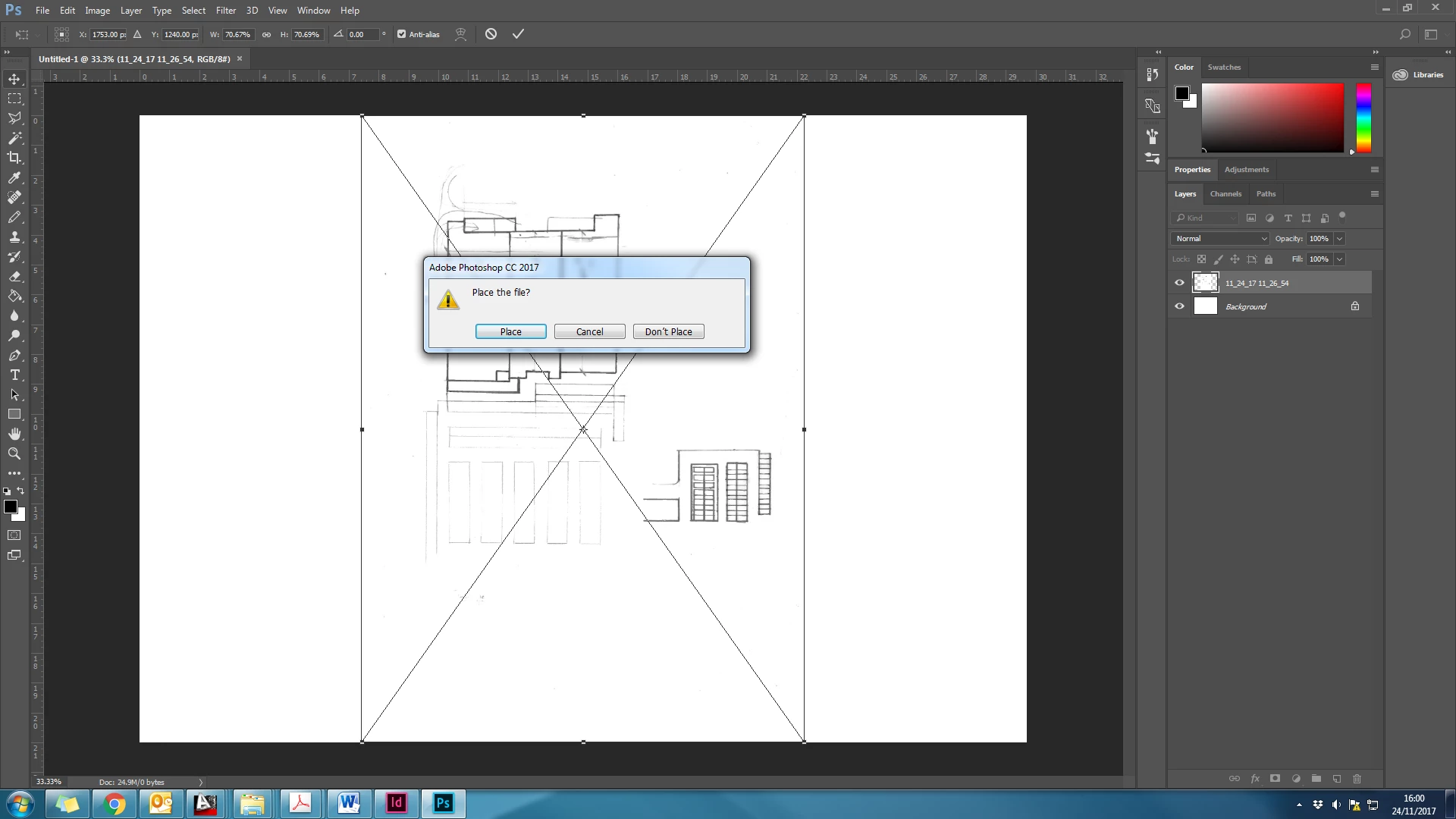
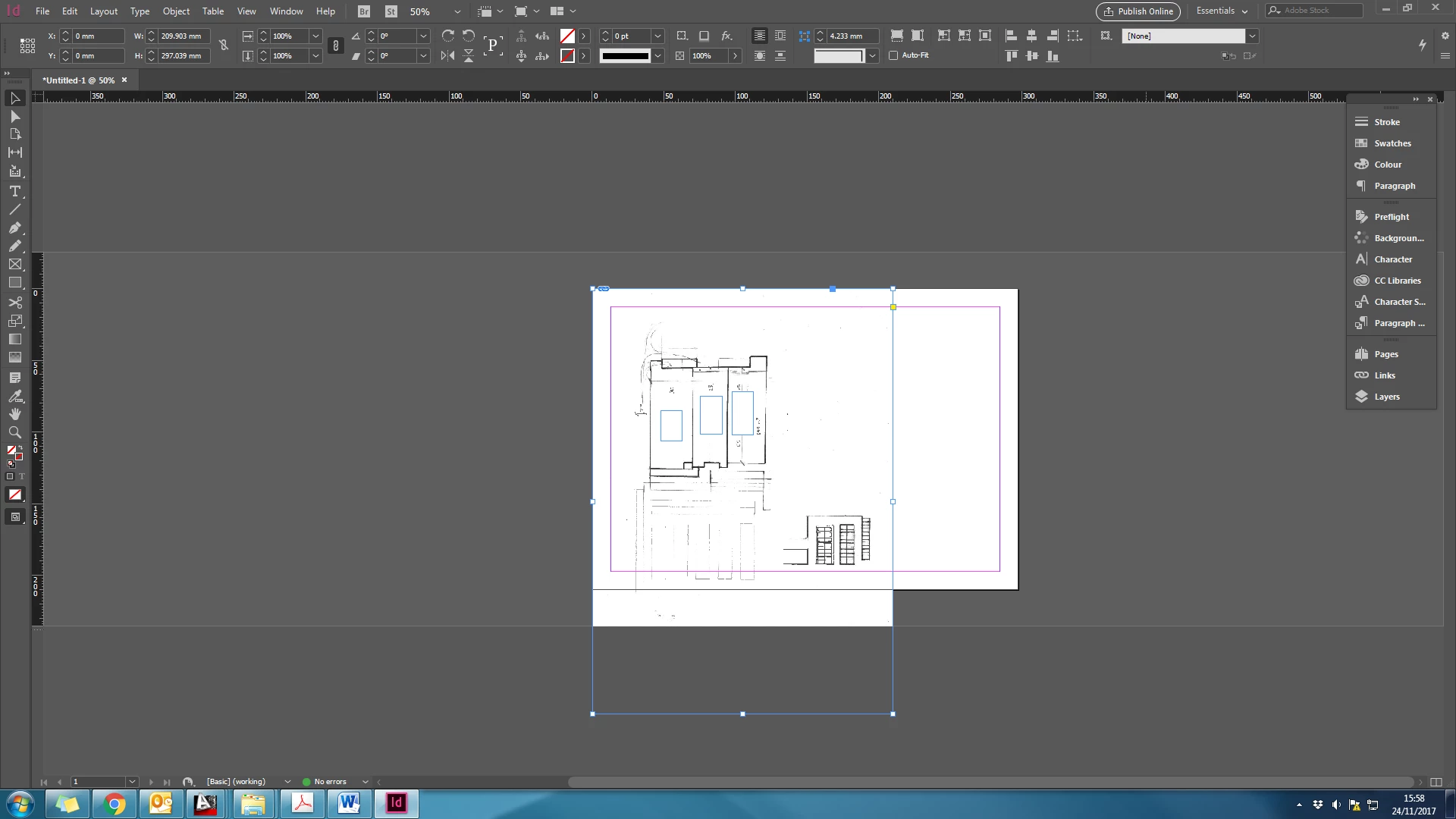
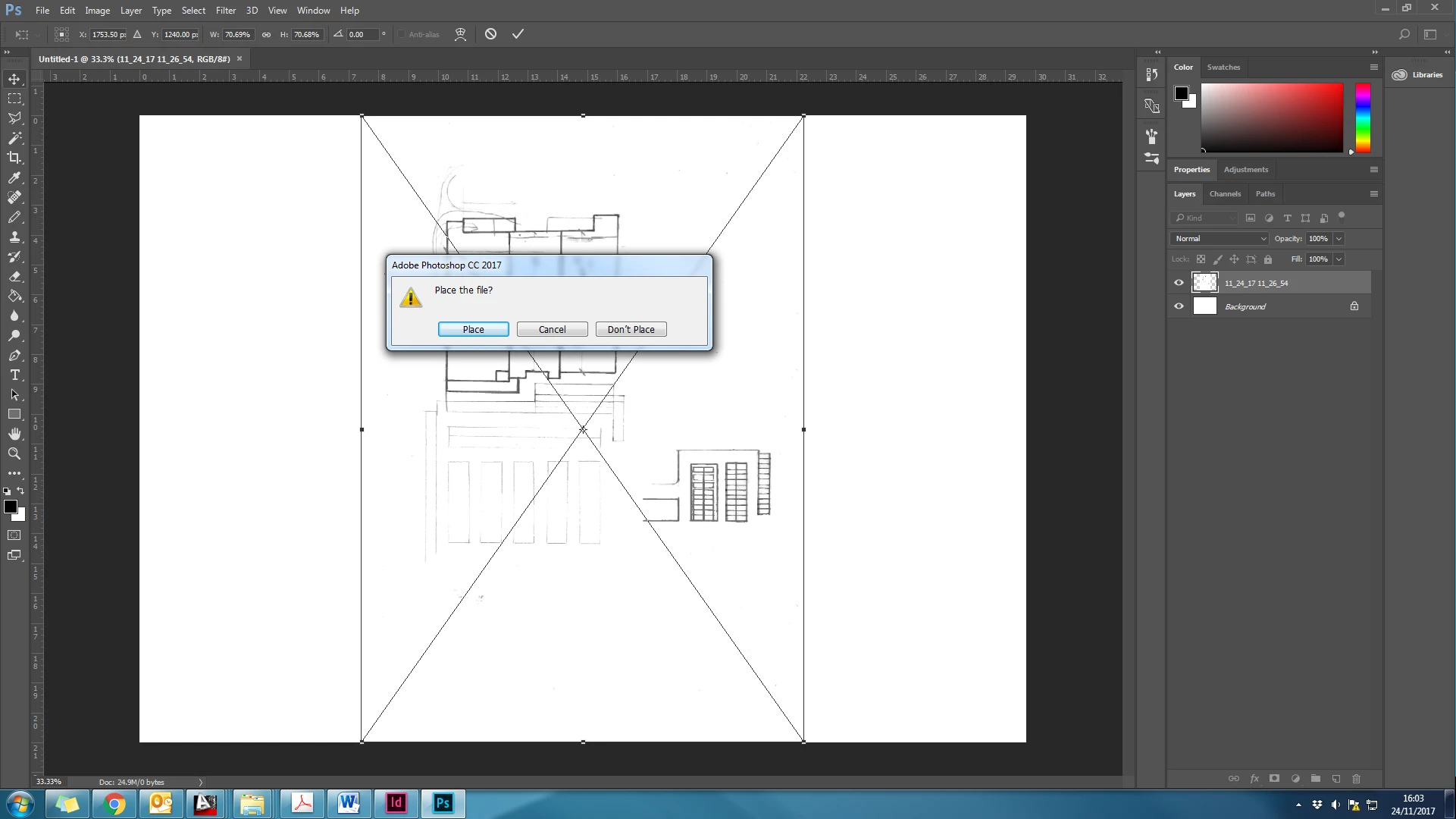
    I've tried it with a png and the same thing happens. I have attached some screenshots.  The first one is a png, the second is a pdf and the 3rd is what happens in InDesign, which is what I am want to happen in Photoshop,


    Try this: go to Preferences > General and uncheck Resize Image During Place.

    2 replies

    JJMack
    Community Expert
    Community Expert
    November 24, 2017

    Yes Photoshop tries to perserve image quality the actual image pixels are always used . If the images have different resolution images size will be miss matched even if shot with the same lens at the same distances,  The number of pixels will be different at different resolution.  Resolution is pixel size  it not someting a display can do they have a single resolition.

    When ever you composit image together you noramlly have to scale  ang images so object in the composite image scale together well.  At least one image need to be scaled to the other so object have the proper size perspevtive.

    JJMack
    JJMack
    Community Expert
    Community Expert
    November 24, 2017

    Why do you create your image as PDF files.  You should use an Image file format like jpg, png, tiff, Camera RAW  or even Photoshop native file format PSD/PSB.   You Should also place these in your other Photoshop composite documents.   The layers Object will be your full size image  even when the layer is scaled to fit within your documents canvas size.  The  Pixels generated for the layer will be your full size image. 

    PDF file handling by Photoshop is a bit strange and if open onto to Photoshop pages can be scaled.   Do yourself a favor and create high quality image files for your images.     Place these into your others Photoshop Document.

    If you scanning application is creating PDF files check its output options I would think it can produces high quality image files.  It should also be able to produce landscape and portrait orientated image files if load correctly.  It scans what it is feed.  

    JJMack
    Participant
    November 24, 2017

    I plot from Autocad to pdf and the scanner scans to pdf.  It is in work, so changing these is not an option.

    JJMack
    Community Expert
    Community Expert
    November 24, 2017

    Image file types should be an option in the software you use at work.  You can also open any scanned PDF File in Photoshop and specify in the PDF open options the number of pixels you want the canvas size to be.  The PDF will be scaled to that number of pixels well if you set the scanner to scan at a high resolution when you created the PDF.   Once in Photoshop you can save your scanned Images into Image Files format like PNG JPG Tiff BMP.  The Important thing is you want  High quality High resolution Image files of you scanned images to work with.

    JJMack